62
OPUS Projektor Manual
User Interface
If nothing is done, the launcher automatically starts the program after a countdown of 5
seconds. Click anywhere in the launcher to stop that countdown.
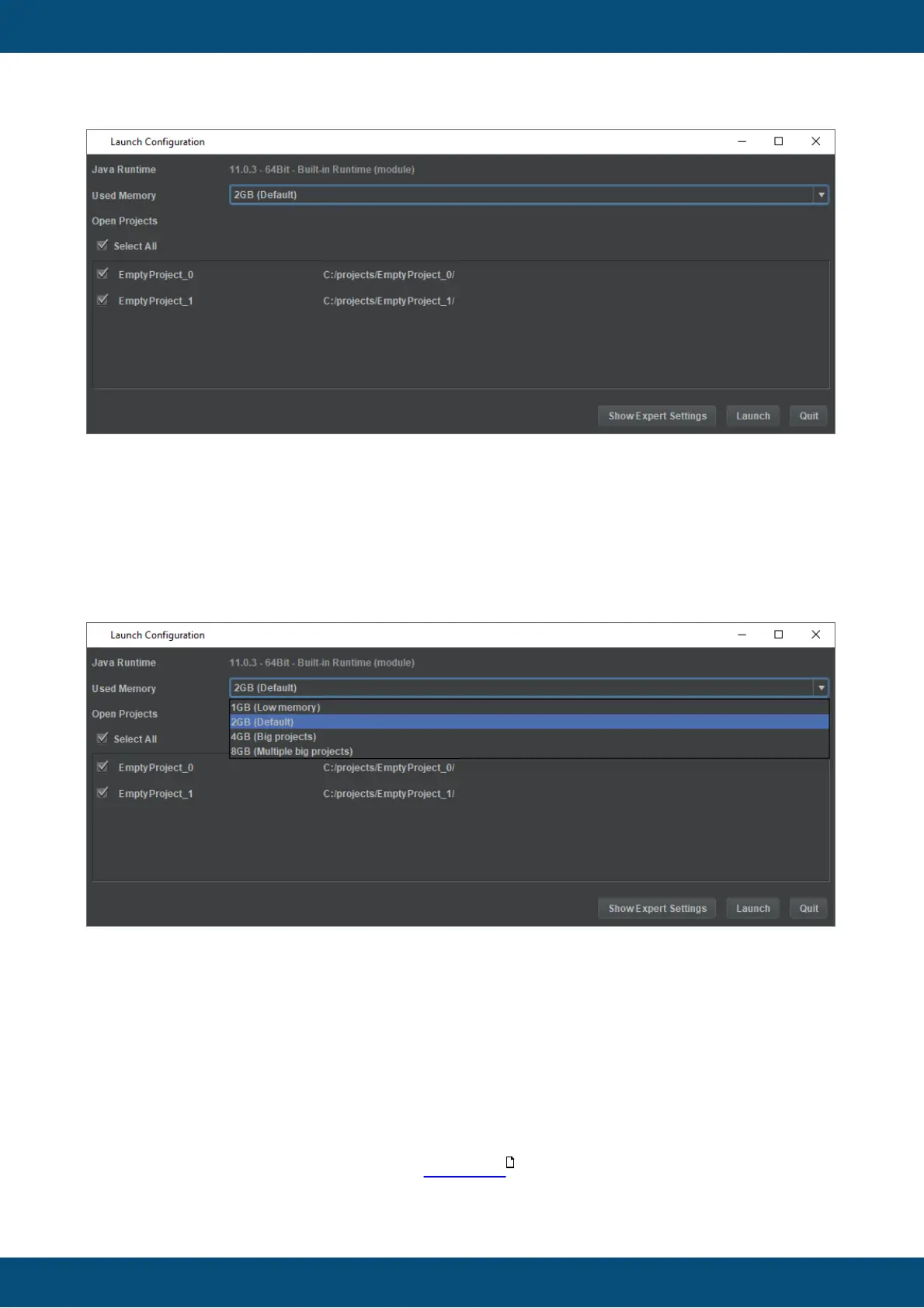
In the first line, the used Java Runtime is displayed. This cannot and should never have to be
changed.
In the second line, some heap memory settings for Java can be selected.
The default setting of 2GB of RAM memory is sufficient for most cases. If limited RAM is
available, 1 GB can be selected. This can be problematic with large projects, through.
For larger and multiple large projects, especially when upgrading them from older versions, 4
and 8 GB can be selected. Please note that enough RAM memory needs to be available for
those options to make sense.
The projects that were opened last time the program was running, is listed next. All projects
are selected by default. Projects that should not be opened again can be deselected. With the
Select All box all projects in the list can be selected or deselected. Please note that once the
program starts with projects deselected they will not appear in this list again. Instead, they will
be listed in the recent projects pane in the start page .
134



 To Next Page