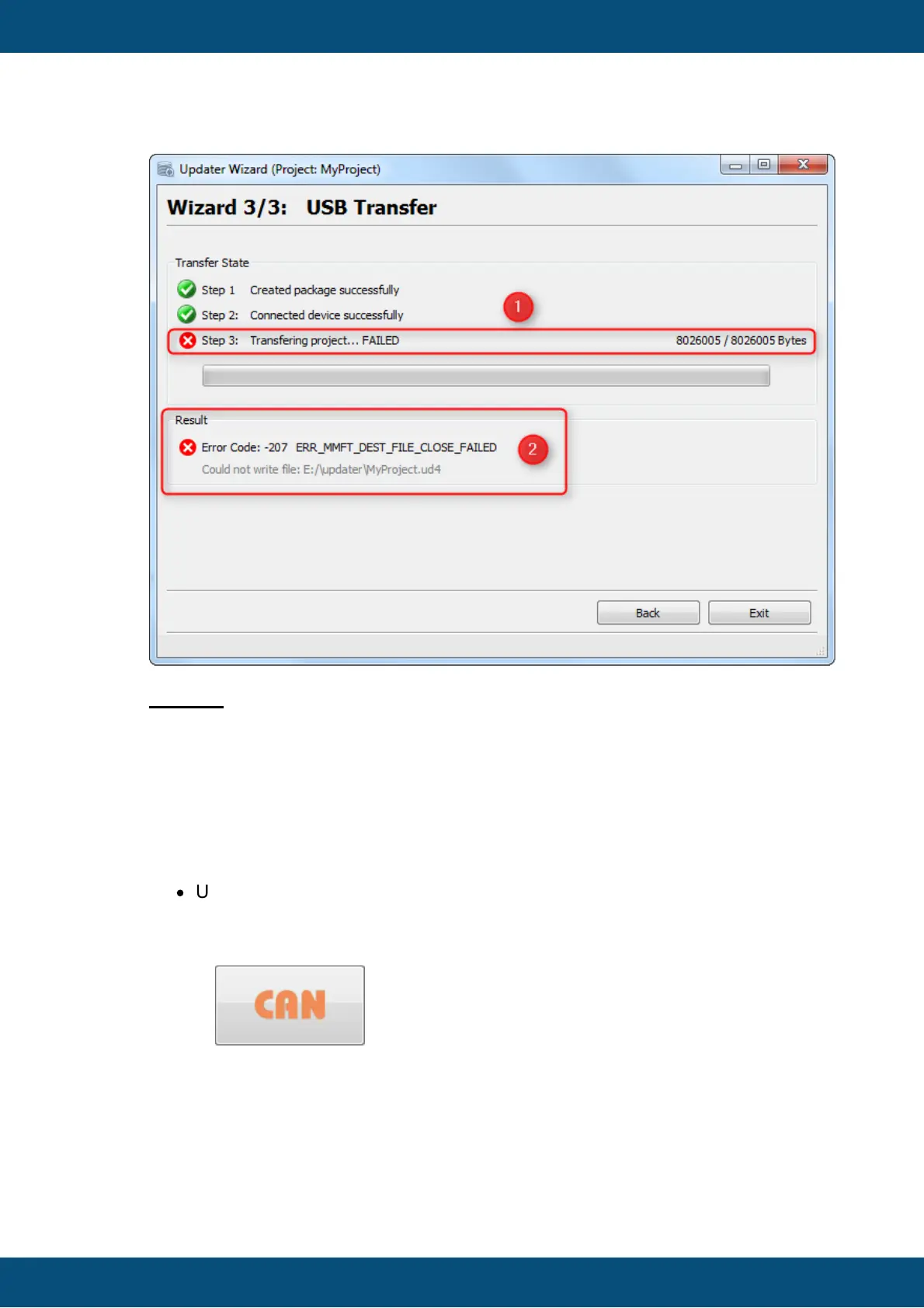
Legend:
(1) Step 2: The Transfer to USB drive failed.
(2) The Error Code (here: -207) is shown under the progress bar. After the code the
appropriate Error Message is shown (here:
ERR_MMFT_DEST_FILE_CLOSE_FAILED).
Additionally an detailed message is shown what exaclty went wrong: Could not
write file: E:\updater\MyProject.ud4
In this case the Updater could not write the Project Package to USB drive. Possible
reason for this error is:
·
USB drive has not enough disk space left.
If the CAN button is clicked on the Start Page, the CAN Settings
Page is shown. Here you can modify the CAN settings for the project transfer.
Afterwards you can start the transfer.
Disclaimer about using CAN



 To Next Page