64
OPUS Projektor Manual
User Interface
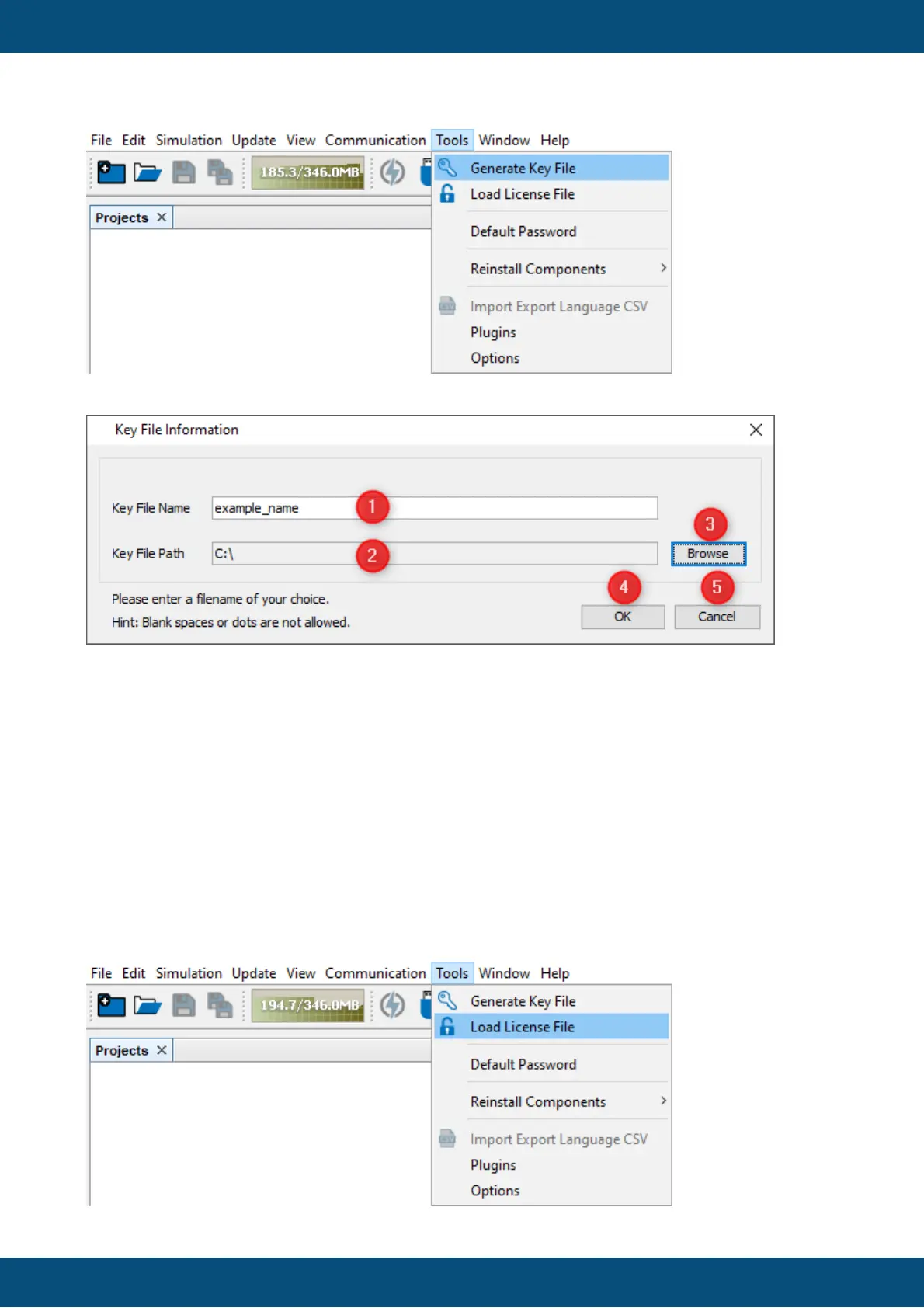
In the dialog, choose a filename (1) and select where the key file should be stored (2) by
pressing the Browse button (3) and choosing a path.
Confirm and close the dialog to create a key file with OK (4). Cancel (5) cancels the process
and closes the dialog.
2. Get a license file
To get a license file, first the license needs to be purchased from your vendor. Then you can
send the key file to your vendor and they will send you back a license file.
3. Load the license file
After the license file was received, open the menu Tools -> Load License File



 To Next Page