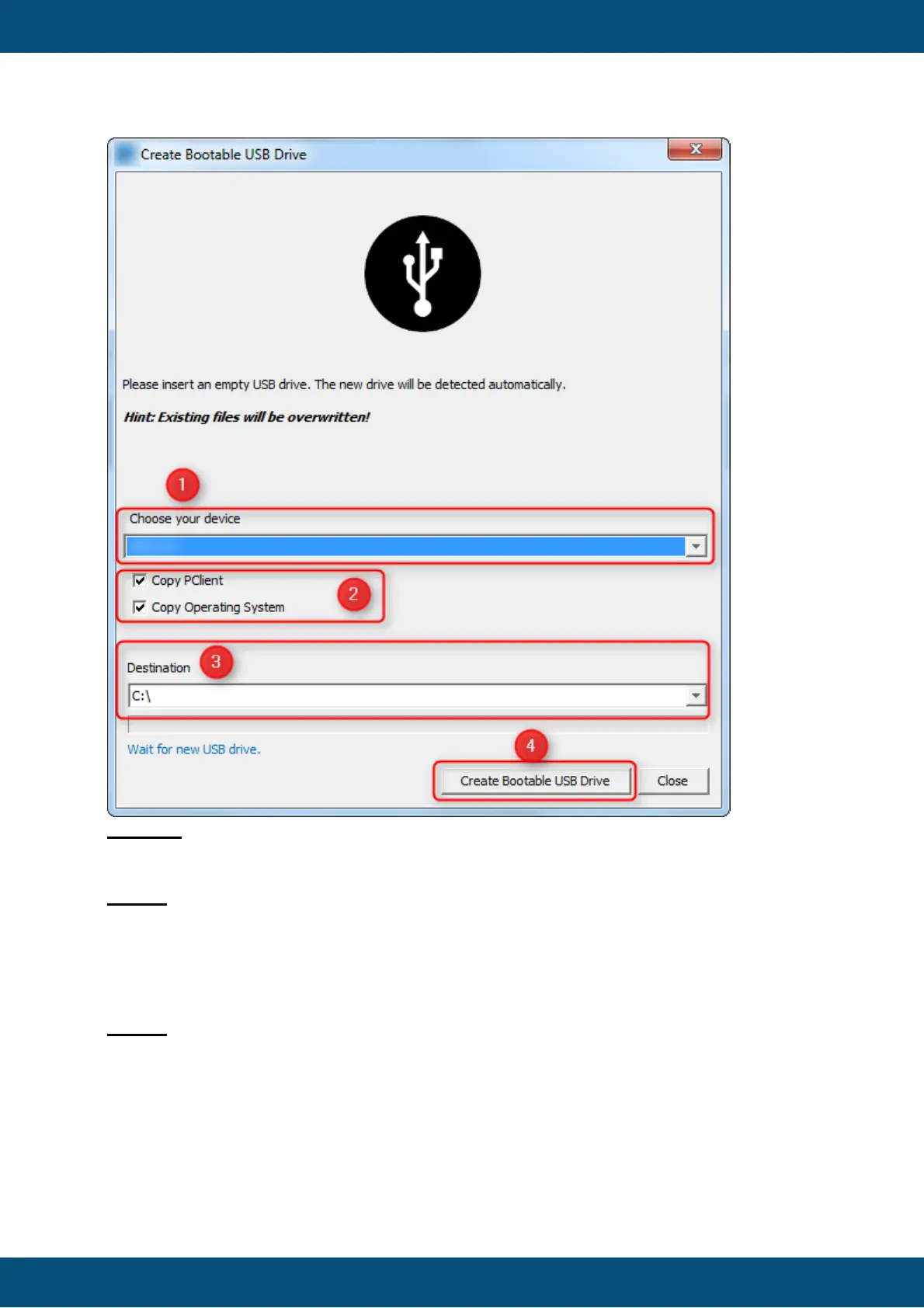
Legend:
(1) The combo box shows all available devices which can be updated.
NOTE: If no device is shown, please install the desired PClient module and/or the needed
OS module(s) in the Plugin Center.
(2) Here you can choose the components which you want to update on the device.
Additionally, the respective versions of PClient and OS for the chosen device are displayed
(3) This combo box shows the destination drive where the update files will be copied to.
Please select the appropriate USB drive.
NOTE: If a USB drive is mounted, it will be selected automatically.
(4) When the device and the components are chosen (1-3), you can start the copy process
with the button 'Create Bootable USB Drive'.



 To Next Page