Legend:
(1) When the button 'Create Bootable USB Drive' is clicked, the current copy state is shown
here.
(2) During copy progress, the progress bar is running.
(3) When the copy process starts, the button 'Create Bootable USB Drive' will be disabled.
To abort the copy process, please press 'Abort'.
Copy process successfully
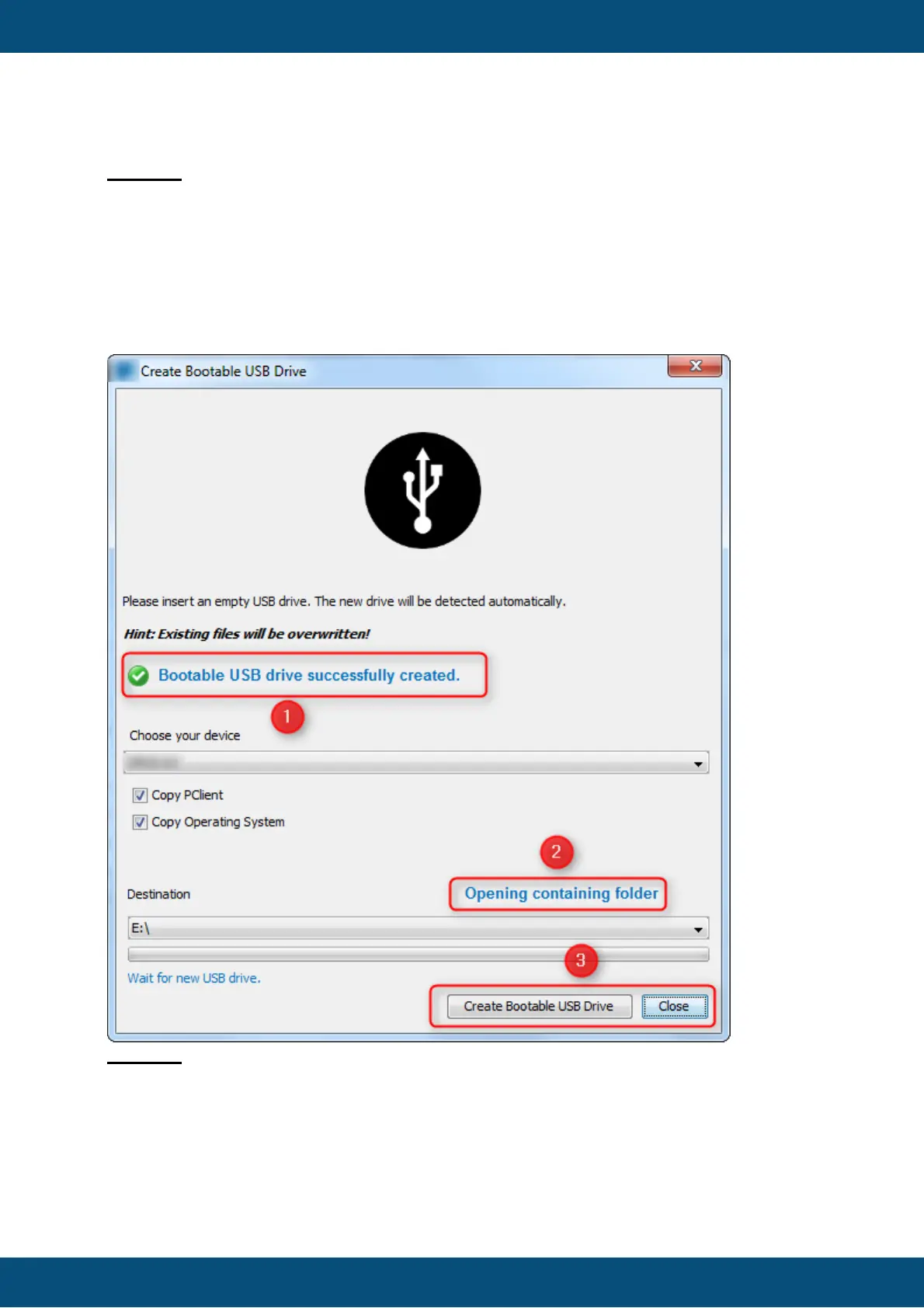
Legend:
When the copy process is finished successfully, the green check icon is visible.
(2) Here you can open the destination folder directly, after the copy process is finished.
(3) After the copy process, the button 'Create Bootable USB Drive' is enabled again.
Copy process failed



 To Next Page