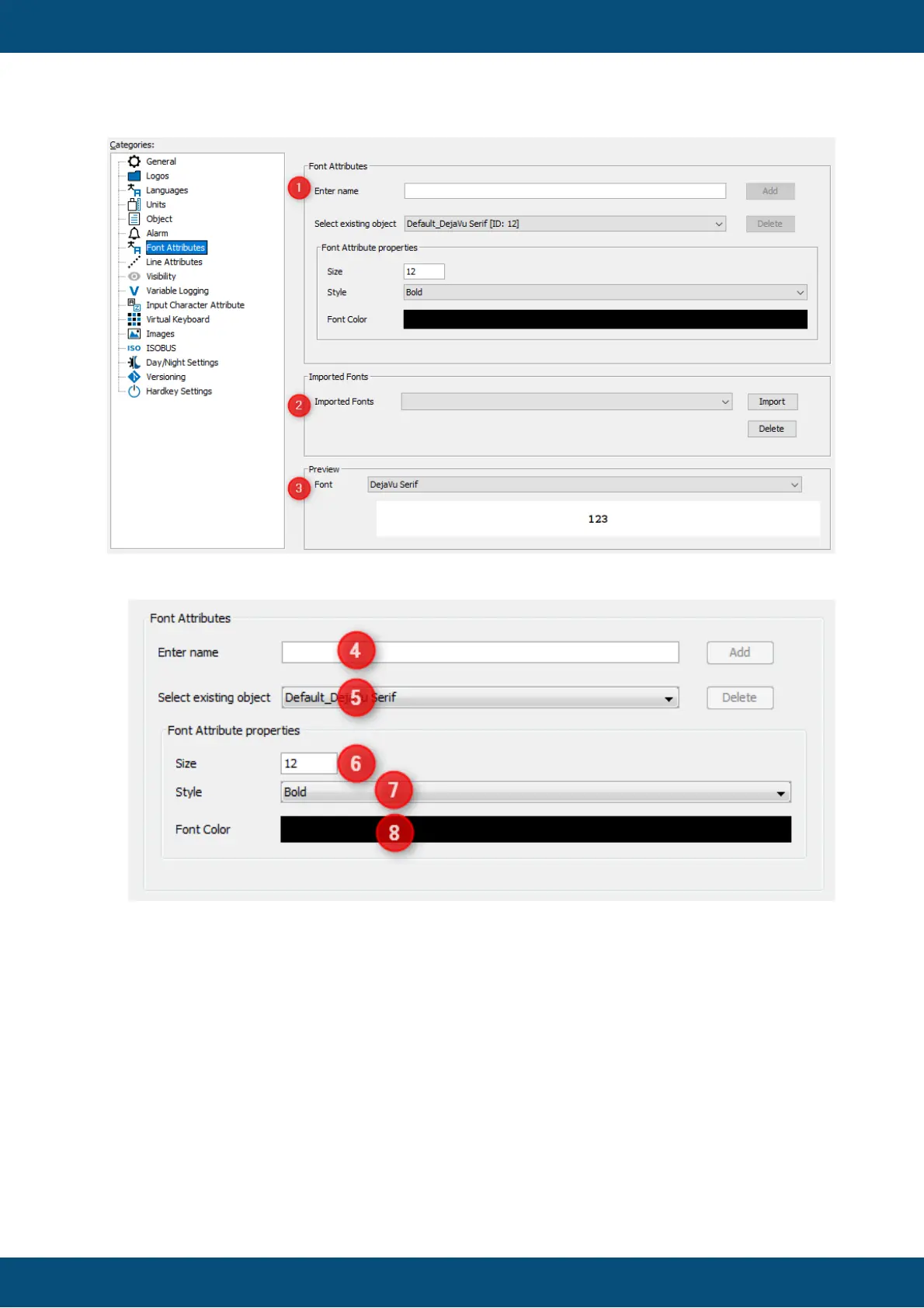
To create a new Font Attribute, enter a new font attribute name in (4) and click the Add
button. The name entered here will be used to select a Font Attribute while creating the
project pages. Afterwards you can configure the new Font Attribute as described
below.
To change the properties of an existing Font Attribute select the Font Attribute (5).
Then change the size (6), style (7) and color (8) according to your needs.
To delete a Font Attribute select the Font Attribute to delete (5) and click the Delete
button.
To make new font styles available you can import True Type Fonts here.
You also can delete fonts, because each font increases the size of the projects.
Note: It is highly recommended to delete unused custom fonts.



 To Next Page