99
OPUS Projektor Manual
User Interface
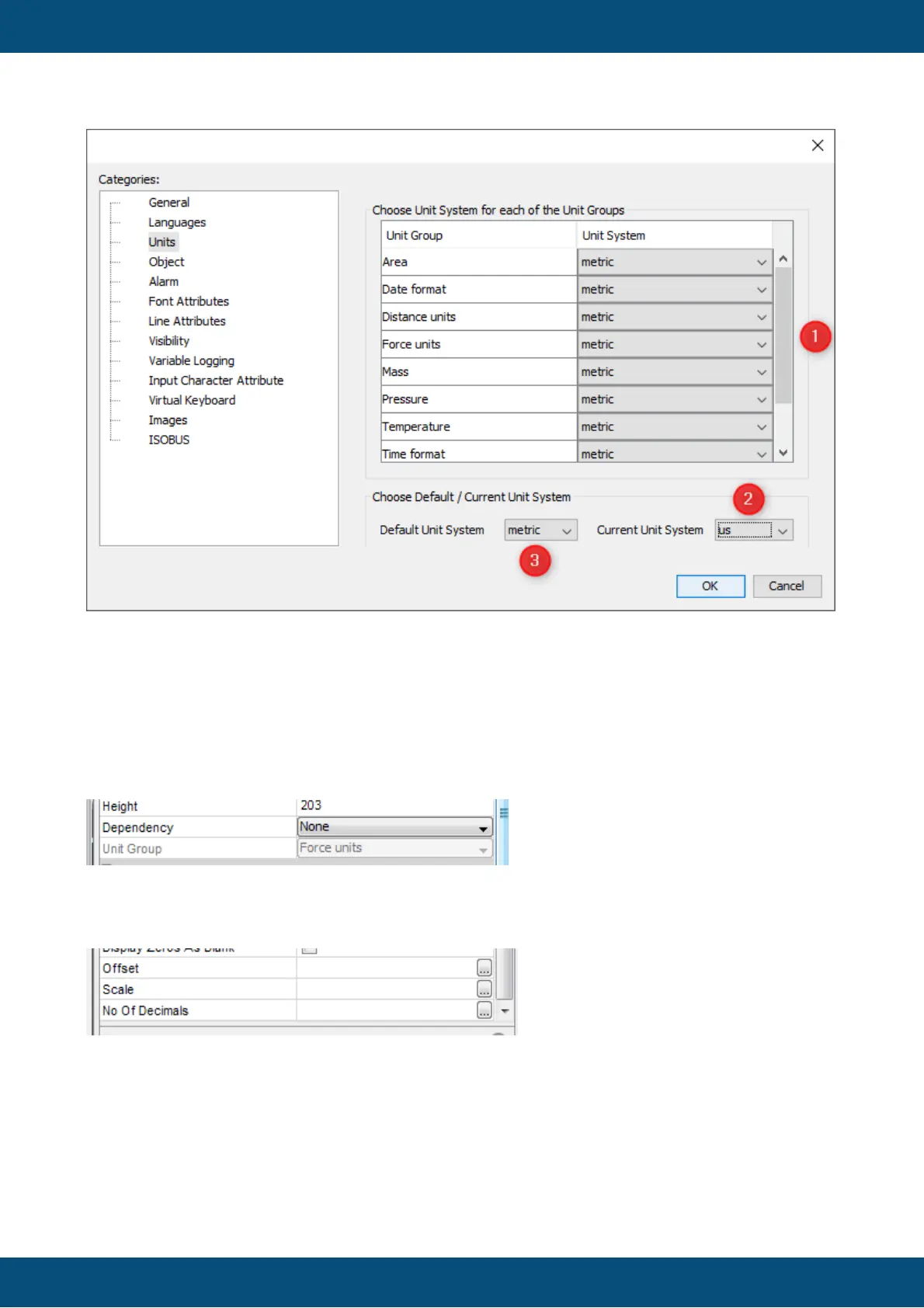
What you see here are possible groups of units which you can use. There are no automatic
calculations done in the background. They all have to be defined within the tool and the
properties of the objects. The current unit settings for the different unit categories (1) and the
general unit setting (2) are only for the development phase. Setting the default unit system (3)
does currently not have an effect.
To enable this feature for an object you have to change the dependency property of an object.
Change the dependency from "None" to "Unit" and you will see that some properties will get
"..." buttons.
This is an example for a numeric object. These properties differ depending on the object
selected (please see object reference for details). Usually you can enter only one value in
"Offset", "Scale" or "No of Decimals". Now with the Unit dependency you can click the "..."
button and get a new dialog.



 To Next Page