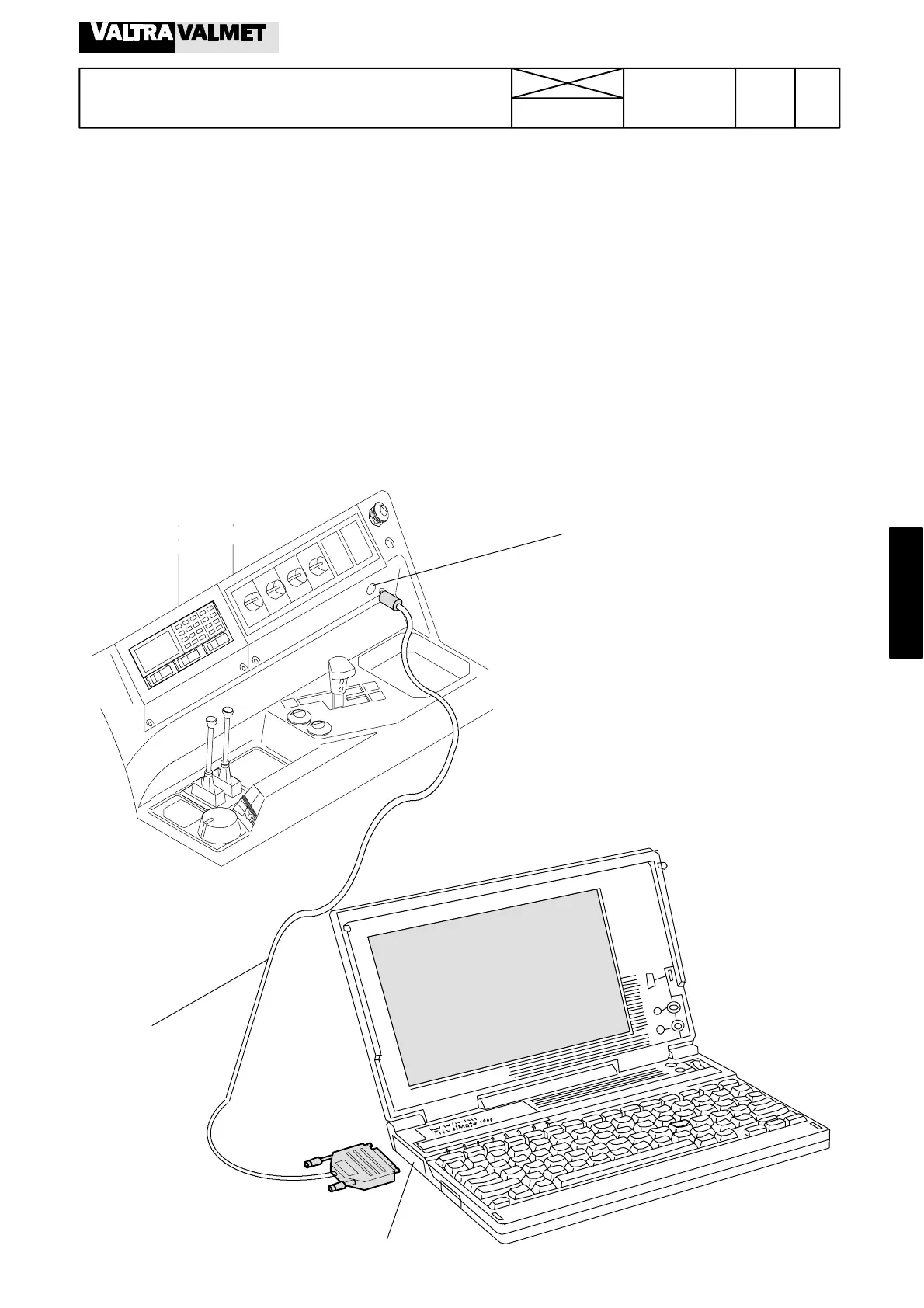
Picture1. Fault tracing with microcomputer
Socket X10C
Cable 32668200
Serial port RS ---232C (9 pins)
427
Model Code Page
35. Autocontrol IV
1. 1. 1994
6600E
8100E-- 8750E
352 1
Computer---aided fault tracing
A computer program has been made for Autocontrol IV (Ser-
vice Program) which can be used when trouble shooting is
carried out with a microcomputer (PC).
In this instruction is used a portable PC which is IBM compat-
ible and uses MS---DOS 3.3 operating system or later version.
Additionally PC must have a serial port RS ---232C (9 pins)
when the PC is connected to the AC--- IV unit with cable 326
682 00.
Service Program floppy disk can be ordered from Valmet if
needed. It is useful to copy the Program into the hard disk of
the PC.
Note! Service Program error messages, see page 353/3.
Starting fault tracing
In this instruction the Program is in the hard disk (C:). If it is in
the floppy disk drive, use a correct prompt (e.g. A:)
H Connect the PC with the cable to the socket X10C.
H Switch on current to a tractor and to the PC.
HWhenpromptC:\> appears, type AC (ACC if colour
monitor) and press ENTER.
H A trouble shooting chart appears on the PC display. In
the LH side lower corner of the chart there is the following
menu:
1PARAMETERS 5SENSOR LOG.
H Press F5, and the computer starts to update the
trouble shooting chart (i.e. PC changes X marks). Wait for a
while before starting the trouble shooting.
H Return to the disk operating system by pressing the
function key F10 (EXIT).



 To Next Page