765
Model Code Page
441. Quick ---shift gear
6100--8400 441 5
15. 5. 1993
8. 11. 1990
3. Reconditioning 2---step quick---
shift gear
Note! The 2---step quick---shift gear is the same as on V almet
505---905 tractors. Tractors equipped with 3---step quick---
shift gear Delta Powershift, see under code 444.
A. Changing seals for input shaft
Note! Beforechangingtheseals,splitthetractorframebe-
tween the gearbox and fuel tank (see instr. 441 1 A or 423
1A).
1. Remove the seal retainer/bearing cover.
ETV 891 840
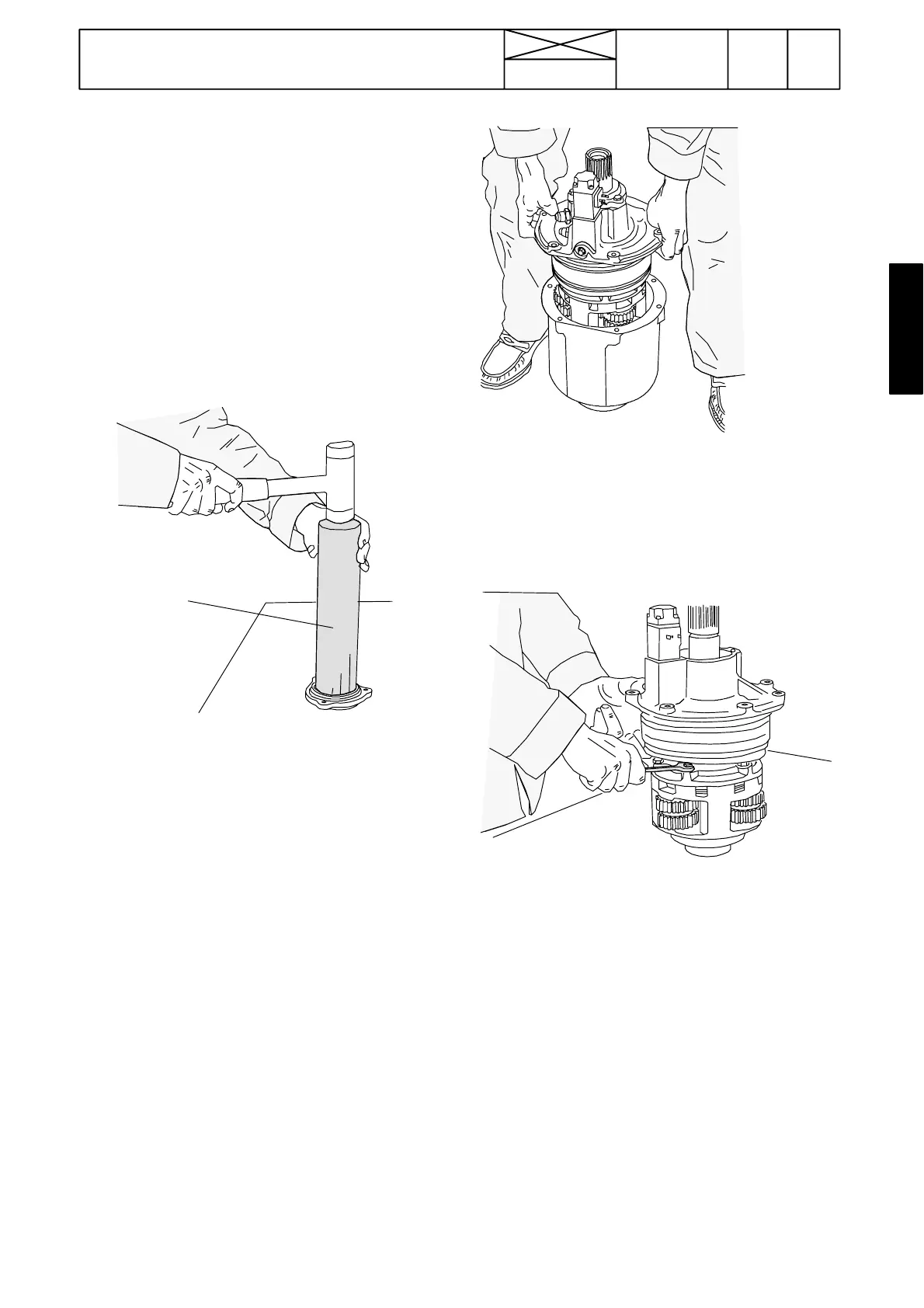
2. Remove the old seal from the retainer and drive in a new
seal with ETV 891 840. Fit a new o---ring in the cover.
Note! Fit the support ring under t he seal.
3. Wrap plastic foil round the splined joint on the quick---shift
gear shaft and press on the cover with seals. Tighten the bolts
to 23 Nm.
4. Assemble the tractor frame between the gearbox and fuel
tank (seeinstr.4412B).
B. Changing input shaft/disc assembly
Note! The quick---shift gear has been detached from the trac-
tor (seeinstr.4411AandB).
1. Remove the seal cover.
2. Unscrew the quick---shift gear cover bolts. It lifts about 5
mm out of the housing under pressure from the cup springs.
3. Lift off the cover so that the input shaft complete with epi-
cyclic gear and multi---disc clutch comes o ut with it.
Note! If the planet carrier does not loosen, turn the cover
slightlyso that the planet pinions enter the grooves in the walls
of the housing.
4. Place the quick---shift gear on end so that the cover comes
upwards. Separate the planet carrier and lift off the upper part.
5. Remove the discs.



 To Next Page