LCR Table Initialization (PGM 223) 1-118
Chapter 1: SBX IP Online PC Admin
SBX IP - PC Admin Guide
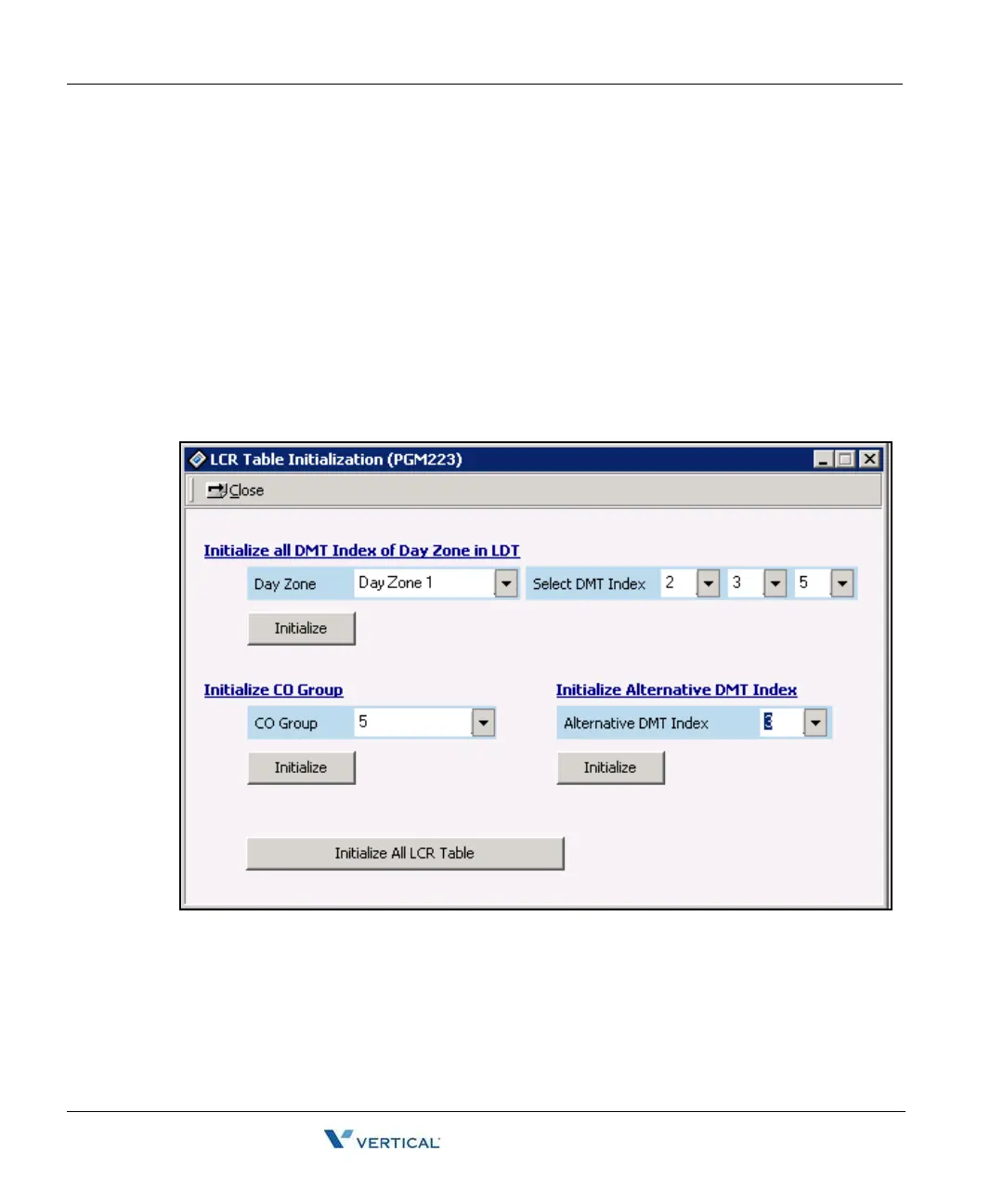
LCR Table I nitialization ( PGM 223)
This feature initializes Day Zone 1, 2, 3 in the LDT and all CO groups in the DMT.
Operation
1. Click [LCR Table Initialization]. Click [Day Zone] (1-3). Select DMT index (0-99), and
press [Initialize] button to initialize.
2. Select a CO group (1-36), and click the [Initialize] button that is located below the
Initialize CO Group area.
3. Select alternative DMT index (1-99), and click the [Initialize] button of Initialize
Alternative DMT Index area.
4. Click [Initialize All LCR Table] to initialize all LCR table.



 To Next Page