Preset Call Forward (PGM 121) 1-38
Chapter 1: SBX IP Online PC Admin
SBX IP - PC Admin Guide
Preset Call Forward ( PGM 121)
If a station does not respond to an outside call for a certain period of time, the call may be
forwarded to another station.
Operation
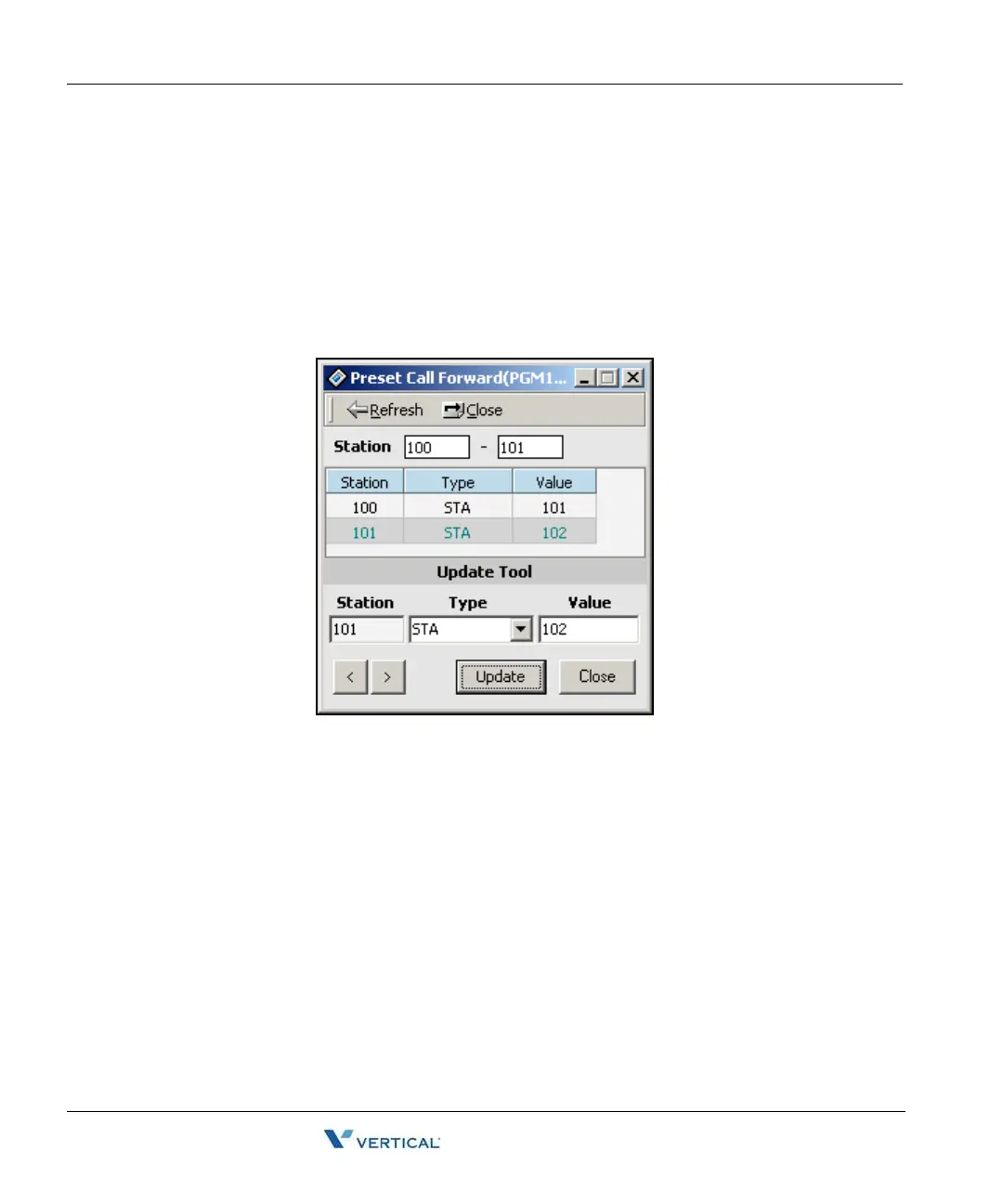
1. Click [Preset Call Forward]. Then programmed preset call forward pair will be
displayed.
2. If there is no pair data, the window will not display anything.
3. Enter the station range at the top of the window, then click on [Refresh} to display
stations that you may wish to preset call forward within the range.
4. To edit the preset forward pair, right-click in the area under the headings in blue of
Station, Type and Value, then click on the [Update Tool] button.
5. In the Update Tool panel enter the station number that you want forwarded, click on
the Type arrow to get the dropdown menu, then select either station or hunt group.
6. Enter the station number or hunt group number in the Values box.
7. After entering all data, press the [Update] button on the Update Tool panel.



 To Next Page