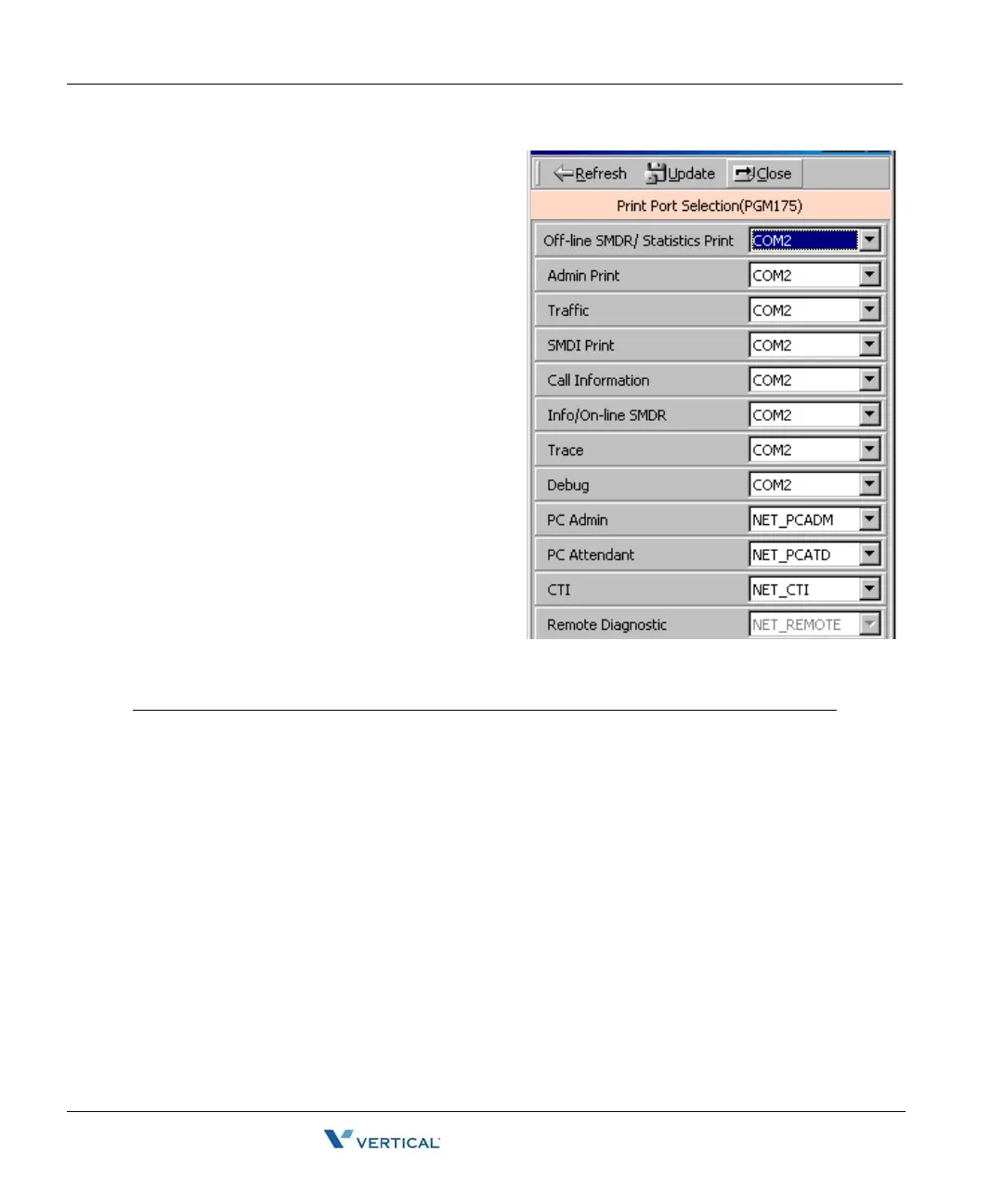
Print Serial Port Selection (PGM 175) 2-70
Chapter 2: SBX IP Offline PCAdminPro
SBX IP - PC Admin Guide
Print Serial Port Selection ( PGM
175)
You can change the usage of the print serial
port. You can change the various input ports
for applications.
Operation
Refer to the following table and change
the values.
ITEM RANGE DEFAULT REMARK
Off-line SMDR / Statistics Print 01-11 COM 1 (01) 01: COM1
02: COM2 - MODU
03: TELNET 1
04: TELNET 2
05: TELNET 3
06: Reserved
07: NET_PCADM
08: NET_PCATD
09: NET_CTI
10: NET_REMOTE
11: Not Supported
Admin Print 01-11 COM 1 (01)
Traffic 01-11 COM 1 (01)
SMDI Print 01-11 COM 1 (01)
Call Information 01-11 COM 1 (01)
Info/On-line SMDR 01-11 COM 1 (01)
Trace 01-11 COM 1 (01)
Debug 01-11 COM 1 (01)
PC Admin 01-11 Auto Select. Display Only
PC Attendant 01-11 NET_PCATD (08)
CTI 01-11 NET_CTI (09)
Remote Diagnostic N/A Not Supported



 To Next Page