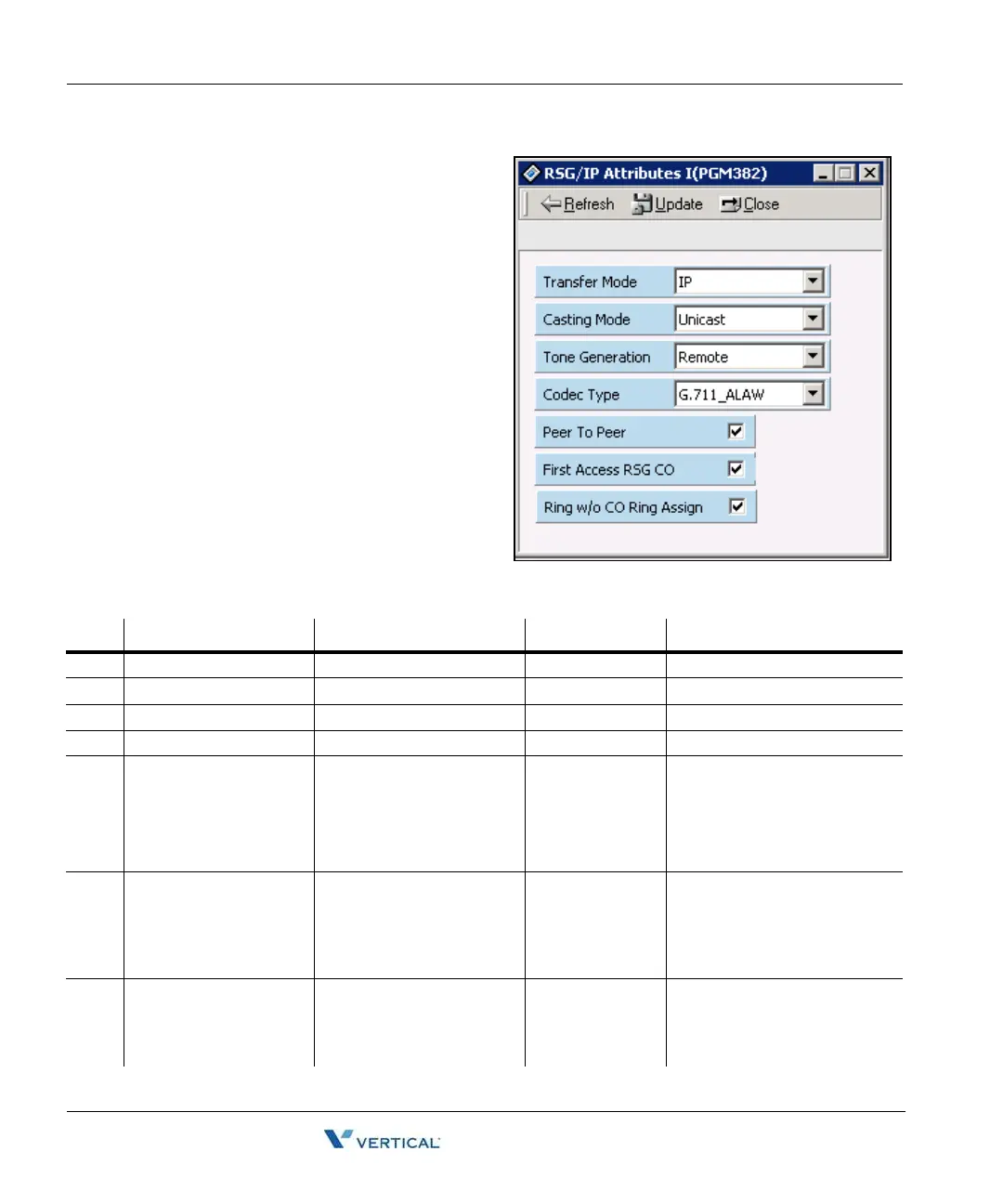
RSG / IP Phone Attribute (PGM 382) 1-152
Chapter 1: SBX IP Online PC Admin
SBX IP - PC Admin Guide
RSG / I P Phone Attribute
( PGM 382)
The following is how to set the attributes
of an RSG/IP Phone.
Operation
1. Click [RSG/IP Phone Attribute]
2. Select or check each field. After
setting, press the [Update] button
to save changes.
RSG/IP Phone Attributes (PGM 382)
BTN ITEM RANGE DEFAULT REMARK
1 Transfer Mode IP or MAC IP --
2 Casting Mode Unicast or Multicast Unicast --
3 Tone Generation Remote (RSG/IP Phone) Remote --
4 Peer to Peer ON/OFF ON --
5 Codec Type G.711_ALAW(0)/
G.711_ULAW(1)/
G.723.1(2) /
G.729(3) /
G.729A(4)
G.711_ALAW(0) --
6 First Access RSG CO ON/OFF ON If the field is set, the station on
RSG can access a CO line on
his RSG by dialing the CO
Line access code in the 1st
available CO group (ex> 9).
7 Ring w/o CO Ring
Assign
ON/OFF ON If the field is set, stations on
RSG will receive the incoming
CO ring even though the CO
ring is not assigned.



 To Next Page