Connection Type 1-6
Chapter 1: SBX IP Online PC Admin
SBX IP - PC Admin Guide
Connection Type
From V3.0, PC Admin supports LAN and serial connections directly. Because the SBX IP
system uses a PPP connection, PC Admin can be connected with PPP from your PC. PC
Admin uses a small program to manage the connection separately. This connection manager
is not done by itself. This module transfers data between the GUI and MPB software.
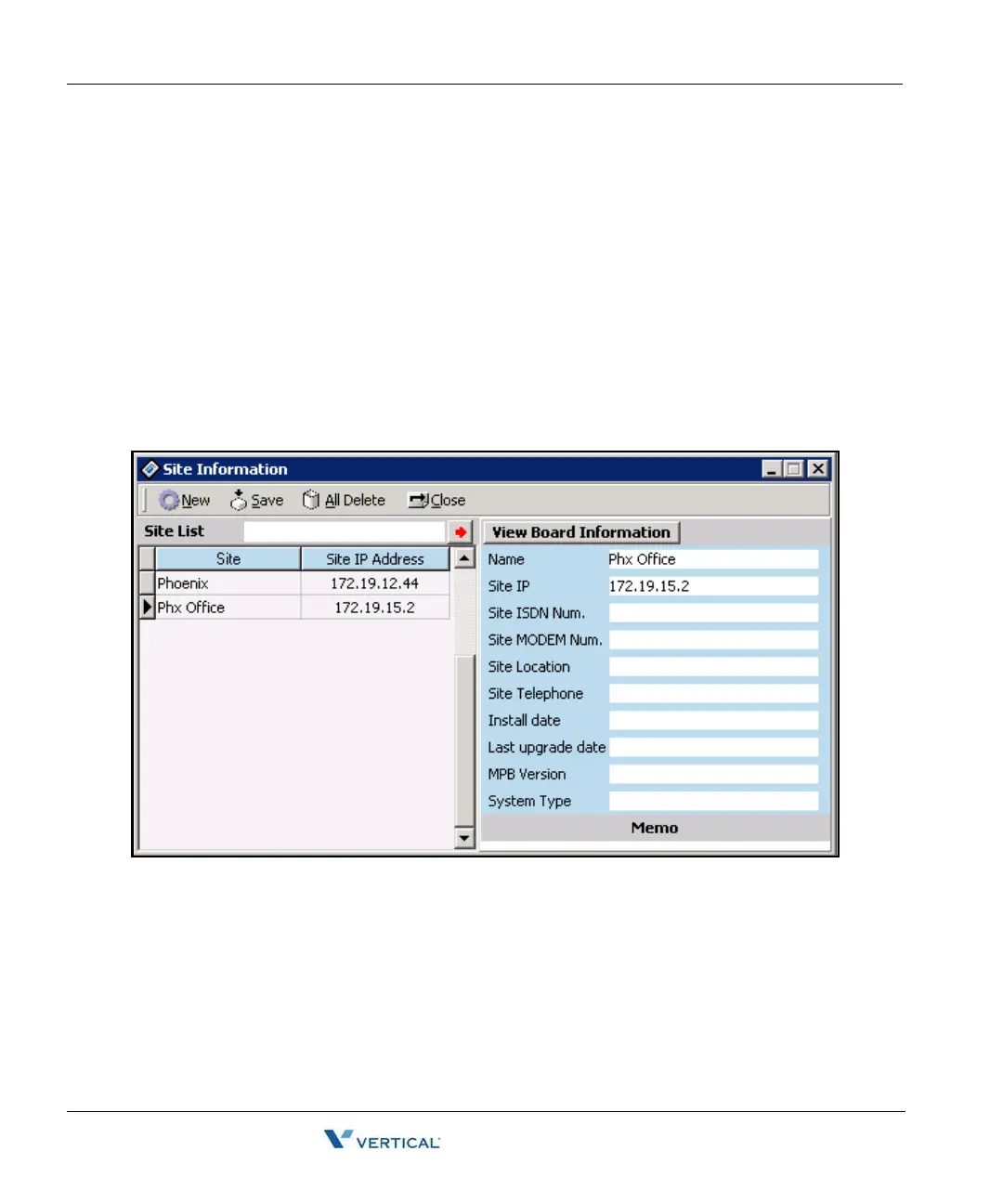
Site Management Tool
PC Admin can save simple information for sites so that you can connect to the site directly by
using this list.
Operation
1. [Tools] > [Site Information]
2. Press the [New] button to add site information. A dialog box for each information piece
will display in the following order.
Site Name / IP Address / Modem phone number / Location / Telephone number for
customer / Install date / Last upgrade date.
The telephone number for customer, install date, and last upgrade date are information for
engineering.
3. After setting each field, press the [Save] button to save changes.



 To Next Page