Weekly Time Table (PGM 233) 1-133
Chapter 1: SBX IP Online PC Admin
SBX IP - PC Admin Guide
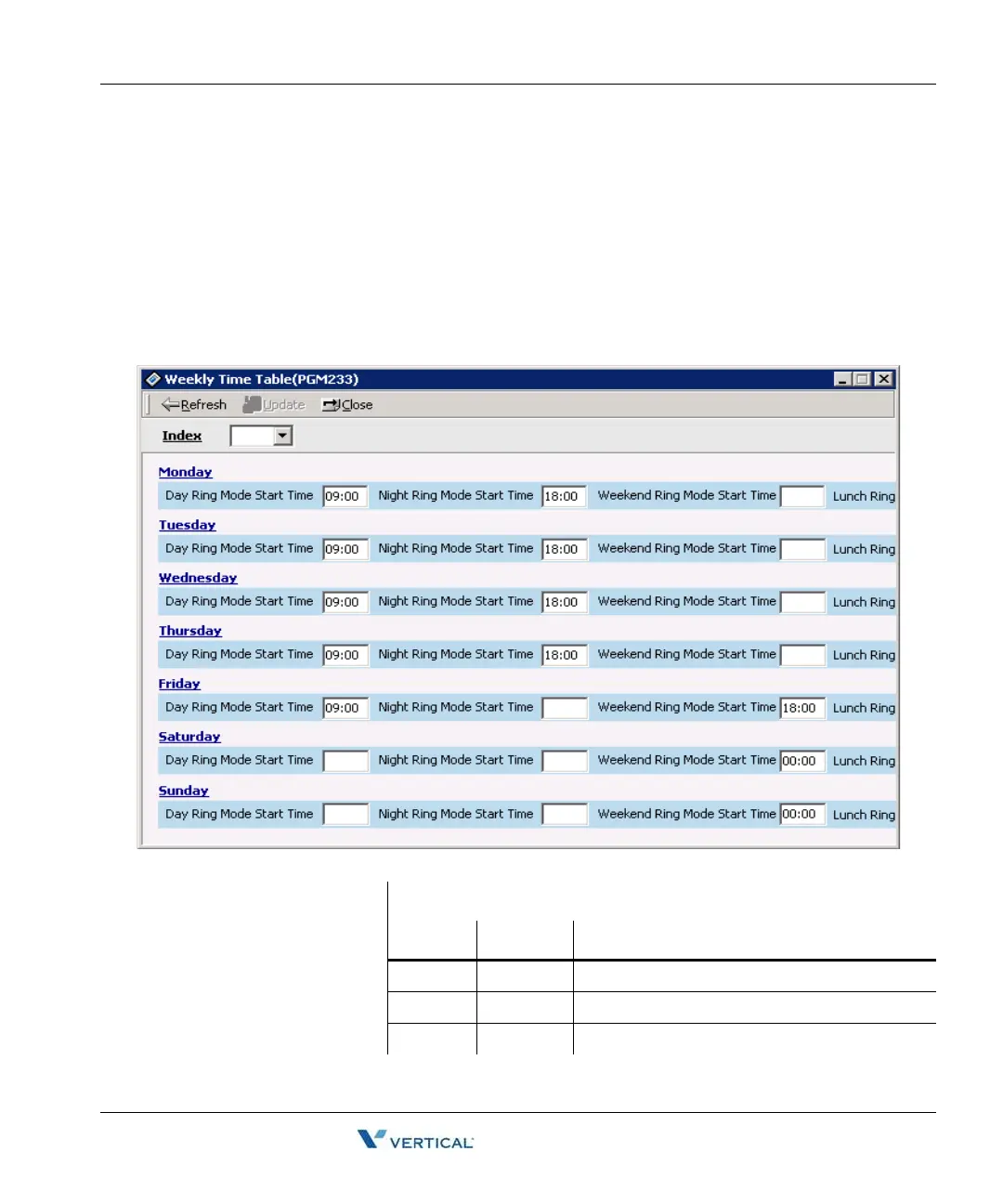
Weekly Time Table ( PGM 233)
You can set day/night/weekend start time for each day. A maximum of six entries are possible.
Weekend is after 6 o'clock on Friday.
Operation
1. Click [Weekly Time Table], select a number (1-15).
2. Select the table index in combo box. If you select an index, data will be read.
3. After editing, press the [Update] button to save changes.
Weekly Time Table (PGM 233)
ITEM DEFAULT REMARK
Day Day ring mode start time (HH:MM)
Night Night ring mode start time (HH:MM)
Weekend Weekend ring mode start time (HH:MM)



 To Next Page