RS-232C Port Setting (PGM 174) 1-82
Chapter 1: SBX IP Online PC Admin
SBX IP - PC Admin Guide
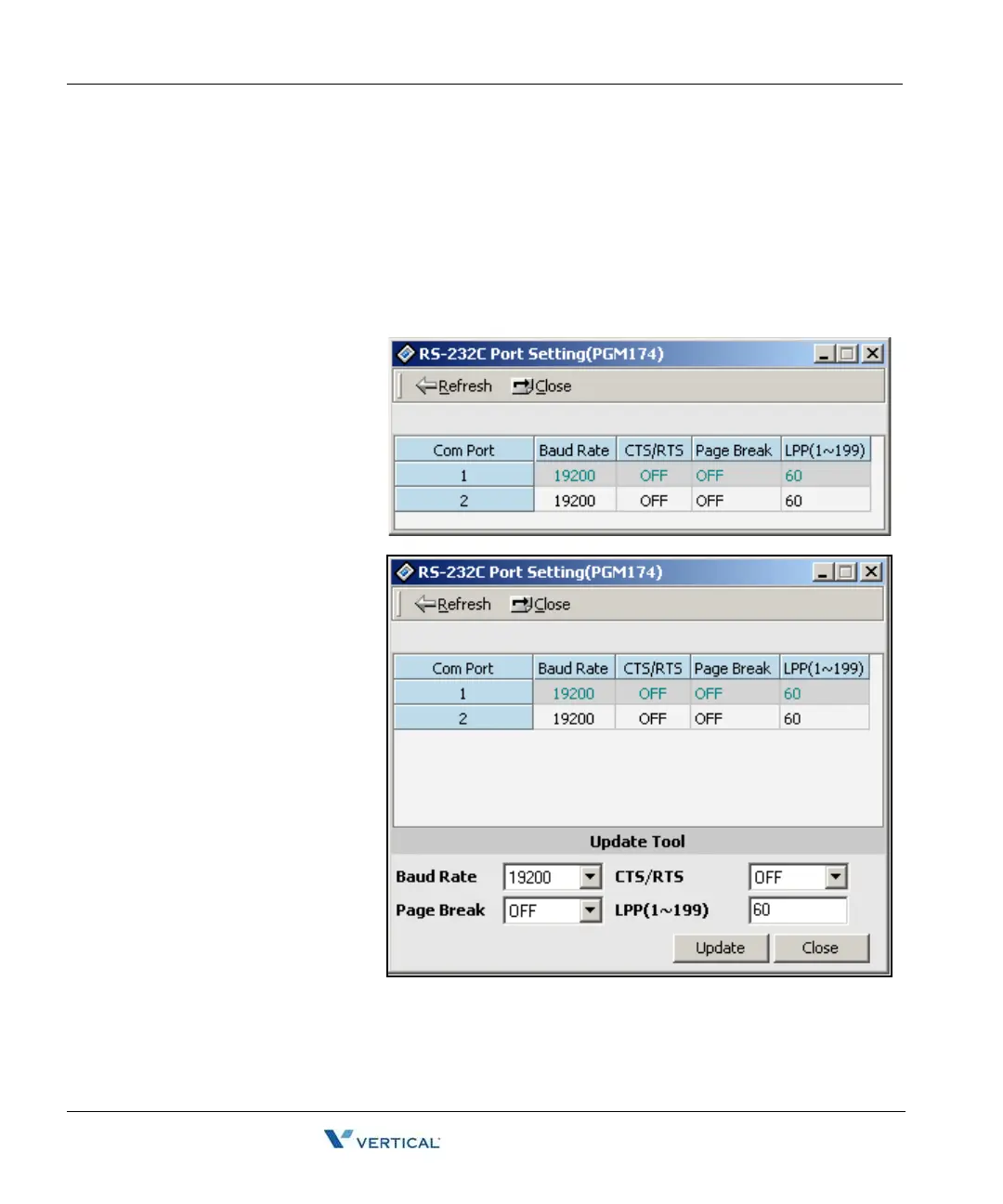
RS-232C Port Setting ( PGM 174)
You can set up the RS-232C port configuration.
Note:
- If you use COM2 as MODU (MODEM interface), the maximum speed is limited to 9600 bps.
- If you use COM1 for PC Admin, the maximum speed is limited to19200 bps.
Operation
1. Click [RS-232C Port
Setting]. Default
values are shown
for each port.
2. Right-click in the
active area, click on
the [Update Tool]
button, then change
the values.
3. Click on the Update
button.



 To Next Page