Station Base Program 2-22
Chapter 2: SBX IP Offline PCAdminPro
SBX IP - PC Admin Guide
Station Base Program
Use Station Base Program to change any station related function. Station Base Program items
are from PGM 110 to PGM 130 & 250. When you use station base program items, you must
enter the station range.
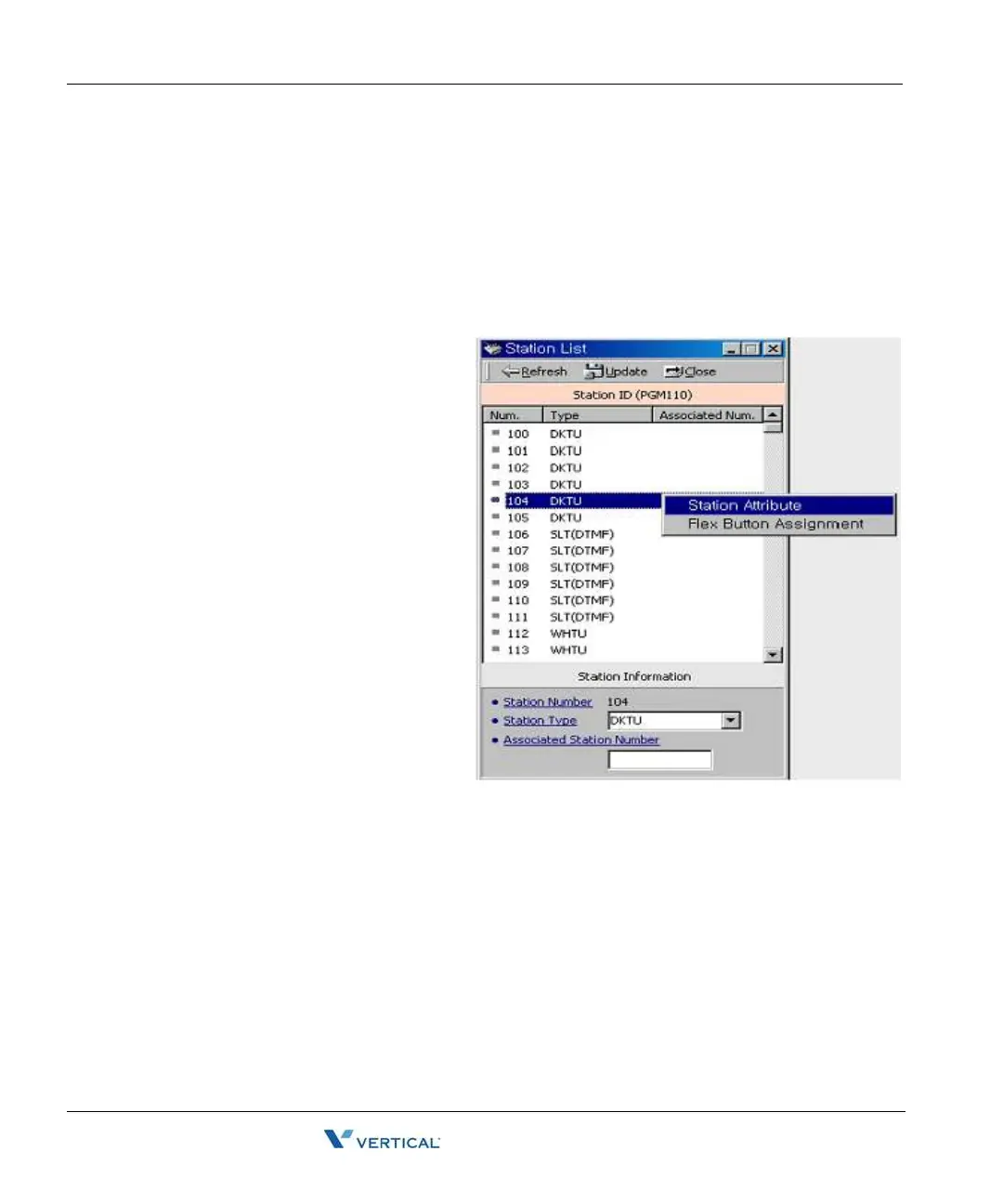
Station I D Assignment ( PGM 110/ 111/ 112/ 113/ 114)
This menu is related with assigning the
phone type for each station. You can
start the station main window for many
programming. First, select the station
list. With this window, you can select
other sub-menus such as station
attribute or Flexible button assignment.
Operation1
1. Click [Station List].
2. Right-click for other
programming.
3. Select the menu that you want
to change. Then you will see
each different window for menu
that you selected.
For example, the following window
displays station attributes.



 To Next Page