Brief Outline of PC Admin 1-5
Chapter 1: SBX IP Online PC Admin
SBX IP - PC Admin Guide
Brief Outline of PC Admin
This program has a simple menu such as connection and disconnection to the system, Reload,
and Debugging Window. All of the admin program is structured in a tree shape. It has 14 upper
items, excluding Networking and VoIP. Each of them has lower items. A related program
appears at the right side of the tree as you click on an item. Each upper item is implemented
on a dialog box that has tabs to classify the lower items.
Passw ord
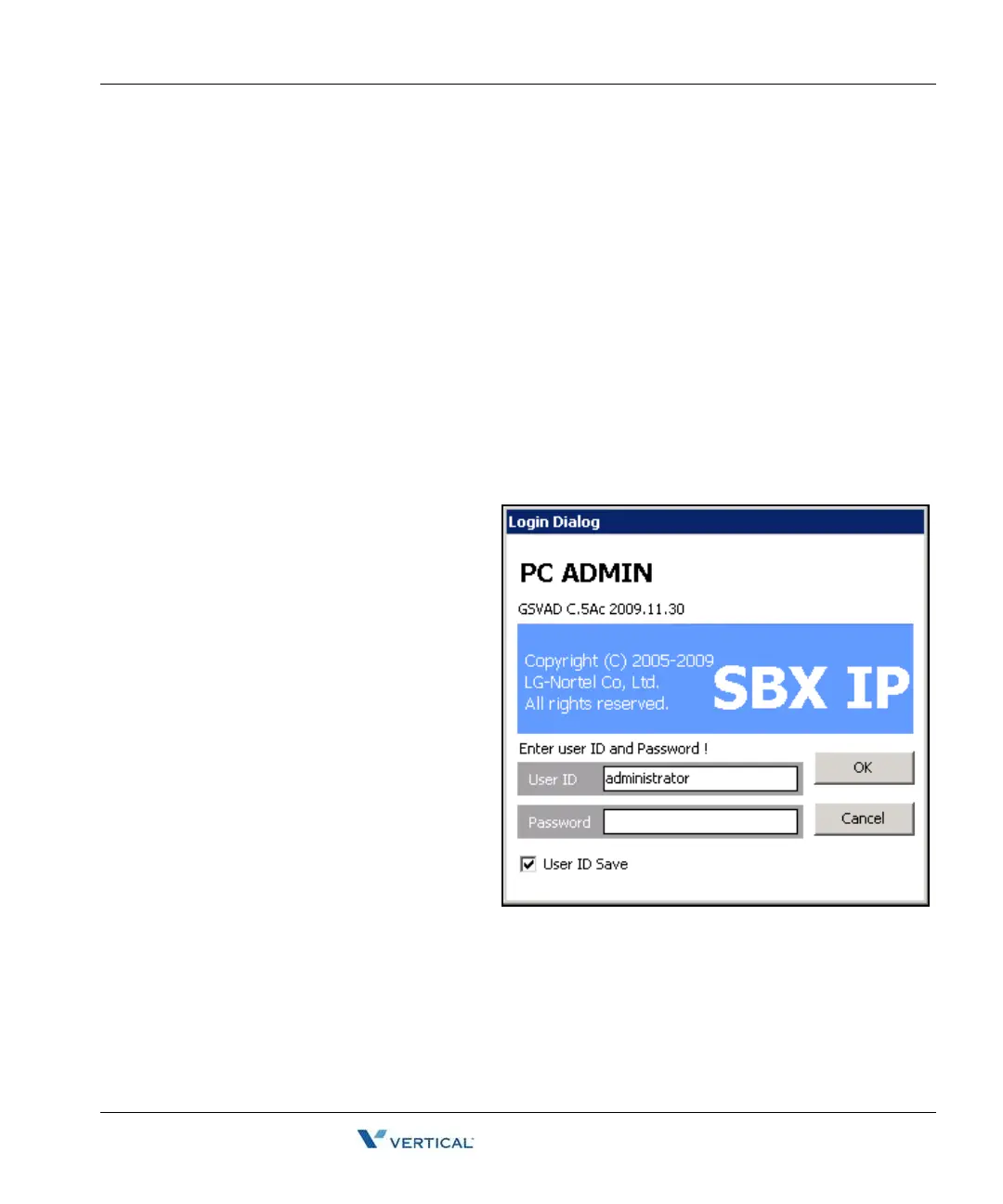
As you execute the SBX IP PC Admin application, you will see the box below to enter a user ID
and password. An Administrator must assign the user ID, access level, and password for each
user.
This password is not related to PGM162. This is a multi-level management for users and it is
only for use with PC Admin (Default ID: administrator, Password: 0000).
Operation
When you launch PC Admin software,
a logon dialog box will display. You
must enter your user ID and password.
An Administrator has the highest
priority and level. Only an
Administrator can program the user ID
and password..
1. Enter your user name and
password whenever you want
to logon. But if you use the
same ID, you can enable the
User ID Save field. Then you
do not need to enter your user
name again. If another user
wants to logon, they should
enter their own user ID.
2. Press the [OK] button after
entering your user ID and
password.
3. Follow the instructions in Connection Type Setup, which is described in the next
section.



 To Next Page