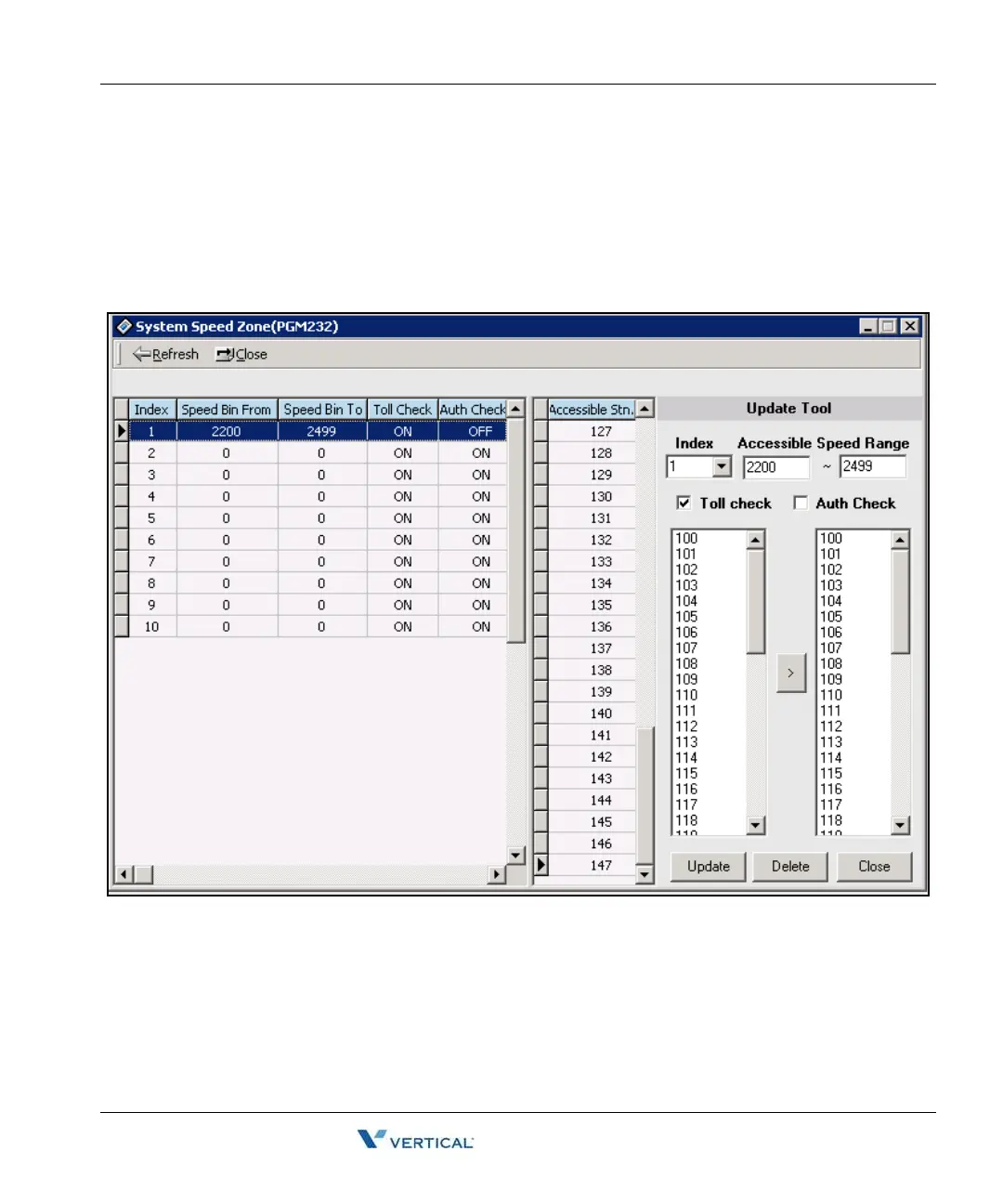
System Speed Zone (PGM 232) 1-131
Chapter 1: SBX IP Online PC Admin
SBX IP - PC Admin Guide
System Speed Zone ( PGM 232)
You can divide system speed dials into 10 zones maximum, and use zones for station COS
checking and a status of each station.
Operation
1. Click [System Speed Zone].
2. Enter speed bin range in zone field (2200-2499).
3. Select Toll Checking.(On/Off). When you use station range to access zone, check
station COS and determine to restrict according to the Access/Deny table.
4. Click the [Update] button.



 To Next Page