Station ID Assignment (PGM 110/111/112/113/114) 2-24
Chapter 2: SBX IP Offline PCAdminPro
SBX IP - PC Admin Guide
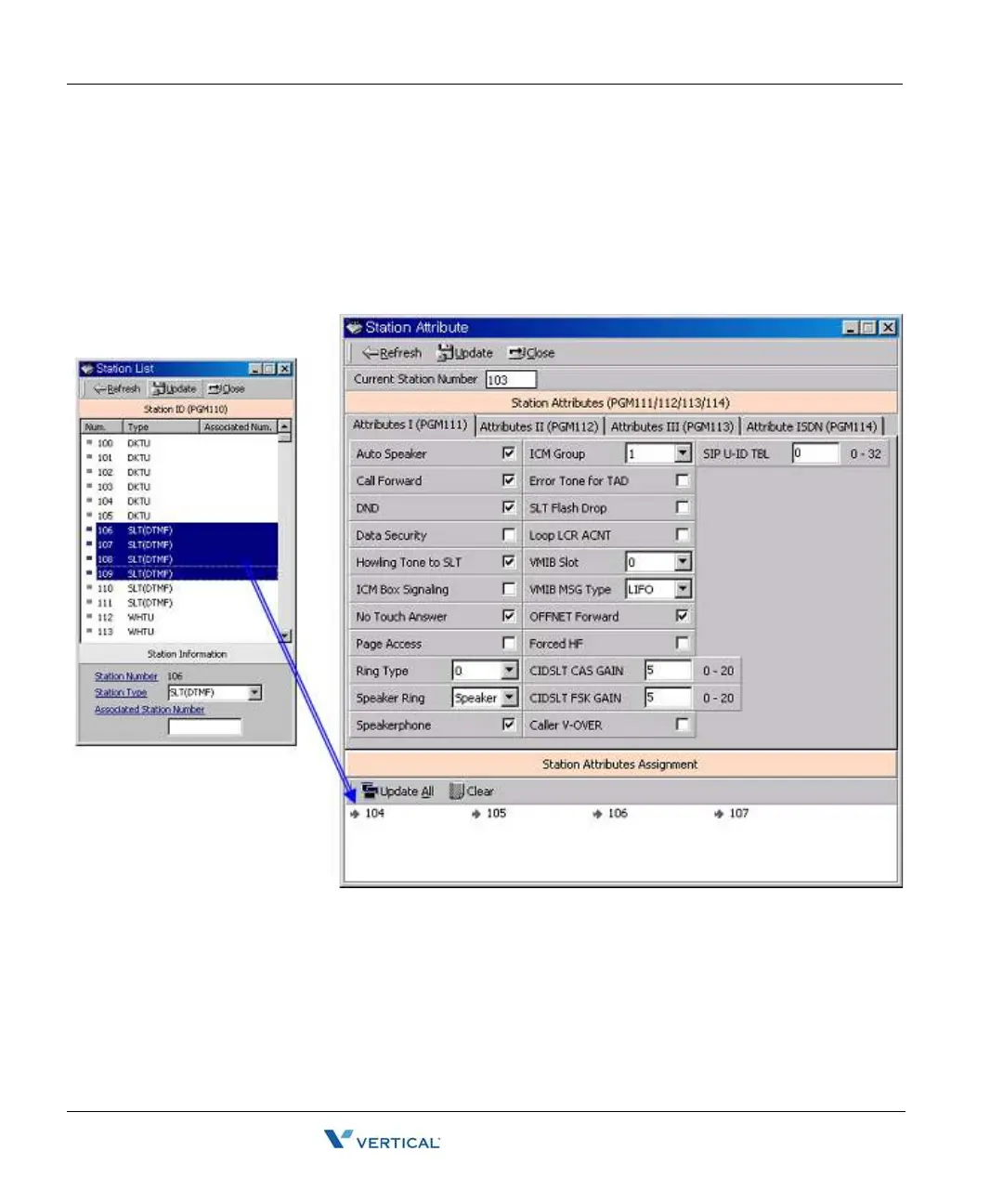
Operation2 - Several Station Attributes update
1. Change the admin field you want in [Figure 4-2]
2. Drag and drop several stations in the Station List (PGM110) to Station Attributes
Assignment area
3. Press the "Update All" button for updating. If you again want another station, press the
"Clear" button.



 To Next Page