Linked Station Pairs Table (PGM 179) 2-75
Chapter 2: SBX IP Offline PCAdminPro
SBX IP - PC Admin Guide
Operation
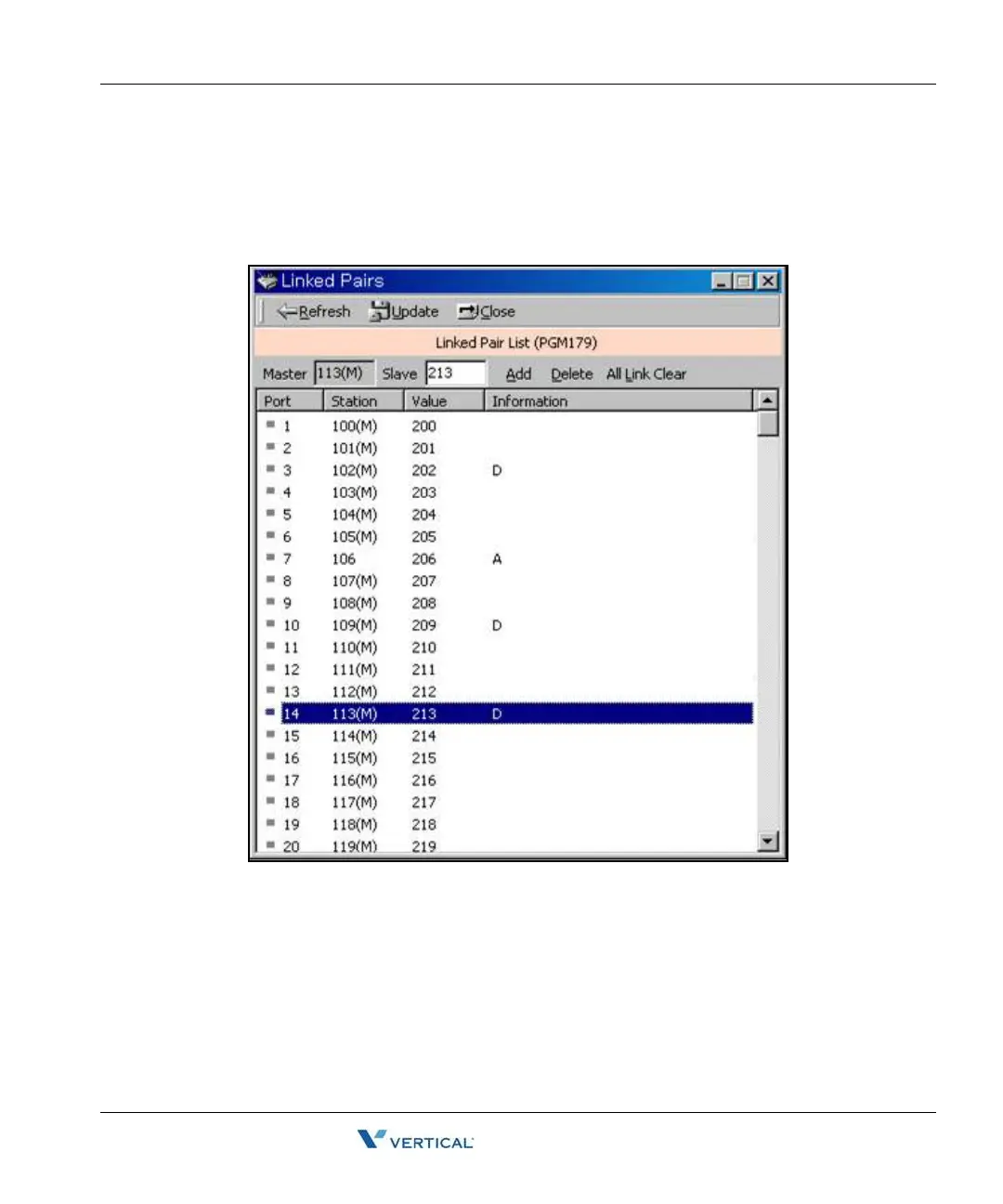
1. Select a station number and enter a station number to be linked with.
2. Link the pair by clicking "Add". To delete a pair, click [Delete] button. Then information
will display "A" character for addition and "D" character for deletion.
3. To adapt the changed pair(Add/Delete), click [Update].
4. If you want to clear all linked pair, click [All Link Clear].



 To Next Page