ELECTRICAL SYSTEM
M6060, M7060, WSM
8-S15
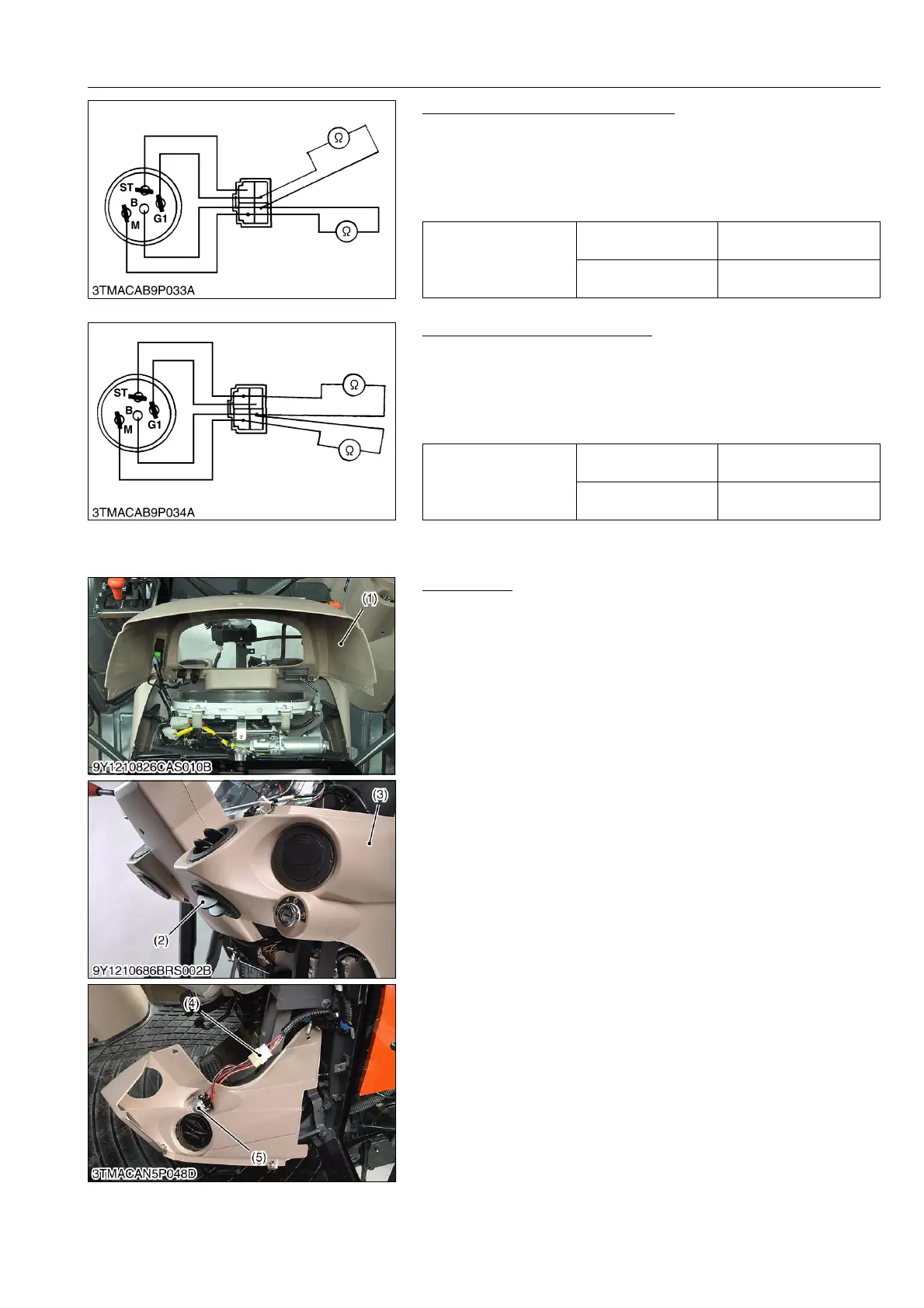
Main Switch at PREHEAT Position
1. Turn and hold the main switch at the PREHEAT position.
2. Measure the resistances with an ohmmeter across the terminal
B and the terminal G1 and across terminal B and terminal M.
3. If 0 ohm is not indicated, these contacts of the main switch are
faulty.
9Y1210828ELS0019US0
Main Switch at START Position
1. Turn and hold the main switch at the START position.
2. Measure the resistances with an ohmmeter across the terminal
B and the terminal ST and across terminal B and the terminal M.
3. If 0 ohm is not indicated, these contacts of the main switch are
faulty.
9Y1210828ELS0020US0
(2) CABIN Model
Main Switch
1. Remove the panel cover (1).
2. Remove the air outlet (2).
3. Remove the panel under cover R.H. (3) and disconnect the 6P
connector (4) for main switch (5).
4. Perform the following checking.
9Y1210828ELS0021US0
Resistance
Terminal B –
Terminal G1
0 Ω
Terminal B –
Terminal M
0 Ω
Resistance
Terminal B –
Terminal ST
0 Ω
Terminal B –
Terminal M
0 Ω
(1) Panel Cover
(2) Air Outlet
(3) Panel Under Cover R.H.
(4) 6P Connector
(5) Main Switch



 To Next Page