CABIN
M6060, M7060, WSM
9-S19
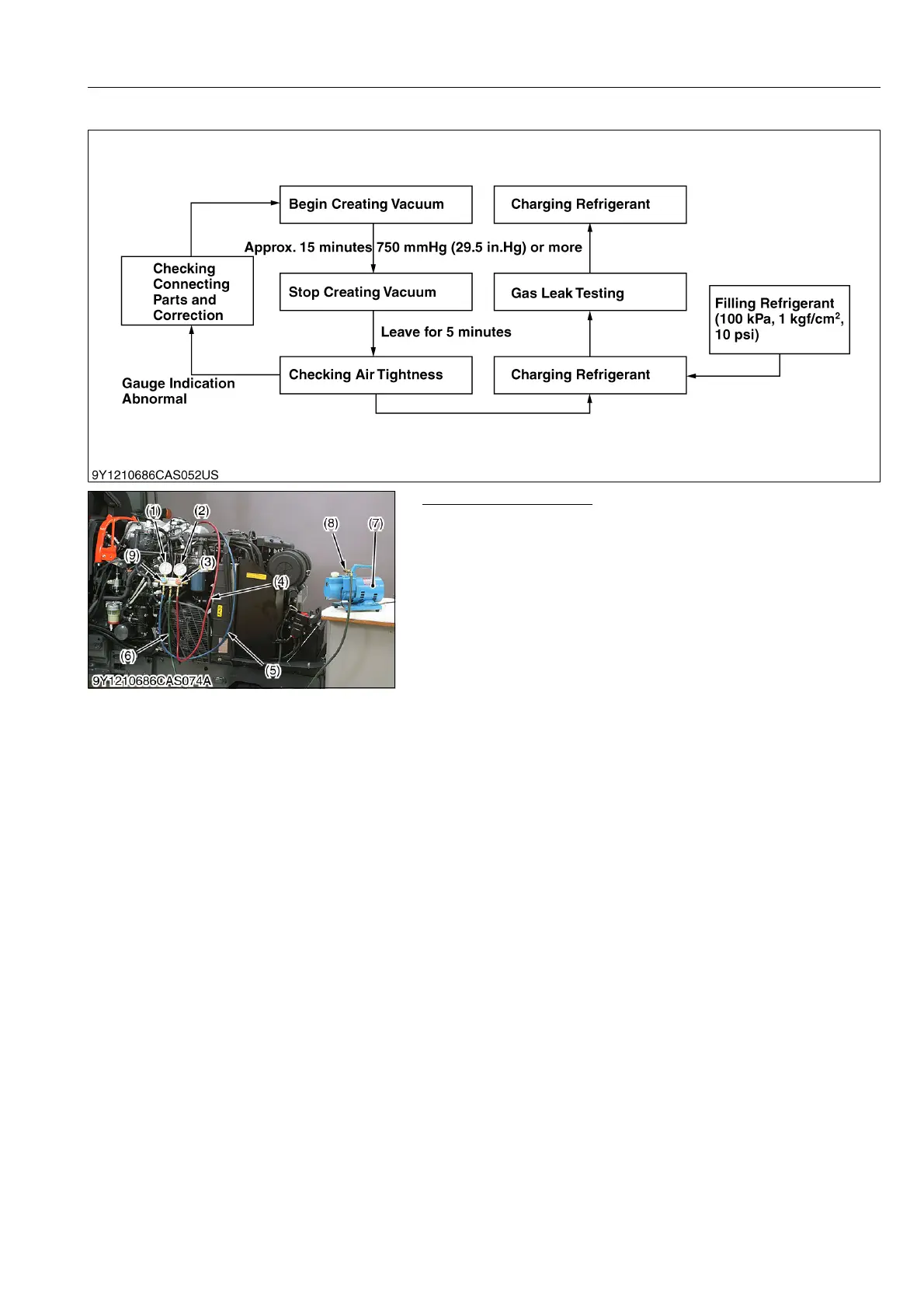
(2) Evacuating the System
Evacuating the System
1. Discharge refrigerant from the system by R134a refrigerant
recovery and recycling machine. (See page 9-S18.)
2. Connect the charging hose (red) (4) to the HI pressure side
charging valve and connect the charging hose (blue) (5) to the
LO pressure side charging valve.
3. Connect the center charging hose (green) (6) to a vacuum
pump inlet.
4. Open both valves (3) and (9) of manifold gauge fully. Then run
the vacuum pump (7) to evacuate the refrigerant cycle. (For
approx. 15 minutes.)
5. When LO pressure gauge (1) reading is more than 750 mmHg
(29.5 in.Hg), stop the vacuum pump (7) and close both valves
(3), (9) of manifold gauge fully.
6. Wait for over 5 minutes with the HI and LO pressure side valves
(3) and (9) of gauge manifold closed, and then check that gauge
indicator does not return to 0.
7. If the gauge indicator is going to approach to 0, check whether
there is a leaking point and repair if it is, and then evacuate it
again.
9Y1210828CAS0028US0
(1) LO Pressure Gauge
(2) HI Pressure Gauge
(3) HI Pressure Side Valve
(4) Charging Hose (Red)
(5) Charging Hose (Blue)
(6) Charging Hose (Green)
(7) Vacuum Pump
(8) Vacuum Pump Adaptor
(9) LO Pressure Side Valve



 To Next Page