ELECTRICAL SYSTEM
M6060, M7060, WSM
8-S26
(4) Testing Mode
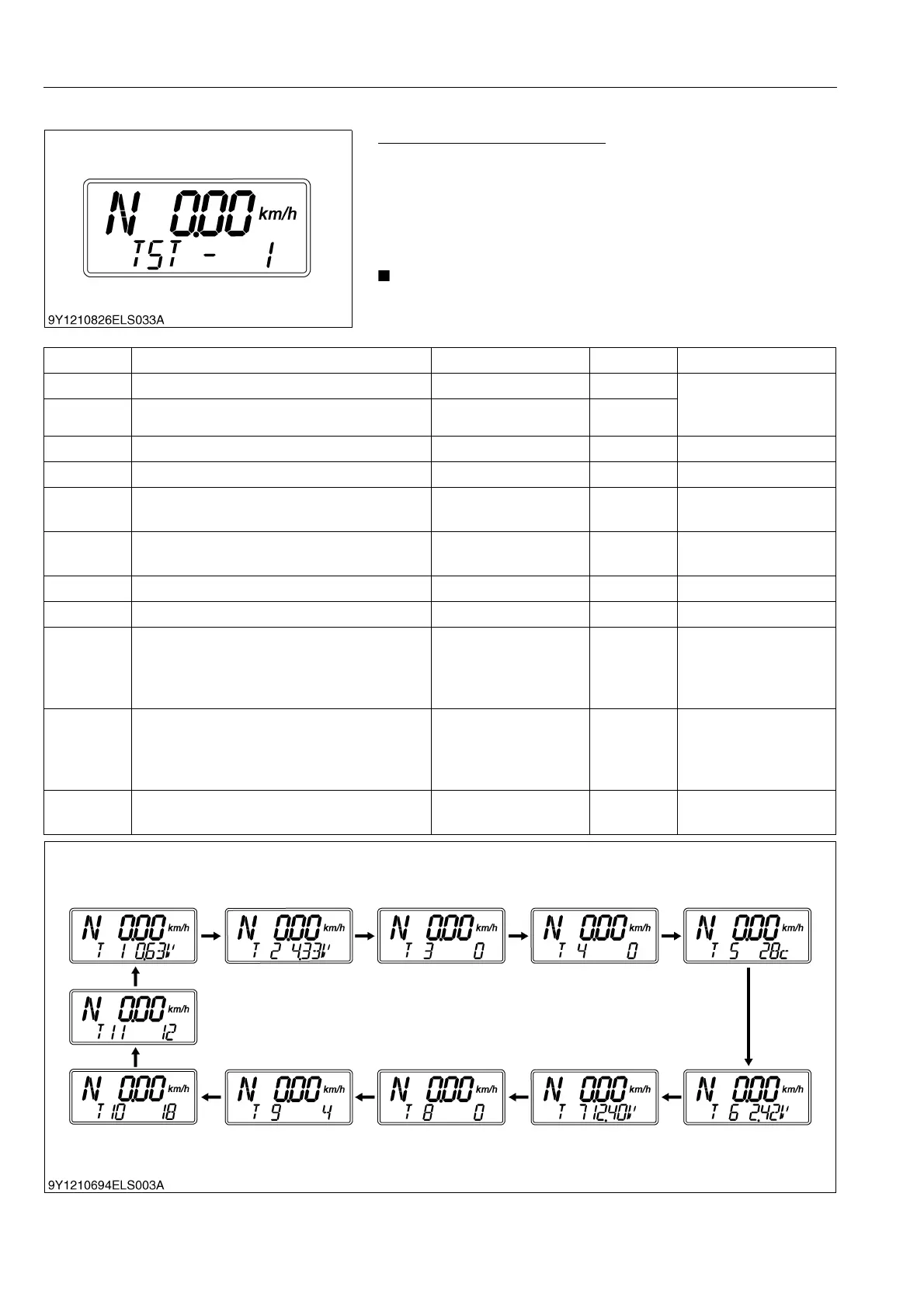
Testing the Each Sensor Value
1. Select the "TST-1"
2. Make sure that the mode item "TST-1" blinks on the display
with press and hold the traveling speed select switch until "T1"
appears on the display.
3. Make sure that the "T1" appears on the display, and then
release the traveling speed select switch.
• The mode "TST -1" consists of 11 checking items.
• Every time pressing the PTO/Hour meter select switch, the
menu item changes.
* The above figures are example.
No. Contents Normal Condition Unit Remark
1 Accelerator sensor (main) 0.05 to 4.9 Voltage Main (1) + sub (2)
3.85 V to 6.15 V
(Normal condition)
2 Accelerator sensor (sub) 0.05 to 4.9 Voltage
3 Engine revolution 0 to 2650 n/min.
4 Shuttle revolution 0 to 2450 n/min.
5 Engine coolant temperature
−30 to 120 °C
(−4 to 248 °F)
Celsius
6 Fuel empty sensor voltage
Empty :107 to 112
Full : 3 to 5
Voltage Fuel tank sensor
7 Battery voltage 8.0 to 16.0 Voltage
8 PTO revolution 0 to 1000 n/min.
9 PM sedimentation quantity 1
Level1 : 21
Level3 : 26
Level4 : 31
Level5 : 36
Gram
DPF regeneration
request trigger 1
10 PM sedimentation quantity 2
Level1 : 21
Level3 : 26
Level4 : 31
Level5 : 36
Gram
DPF regeneration
request trigger 2
11 Fuel quantity after regeneration MAX 80 L
DPF regeneration
request trigger 3



 To Next Page