ENGINE
M6060, M7060, WSM
1-S54
(11) Crankshaft and Crankcase
Crankshaft and Crankcase
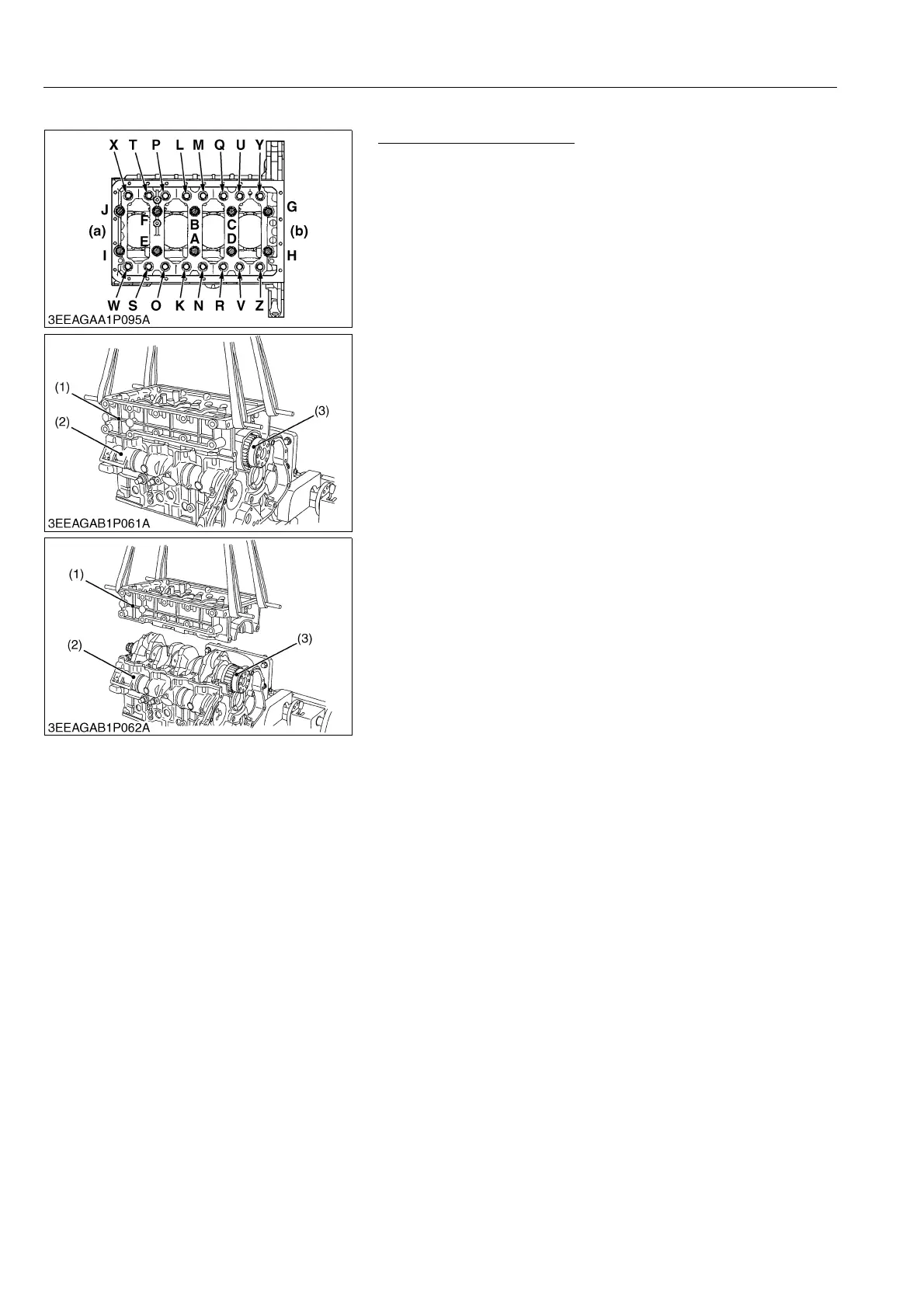
1. Remove the crankcase 2 mounting screw and crankcase 2
flange screw in the order of Z to A.
2. Remove the crankcase 2 (1) from the crankcase 1 (2).
3. Remove the crankshaft (3).
(To be continued)
(1) Crankcase 2
(2) Crankcase 1
(3) Crankshaft
(a) Front Cover Side
(b) Flywheel Housing Side
A to J : Crankcase 2 Mounting Screw
K to Z : Crankcase 2 Flange Screw



 To Next Page