ELECTRICAL SYSTEM
M6060, M7060, WSM
8-S29
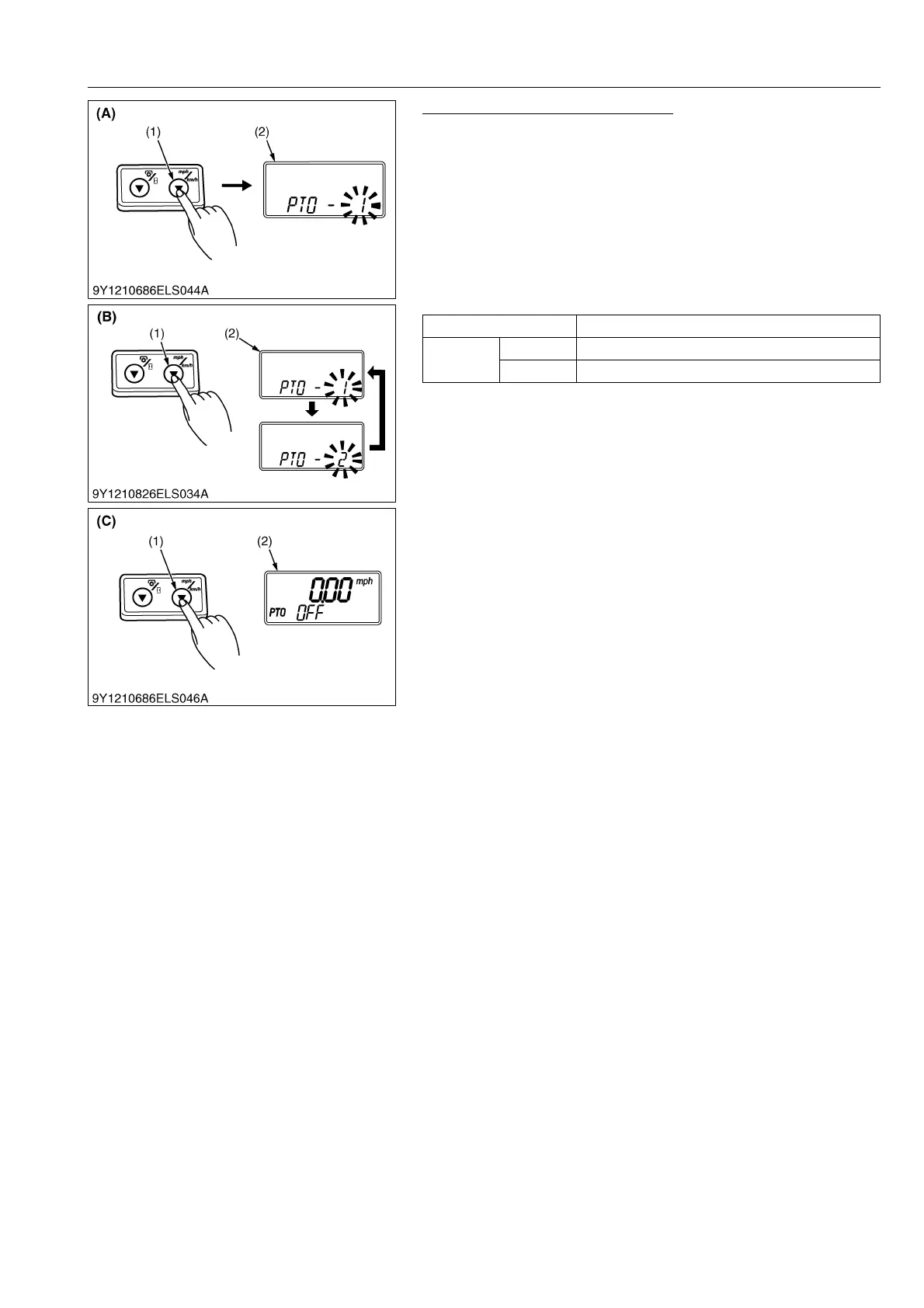
Select the PTO Gear Ratio (SEL-2)
1. Set the mode item "SEL-2".
2. Make sure that the mode item "SEL 1" blinks on the display with
press and hold the traveling speed select switch, and then
"PTO-1" appears on the display.
3. Each time the traveling speed select switch is pressed, the code
change in order of "1"→ "2" → "1". Select the appropriate code
according to the table in last page.
4. When selecting the appropriate code. And then, press and hold
the traveling speed select switch until appropriate code is light.
5. Turn the key switch to "OFF" position to exit.
9Y1210828ELS0050US0
Numerical code PTO speed (rpm)
PTO
1 540 / 540E (with PTO gear shift lever)
2 540/1000 (with PTO gear shift lever)
(1) Traveling Speed Select Switch
(2) LCD Monitor
(A) Procedure to enter the PTO
speed display mode switching
(B) Procedure to select numerical
code
(C) Procedure to put in memory



 To Next Page