100
E
HULL
HOOD
FRONT HOOD
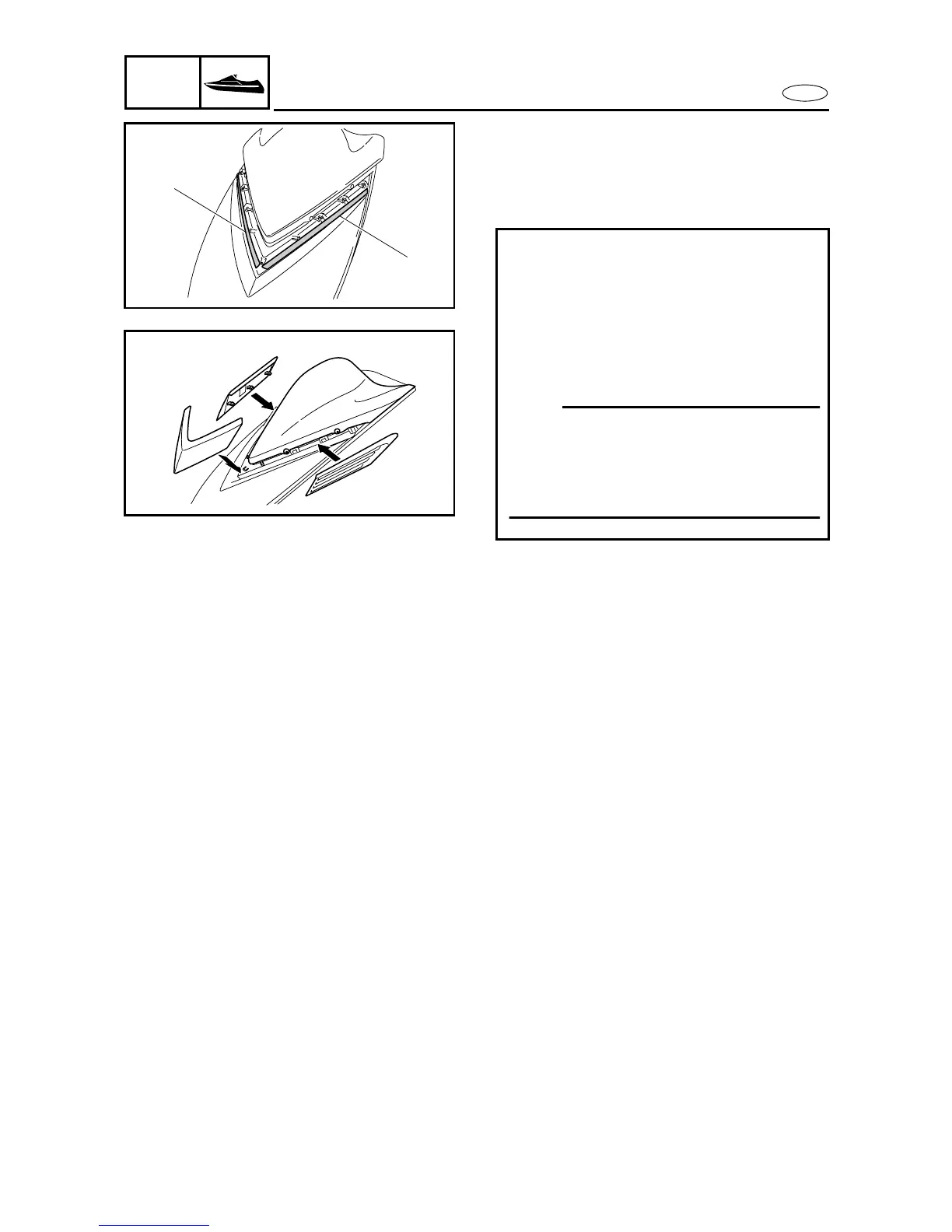
Ornament installation
1. Install:
• Left ornament
• Right ornament
• Center ornament
Installing steps:
• Peel off the backing of the double-sided
tape
1
on the watercraft.
• Install the left and right ornaments from
the sides as shown in the illustration.
• Install the center ornament from above as
shown in the illustration.
NOTE:
Be sure to install the left and right orna-
ments before installing the center orna-
ment. The left and right ornaments cannot
be installed if the center ornament is
installed first.
1
1








 To Next Page