66 | PGC5000 GEN 2 | 892 J006 MNAH
⎯ Set the display language. Select the desired language from the drop-down list. The display
change is immediate. Multiple languages can be viewed at the same time from the RUI.
However, the last language selected for display by either from the LUI or the RUI becomes the
default display language when the analyzer is restarted.
⎯ Network Setup: The Network Address Settings are located under the SBC button of the Master
Controller. The Master Controller is equipped with dual 100 MB Network Interface Card (NIC)
Ethernet jacks supporting redundant communications.
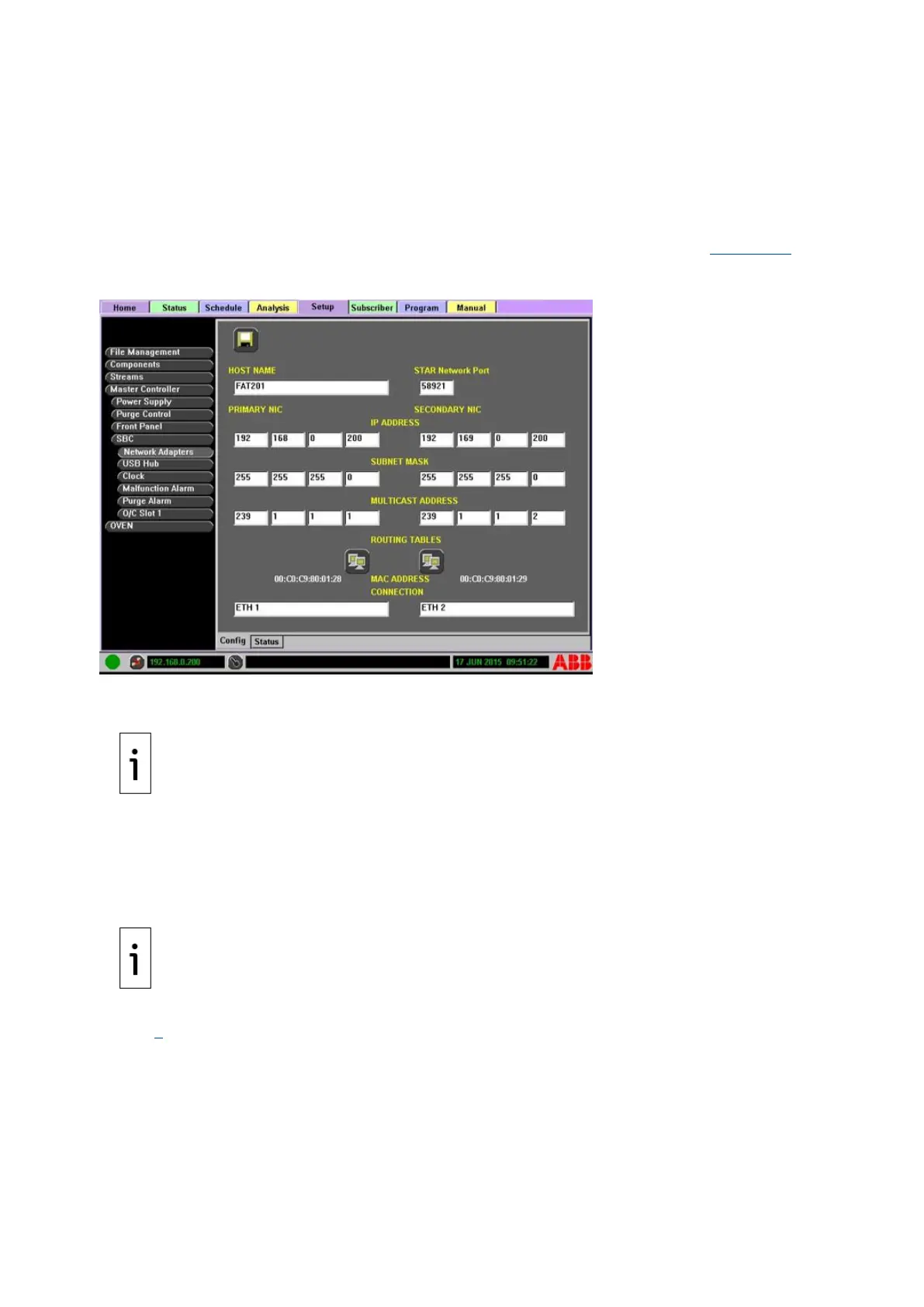
If applicable, configure the network address from the Setup>Master Controller>SBC>Network
Adapters>Config Subtab by entering the information in the appropriate areas. Figure 4-30 is
an example Network Setup.
Figure 4-30: Network Setup Example
⎯ HOST NAME: The network name of the Master Controller. The host name will be the same on
both networks.
IMPORTANT NOTE: Port 58921 TCP and Port 58921 UDP are set as the default network ports for a
STAR analyzer system. If either port is used by another application, the STAR network port will
need to be changed on all networked devices.
⎯ STAR Network Port: The port at which the STAR Network is located.
⎯ PRIMARY NIC and SECONDARY NIC addresses: Contact the network administrator for
available IP Addresses, Subnet Masks and Multicast Addresses. The Multicast address is
defaulted to 239.1.1.1 for the primary address and to 239.1.1.2 for the secondary address. If
a multicast address must be changed, ensure that all devices that need to communicate are
on the correct multicast address.
IMPORTANT NOTE: The network configuration does not support Dynamic Host Configuration
Protocol (DHCP.)
If you are configuring both NICs, the IP Address/Subnet Mask must ensure IP addresses are on
different subnets.
Check the connectivity of the system by loading the RUI and connecting to the Master Controller (see
section 0). The MAC address of each network adapter is shown, plus an editable text area for
reference purposes.
To set the network address and communication parameters:
1. Navigate to the Setup>Config Subtab.
2. Select Network Adapters from the Function Select list.



 To Next Page