AutoTest II Sytem Operation
Subject to Export Control, see Cover Page for details.
6-4
[Debug] Soft Key
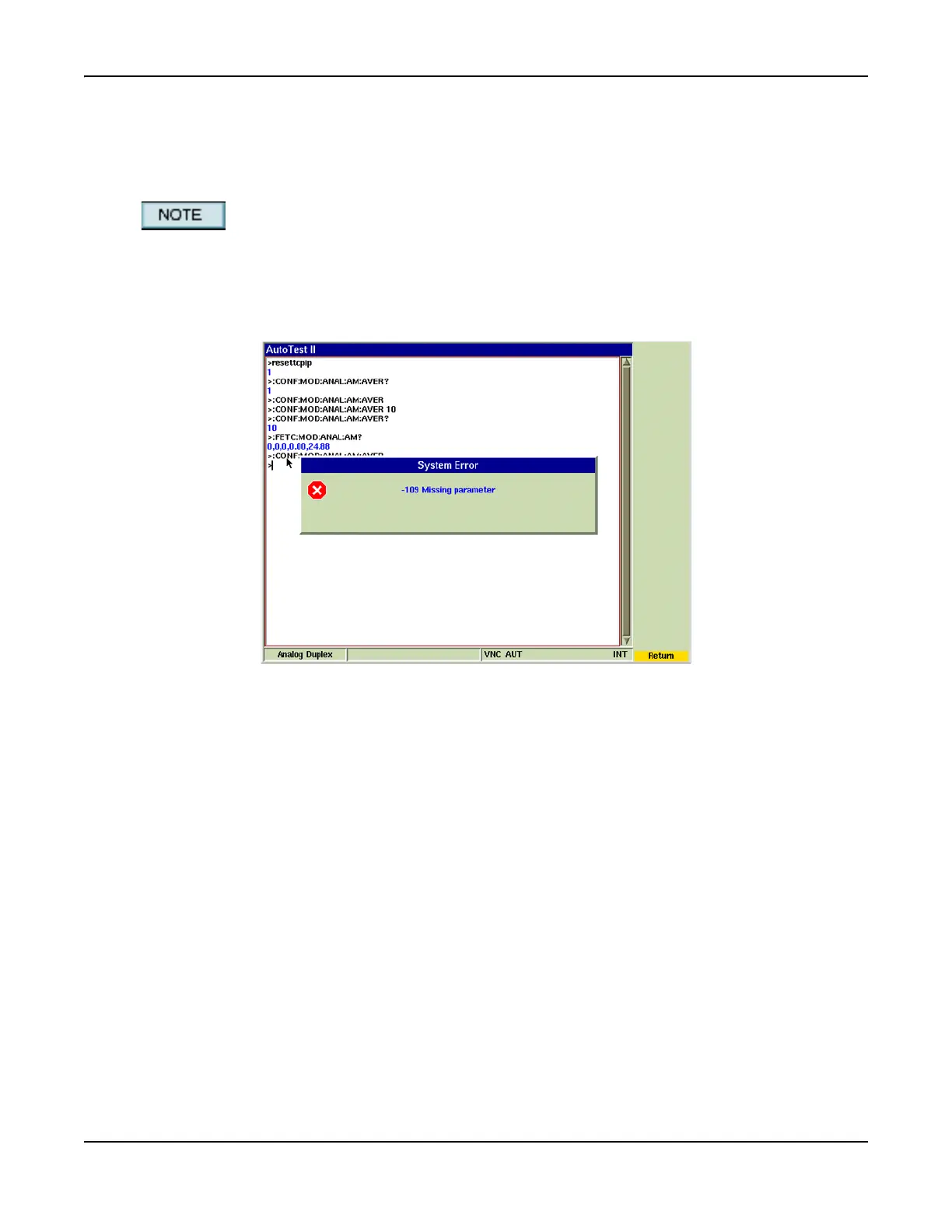
The [Debug] Soft Key opens a ‘work area’ where users can test and validate tcl commands or run
remote commands to review the type of data that is returned. The Debug feature provides
feedback when tcl or remote commands are invalid.
Use the ‘print’ command to display information on the Debug Screen; do not use the ‘puts’
command as this command is reserved for file access.
Fig. 6-4 shows an error message that was received when the remote command
:CONF:MOD:ANAL:AM:AVER was entered. The command was invalid because it did not end with
a query indicator (:CONF:MOD:ANAL:AM:AVER?) or value (:CONF:MOD:ANAL:AM:AVER 10).
Fig. 6-4 Remote Command Validation













 To Next Page