Test Set Operation
Subject to Export Control, see Cover Page for details.
3-14
Display Layout
Display layout is defined by the current operating system and shows either a single Tile of fixed size,
or a Tile or group of Tiles that can be minimized or maximized. The area on the right of the display
shows any soft keys applicable to the active Tile. Analog Duplex System Tiles are provided as
examples.
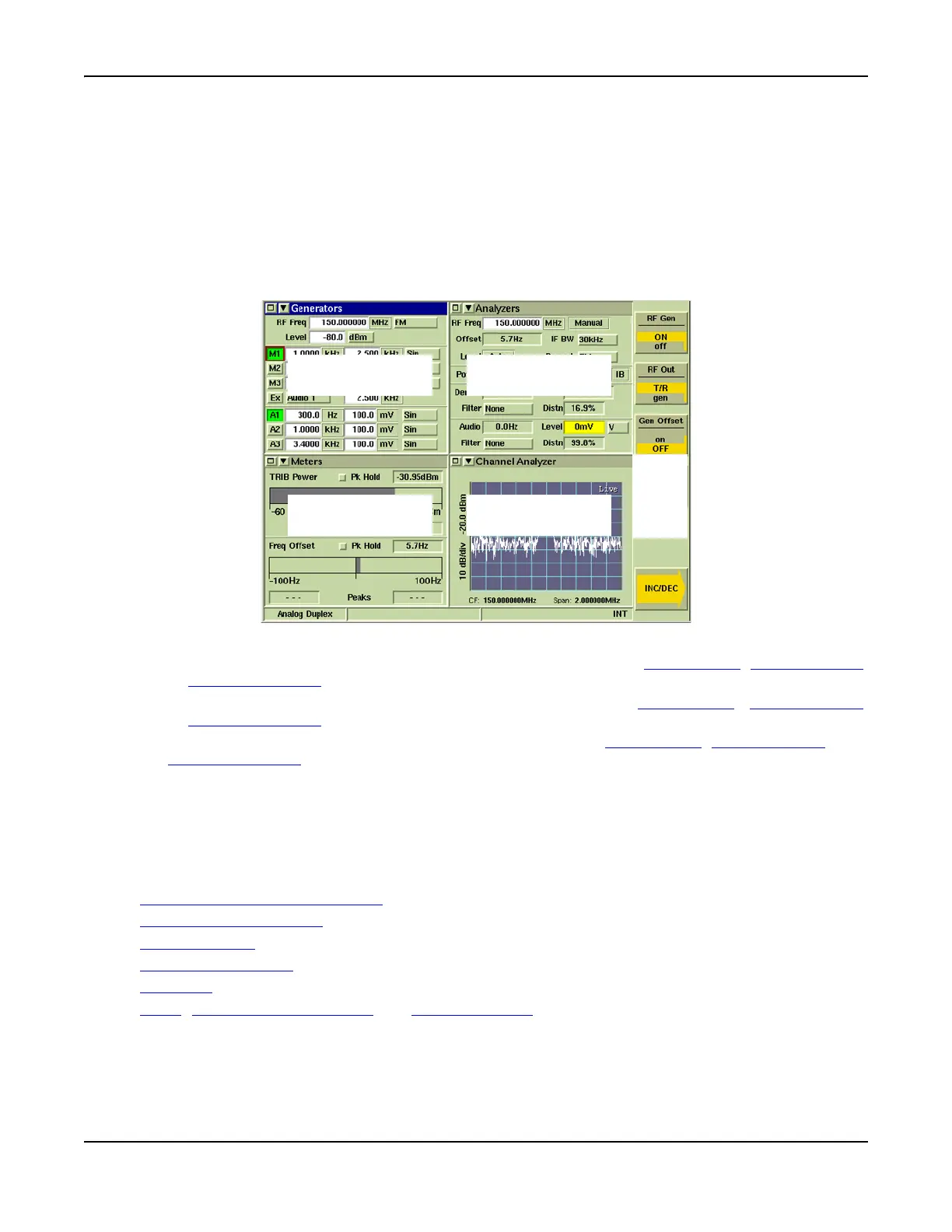
The example in Fig. 3-6 shows the 3900 display configured with Analog Duplex selected; and the
Generators, Analyzers, Meters and Channel Analyzers Tiles displayed in minimized view. In this
example the Generators Tile is selected and the associated soft keys are shown on the right of the
screen.
Fig. 3-6 Analog Duplex System Display - Minimized View
● Section A can be configured to display the Generators, Meters, Oscilloscope
, Audio Analyzer
or Channel Analyzer
.
● Section B can be configured to display the Analyzers, Meters, Oscilloscope
, Audio Analyzer
or Channel Analyzer
Tiles.
● Section C and D can be configured to display the Meters, Oscilloscope
, Audio Analyzer or
Channel Analyzer
Tiles.
● The Information Bar located at the bottom of the Tile display the operating system title, RF
status, and additional operating information.
● A specific measurement can be displayed in more than one section of the display if required.
For example, the Meters Tile may be selected for Section C and D so that all of the meters
are visible in minimized view (3 meters in each section).
This section describes the following:
Maximized and Minimized Views
Navigating Display Tiles
Floating Menus
Configuring Screens
Soft Keys
TEST, CONFIG (Configuration) and UTILS (Utilities) functions.
Section C
Section D
Soft
Key
Area
Section A Section B













 To Next Page