Radio Test Instruments
Subject to Export Control, see Cover Page for details.
7-33
[Trigger] Soft Key
The [Trigger] Soft Key accesses features to control how the trace is triggered.
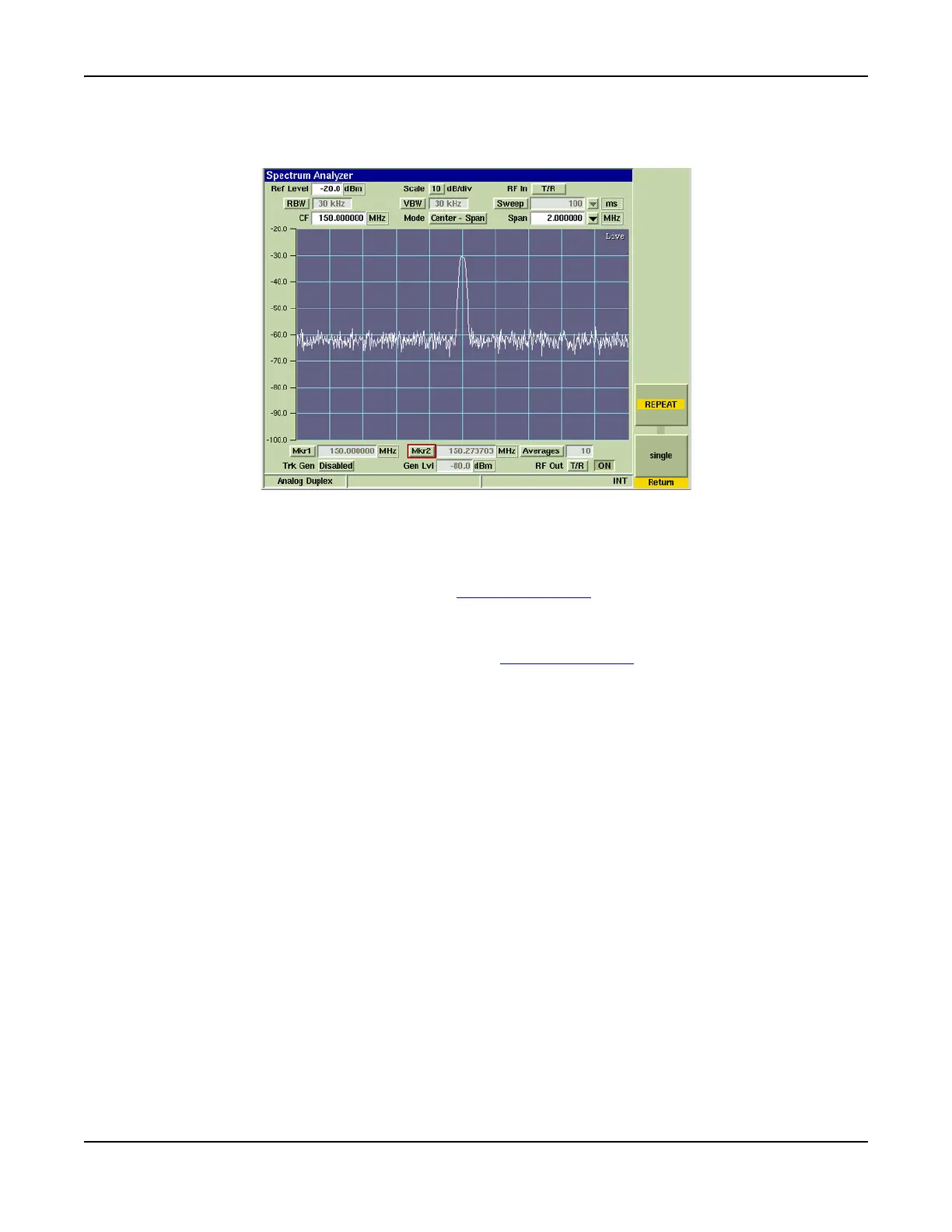
Fig. 7-36 Spectrum Analyzer with Live Trace
[Repeat] Soft Key
When [Repeat] is selected the trace runs repeatedly. When [Single] is selected, a single trace is
selected. The [Repeat] and [Single] Soft Keys define the trace display averaging calculations.
This soft key is accessed by pressing the [Trigger] Soft Key
.
[Single] Soft Key
When [SINGLE] is selected the trace triggers a single sweep the next time trigger conditions are
met. This soft key is accessed by pressing the [Trigger] Soft Key
.
Tracking Generator Option
The Tracking Generator Option (390XOPT061) generates a carrier wave that sweeps synchronously
with the Spectrum Analyzer RF Receiver. The carrier wave can be applied to components or
systems, and the output analyzed to display the frequency response of the device under test.













 To Next Page