Analog Duplex System
Subject to Export Control, see Cover Page for details.
8-9
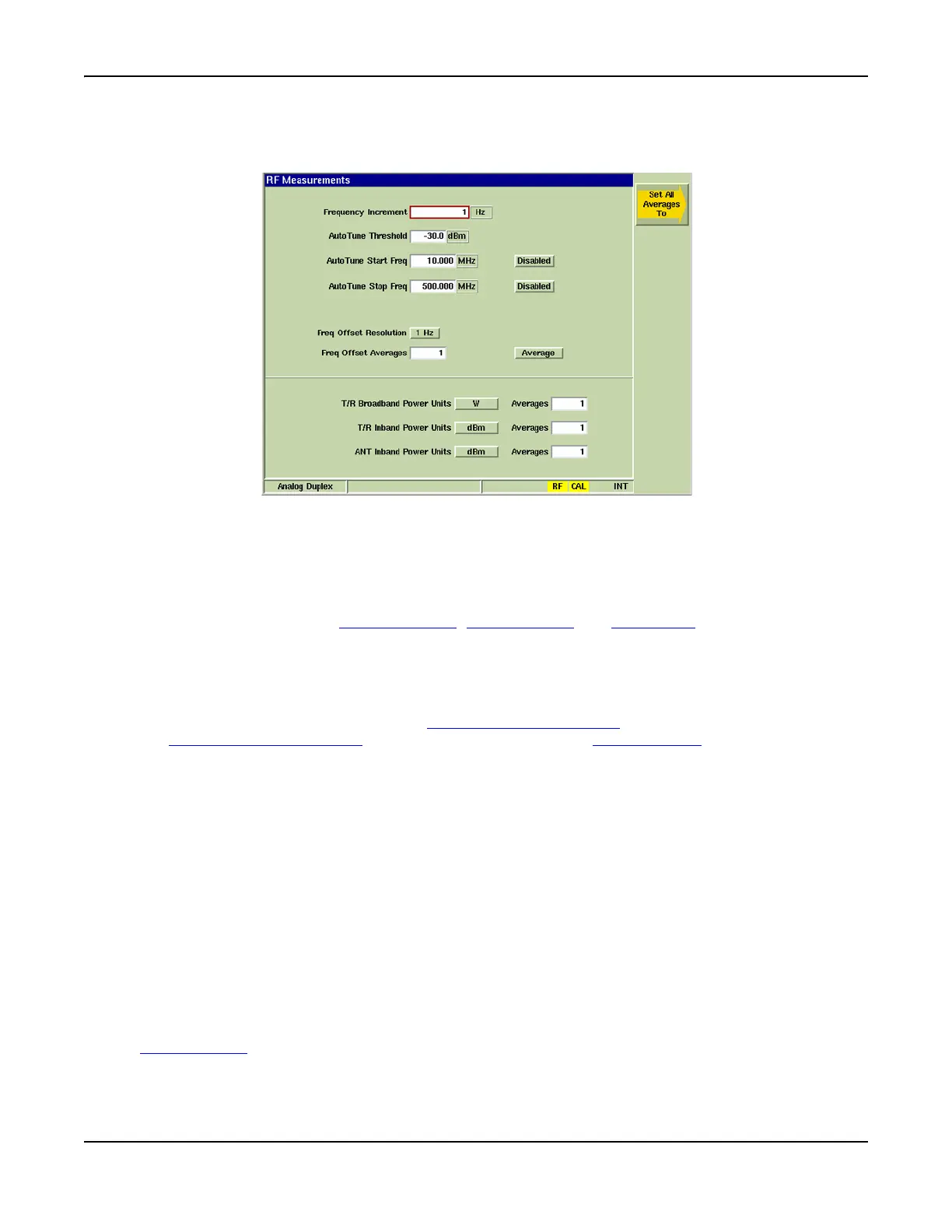
RF Measurements Configuration Tile
The RF Measurements Tile defines the parameters used to perform RF Measurements.
Fig. 8-7 Analog Duplex - RF Measurements Configuration Tile
Field/Soft Key Definitions
Frequency Increment
Sets the value the RF Input Frequency changes each time the [INC Ana Freq / DEC Ana Freq]
Soft Keys are pressed. The [INC Ana Freq / DEC Ana Freq] Soft Keys are accessed from the
[INC/DEC] soft key on the Generators Tile, Analyzers Tile and Meters Tile. Value is specified in
MHz, kHz or Hz as defined by user.
AutoTune Threshold
When Autotune is selected the Test Set sets the RF Analyzer frequency to the strongest signal
detected at the active RF Input connector. This reading defines an acceptable signal level in
dBm’s for successful detection on the ANT (Antenna) Connector
. Default setting is -100 dBm on
the ANT (Antenna) Connector
which reflects -60 dBm on the T/R Connector.
AutoTune Start Freq
Sets the lower frequency at which AutoTune sweeps start.
AutoTune Stop Freq
Sets the upper frequency at which AutoTune sweeps stop.
Freq Offset Resolution
Sets the RF Analyzer RF Frequency Measurement resolution. When set to 10 Hz the speed of
measurement increases, however, the resolution is of poorer quality.
Freq Offset Averages
The Freq Offset Averages drop-down menu allows the selection of Averages or Worst Case
readings.
When Average is selected, the range value field sets the number of readings averaged for the RF
Offset Measurement. This field is not applicable when Worst Case is selected.
When Worst Case is selected from the drop-down menu, the RF Offset Measurement on the
Analyzers Tile
reflects the reading which most greatly exceeds the defined parameters.













 To Next Page