Analog Duplex System
Subject to Export Control, see Cover Page for details.
8-35
[INC Gen Level] / [DEC Gen Level] Soft Key
Each press of the soft key causes the RF Generator level to increment or decrement by the
value set in the Level Inc field on the Generators Tile
. This soft key is accessed by pressing
the [INC/DEC] Soft Key
.
[INC Ana Freq] / [DEC Ana Freq] Soft Key
Each press of the soft key causes the RF Analyzer frequency to increment or decrement by
the value set in the Freq Inc (Analyzer) field on the Analyzers Tile
. This soft key is accessed
by pressing the [INC/DEC] Soft Key
.
[Return] Soft Key
Returns to the top level soft key functions for the Meters Tile.
Site Monitoring (Sensitivity Search) Option
The Sensitivity Search Tile is used to log the Sinad measurement of an injected signal over time.
Sensitivity Search is also used to log the spectrum trace of the RF signal. Sensitivity Search data
files are referred to throughout this section as Data Log Files.
Refer to Application Note 46891/951, Using the Aeroflex 3900 Series for Remote Site Monitoring, for
additional information on use of this option. A copy of this Application Note is included on the 3900
Operation CD and can also be found at www.aeroflex.com/products/commtest/pmr/appnotes/
RemoteSiteMonitoring.pdf.
Accessing Site Monitoring
Sensitivity Search is selected from the Measurement drop-down menu on any of the minimized
Analog Duplex System Tiles. The Sensitivity Search Tile is only available when the Site
Monitoring option (390XOPT051) is installed in the Test Set.
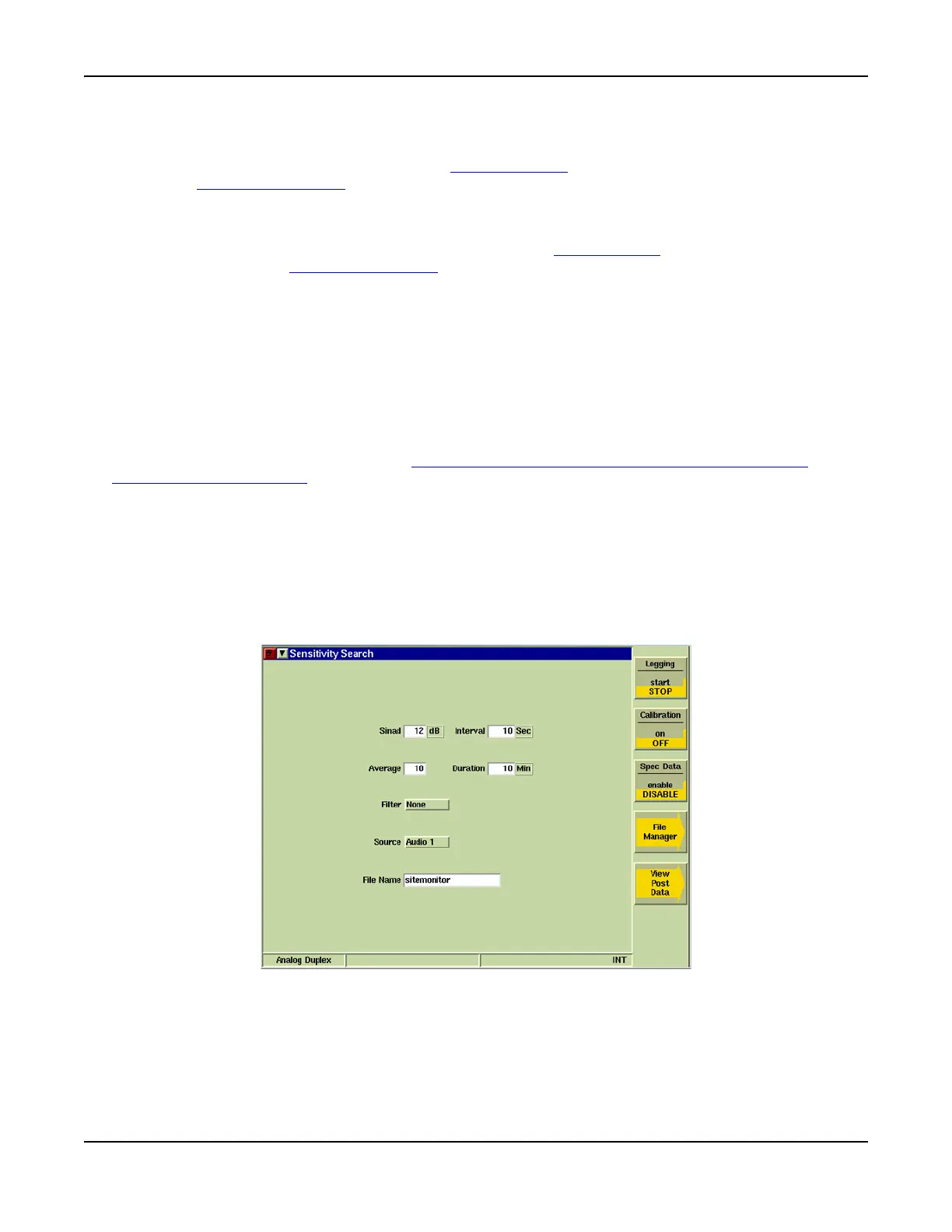
Sensitivity Search Tile Layout
The main Sensitivity Search Tile contains parameters that must be defined to perform a Site
Monitoring test. The Tile can be displayed in maximized or minimized view.
Fig. 8-28 Main Sensitivity Search Tile - Maximized View
Field/Soft Key Definitions
Sinad
Sets the reference point from which all readings are taken.
Interval













 To Next Page