Radio Test Instruments
Subject to Export Control, see Cover Page for details.
7-24
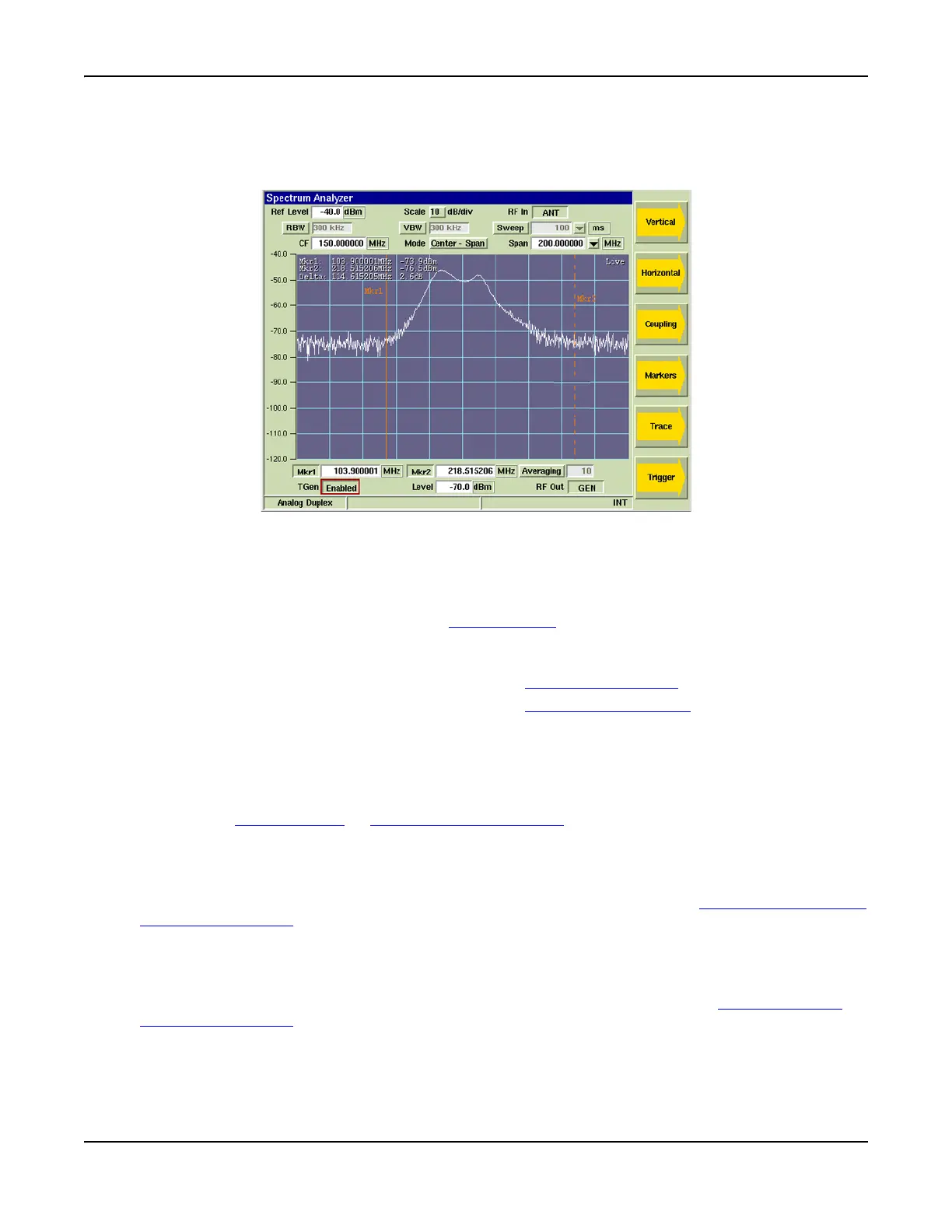
Spectrum Analyzer Tile Layout
The Spectrum Analyzer can only be viewed in maximized view as shown below. The soft keys on the
right side of the display provide access to display settings not available on the main tile.
Fig. 7-27 Spectrum Analyzer Tile
Field/Soft Key Definitions
Reference Level
The Reference Level is the top value on the display grid. Power levels can be measured at any
point on the trace in conjunction with the Scaling dB/div
setting. The Reference Level can be set
to any value within the specified range. The Reference Level is set by:
● Using the [Expand] and [Contract] Soft Keys to make step changes.
● By focusing on the data field and using the Rotary Control Knob
to adjust the level.
● By focusing on the data field and using the Data Entry Input Keys
to enter specific level.
Scaling dB/div
The Scaling drop-down menu selects from a range of 1, 2, 5, or 10. The scaling value (dB/div)
can then be increased or decreased using the [Expand / Contract] Soft Keys.
RF In (Source)
Selects the T/R Connector or ANT (Antenna) Connector as signal source.
RBW (Resolution Bandwidth) Toggle Button
Selects RBW bandwidth mode of operation. When Auto is selected, RBW is system defined.
When Manual is selected, a drop-down menu becomes accessible which allows user to select
from three defined bandwidth settings. This toggle button is linked to the [Res BW] (Resolution
Bandwidth) Soft Key which can also be used to define the RBW setting.
VBW (Video Bandwidth) Toggle Button
Selects VBW bandwidth mode of operation. When Auto is selected, VBW is system defined.
When Manual is selected, a drop-down menu becomes accessible which allows user to select
from a list of defined bandwidth settings. This toggle button is linked to the [Vid BW] (Video
Bandwidth) Soft Key which can also be used to define the VBW setting.













 To Next Page