AutoTest II Sytem Operation
Subject to Export Control, see Cover Page for details.
6-3
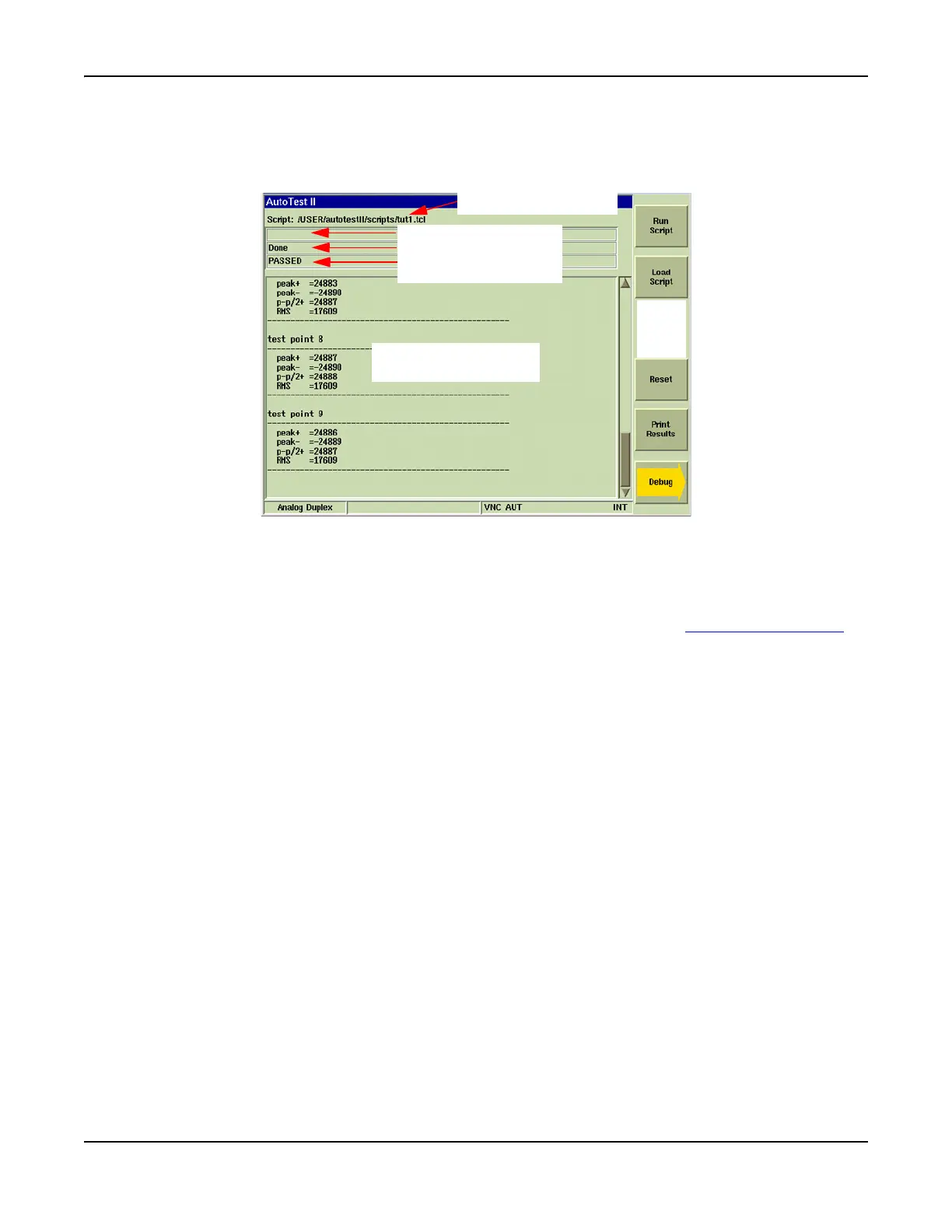
AutoTest II Tile Layout
The AutoTest II Tile contains the Script title bar, three information bars, the results display area and
the soft key area.
Fig. 6-3 AutoTest II Tile Layout
Field/Soft Key Definitions
Script Title Bar
The title bar lists the last loaded script file. A script file does not need to be reloaded to run the
last loaded test script. If the desired test script is already loaded, press [Run Script] Soft Key
to
run the script.
Information Fields
The Information fields display various status messages before, during and after a test script is
run. Fields are referred to in command structure as ‘info1’, ‘info2’, ‘info3’.
Results Display Area
This area shows results of completed tests as well as any user prompts (refer to Fig. 6-10) that
are included in a test script. The Results Display Area is referred to in command structure as
‘results’.
[Run Script] Soft Key
Runs loaded AutoTest II script.
[Load Script] Soft Key
Loads selected AutoTest II script.
[Reset] Soft Key
Clears data from Main AutoTest II screen. Clears data from User Screen or Debug screen.
[Continue] Soft Key
Advances to next step in AutoTest script.
[Print Results] Soft Key
Sends AUtoTest results to configured printer. Printer must be configured on Printer
Configuration Tile to use this function.
Results Area
Info 1 Field
Info 2 Field
Info 3 Field
Script Title Bar
Soft
Key
Area













 To Next Page