Radio Test Instruments
Subject to Export Control, see Cover Page for details.
7-22
Minimized View
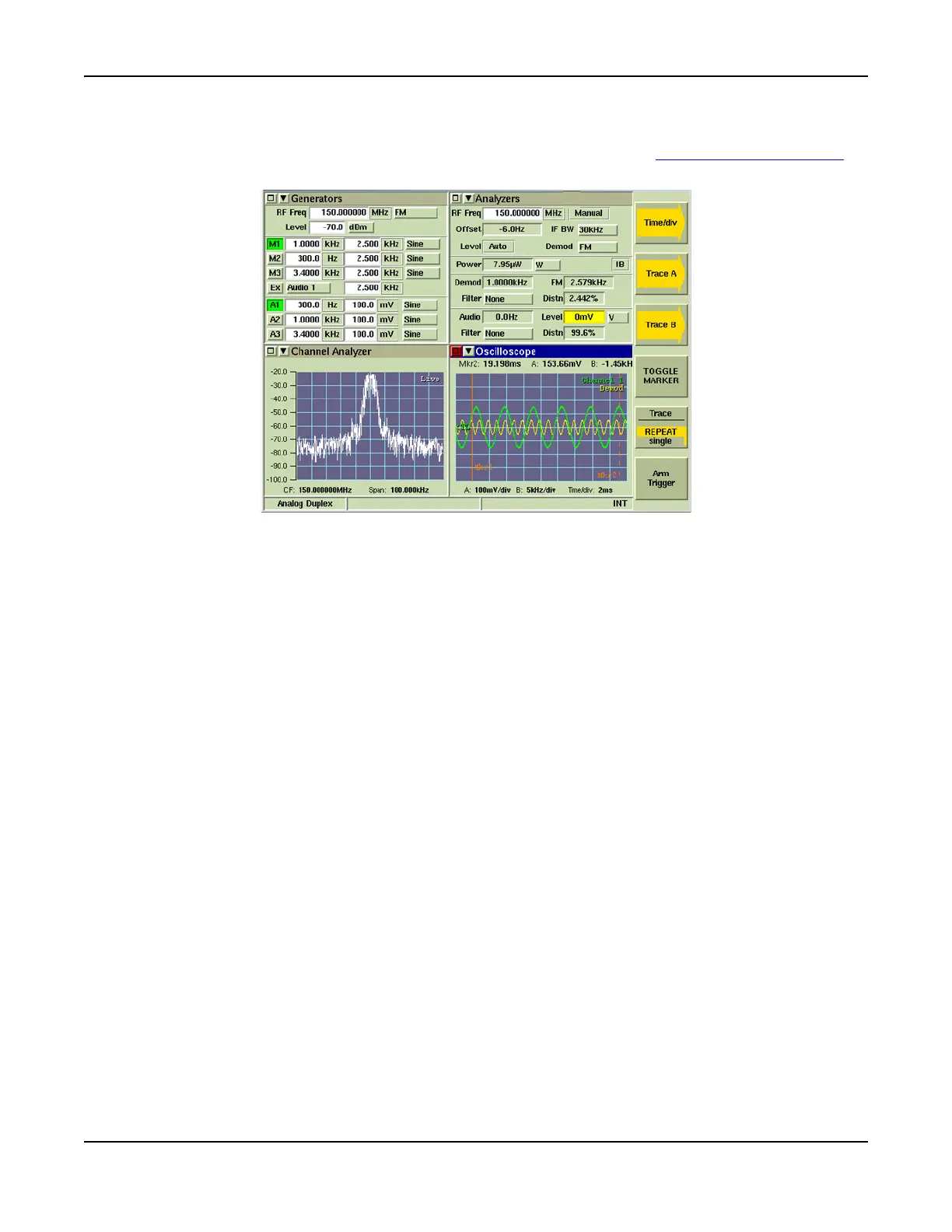
The minimized view of the Oscilloscope Tile is shown in Fig. 7-25. The [Toggle Marker] Soft Key is
available when the Oscilloscope is minimized.
Fig. 7-25 Oscilloscope Tile - Minimized View
[Toggle Marker] Soft Key
Four marker readouts for either Trace A or Trace B are shown at the top of the minimized view of
the Oscilloscope Tile when both markers are enabled. The [Toggle Marker] Soft Key alternates
the readings from Trace A or Trace B. The first readout is the value of the trace at Marker 1, the
second readout is Marker 2 value, the third is the value difference between Marker1 and Marker
2 measurements and the fourth reading is the time difference between Marker1 and Marker 2.
The [Toggle Marker] Soft Key also allows the user to click on the field to position the marker that
is currently being displayed (requires use of mouse).













 To Next Page