Test Set Operation
Subject to Export Control, see Cover Page for details.
3-53
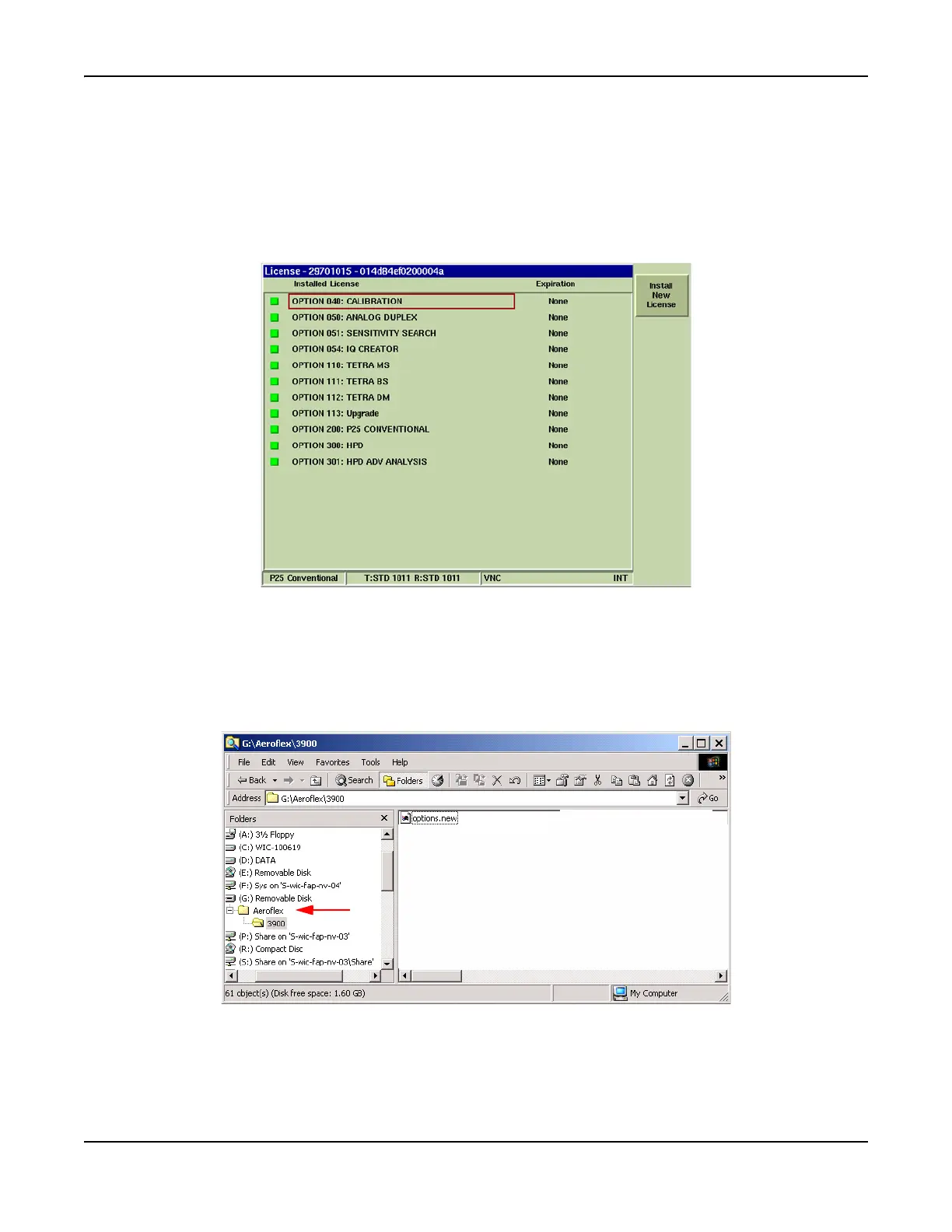
License Tile
The License screen displays the enabled options and turns on new features in the Test Set. The
Test Set’s serial number is shown in the screen heading.
When a new software option is purchased for a specific Test Set, Aeroflex emails a new license file
containing information necessary to load the software. The license file (called options.new) must be
placed on a floppy disk or USB memory device in the 3900 folder within the Aeroflex\3900 directory
to install the options file.
Fig. 3-53 UTILS Software License TIle
Preliminary Steps
Before installing options.new file in Test Set, perform the following:
● Create Aeroflex\3900 directory on USB memory device or Floppy Disk. Place options.new
file in 3900 folder. Refer to Fig. 3-54 for an example of directory formatted on a USB memory
device.
Fig. 3-54 Directory Format for License Installation
● Verify License file is being installed in the Test Set for which it was purchased. An attempt
to load a license file into a Test Set other than the one for which the license is issued
generates an error message and causes the License Installation to fail.













 To Next Page