Test Set Operation
Subject to Export Control, see Cover Page for details.
3-16
Floating Menus
Floating menus are displayed by using the TEST Key, CONFIG Key and UTILS Key, or by right
clicking with a mouse on the display field. The floating menu associated with the current function
opens when one of these actions is performed. For example, if the CONFIG Key
is pressed while the
Test Tiles are displayed, the last viewed Configuration Tile opens.
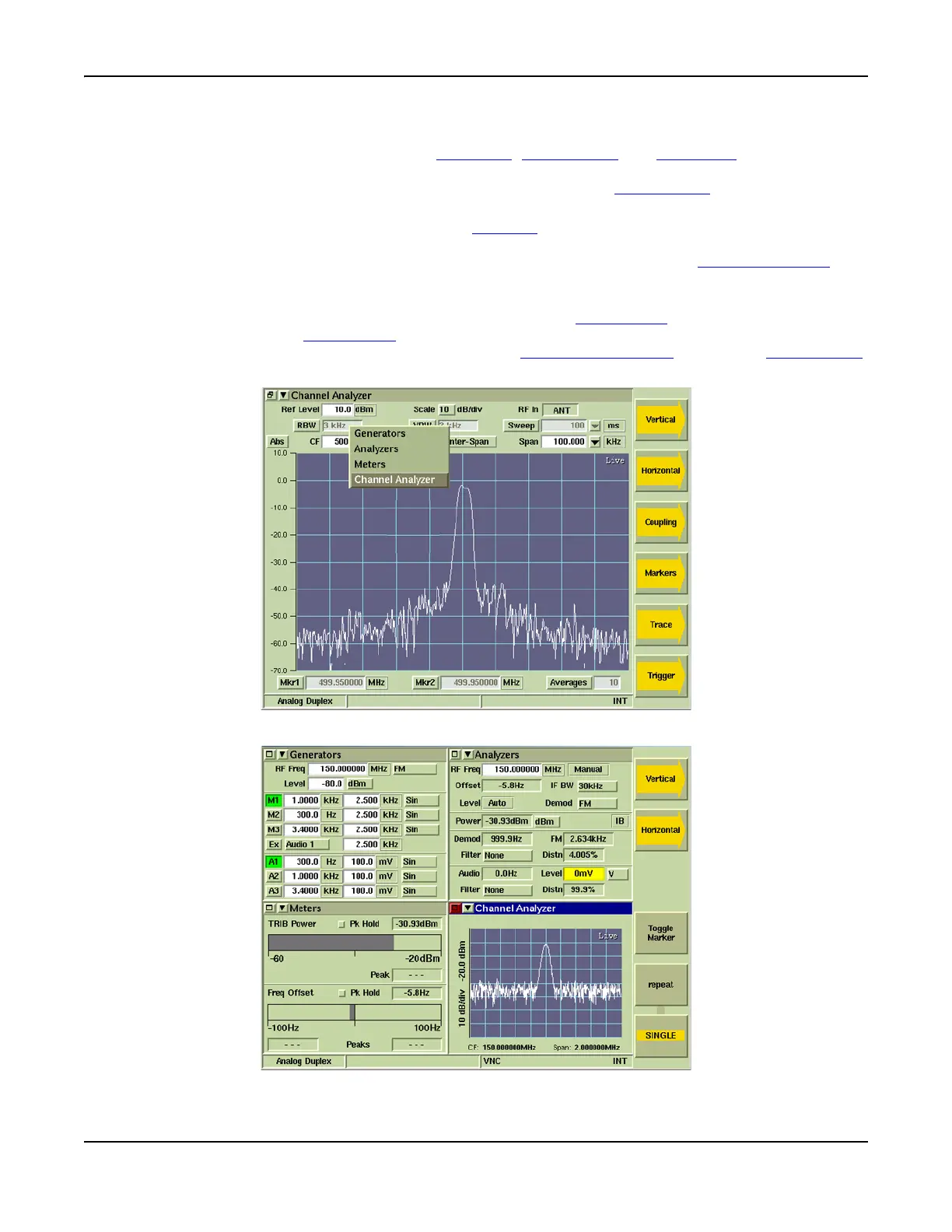
When a display Tile is maximized, pressing the TAB Key opens a floating menu that lists the Test
Tiles that are currently active in minimized view. Selecting a function from the TAB floating menu
displays the Tile in maximized view. Fig. 3-8 shows a maximized view of the Channel Analyzer Tile
with the TAB floating menu that lists the Tiles that are active when the Tile is minimized as shown in
Fig. 3-9.
To navigate to an item on a floating menu, use the ∧ or the ∨ Cursor Keys
to ascend or descend the
menu; use the > or the < Cursor Keys
to cross between upper and lower menus. When a menu is
displayed, scroll through the menu items by using the Rotary Control Knob
. Press the SELECT Key
to enable the selected item.
Fig. 3-8 Channel Analyzer Maximized - TAB Floating Menu
Fig. 3-9 Analog Duplex Active Tiles - Tiles Minimized













 To Next Page