Test Set Operation
Subject to Export Control, see Cover Page for details.
3-17
Configuring Screens
There are various configuration functions that must be defined when using the Test Set. These
functions are accessed by using the CONFIG Key
to open the Configuration menu. When operating
in TEST or UTILS Mode, press the CONFIG Key twice to open the Configuration Menu. If
Configuration Mode is already selected, press the CONFIG Key once to open the Configuration
Menu.
The configuration screens always occupy the entire screen. Details about configuration
requirements are explained throughout this manual.
Configuring Data Fields
The data fields present on the 3900 display Tiles vary bases on the selected system. However,
field functionality is consistent throughout the Test Set.
Numeric Entry
Numeric entry fields are used for setting fluctuating values. The value is changed using any of
the following methods:
● The value is keyed in using the Data Entry Input Keys.
● The value is incremented or decremented using the ∧ or ∨ Cursor Keys
.
● The value is incremented or decremented by using the Rotary Control Knob
.
To change the displayed value:
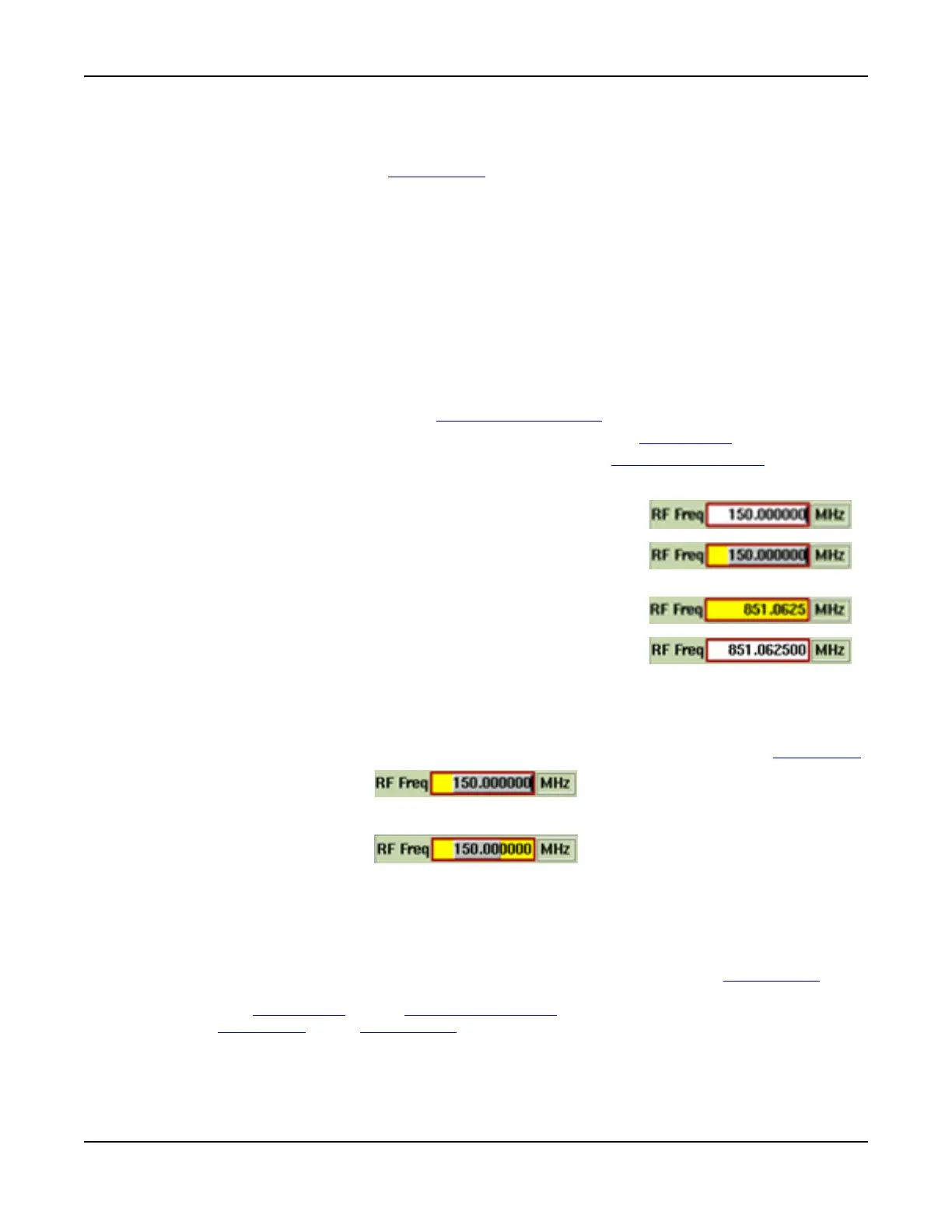
Selecting and Adjusting Digits
The number of significant digits to be incremented or decremented can be selected by user.
Pressing the < or > key increases or decreases the number of digits selected, one digit per
press. Only selected digits are changed. When the new value is correct, press the ENTER Key
.
All digits selected will be changed
Only highlighted digits will be changed
Fig. 3-10 Numeric Entry - Selected Edit States
Drop-down Menus
Drop-down menus are used to select from a list of items.
To change the displayed value, navigate to the desired data field. Press the SELECT Key
to
display the drop-down menu. A scroll bar is displayed when there is a long list of selections.
Use the ∧ or ∨ Cursor Keys
, or the Rotary Control Knob, to select the required value, then press
either the ENTER Key
or the SELECT Key to enable the selection.
1. Navigate to the box to be edited using the cursor keys or
mouse.
2. Press SELECT. If using a mouse, double click to select a
field. Box background changes from white to gold and text
changes to black on a white background.
3. Enter new value using keypad or rotary knob.
4. Press ENTER, or if applicable, a soft key terminator (i.e.,
unit of measurement) to enter the value.













 To Next Page