Test Set Operation
Subject to Export Control, see Cover Page for details.
3-18
Tick Boxes
Tick boxes are used to enable or disable various parametric options. When a tick appears in the
box the option is enabled, if the box is empty it is disabled. The state is changed by focusing on
the box and pressing the SELECT Key
, or by clicking on the tick box with a mouse.
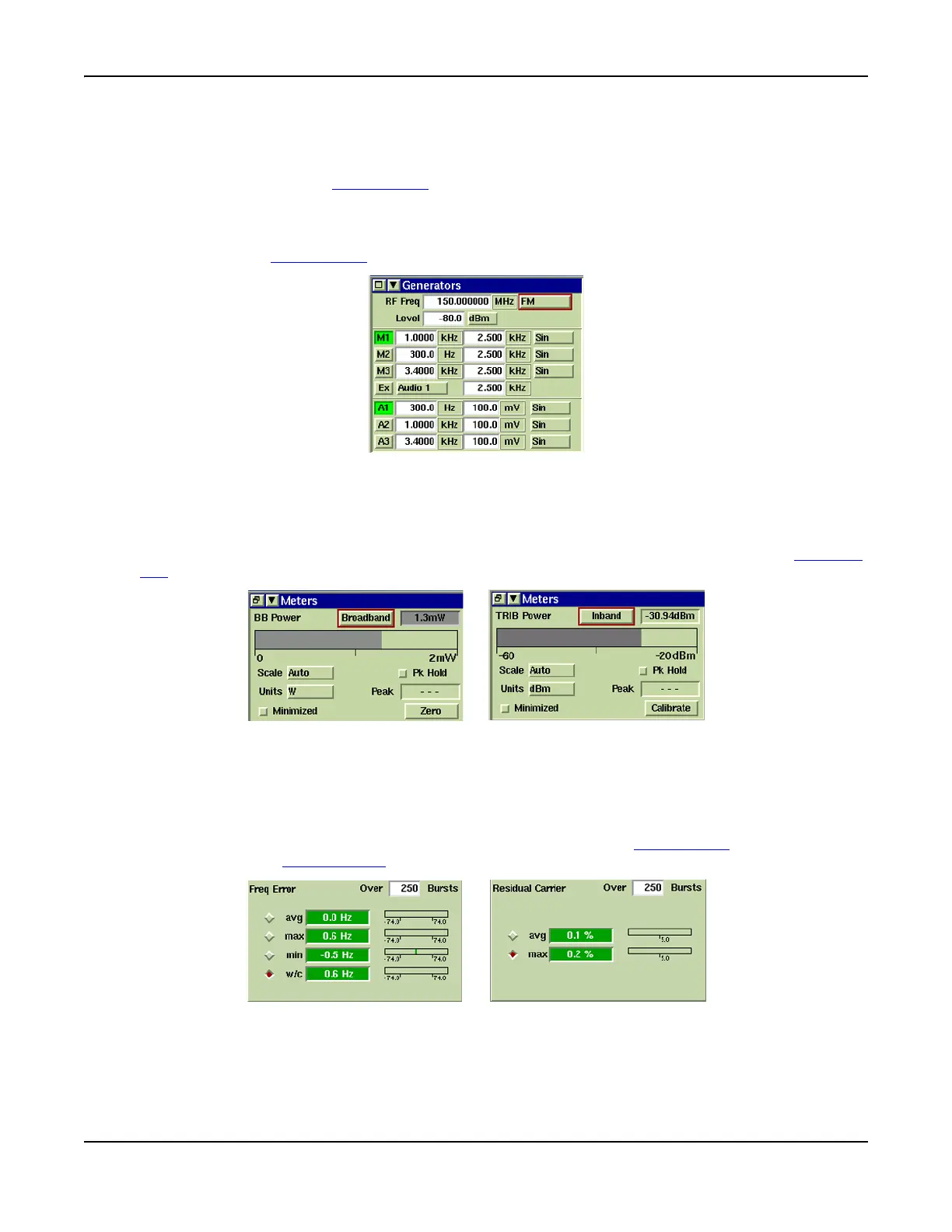
An example is the Analog Duplex Generators Tile, where Tick boxes are used to enable the
required Modulation and Audio Generators. The options are Mod Generators 1, 2 and 3, the
External Modulation Input and AF 1, 2 and 3. The selection is made by focusing on the button
and pressing the SELECT Key.
Fig. 3-11 TIck Buttons - Enable/Disable Mod Generators
Option Buttons
Option buttons select from a one of two possible states. For example, the Analog Duplex Meters
Tile, contains an option button to set the Power measurement function to Inband or Broadband.
To change the current state set of an option button, focus on the button and press the SELECT
Key.
Fig. 3-12 Option (Toggle) Buttons
Radio Buttons
Radio buttons select one option from two or more available options, such as measurement
results on a Tile. The examples in Fig. 3-13 show where Radio Buttons are used to select the
result (e.g. Average, Max, Min) that is to be displayed when the Tile is minimized.
The selection is made by highlighting the button and pressing the SELECT Key
or clicking on the
button if using the Mouse Option
.
Fig. 3-13 Radio Buttons - Measurement Results Selection













 To Next Page