Test Set Operation
Subject to Export Control, see Cover Page for details.
3-47
Database Status Tile
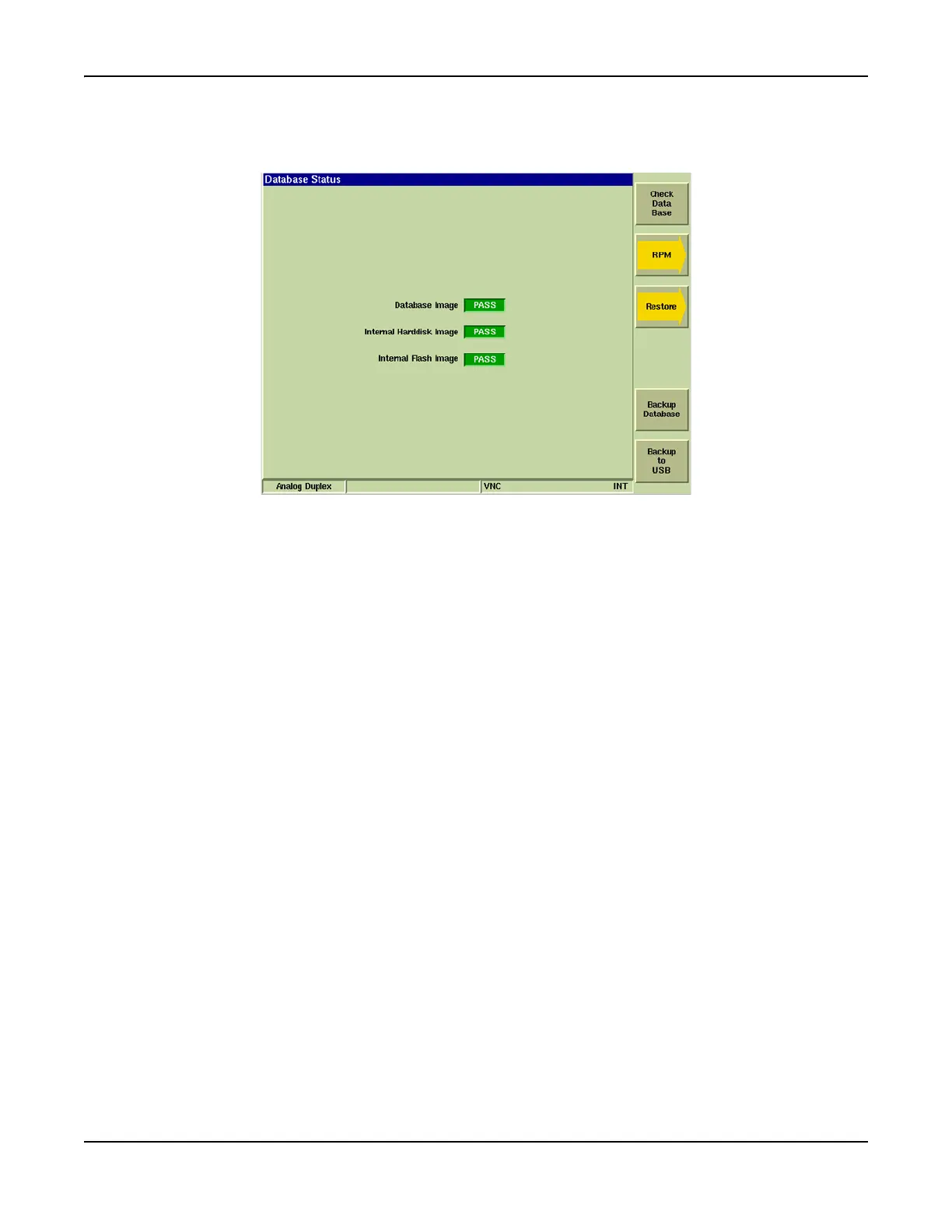
The Database Status Tile provides users with the ability to maintain 3900 database files.
Fig. 3-46 Database Status Tile
Soft Key Definitions
[Check Data Base] Soft Key
Compares the calibration database to the hard drive image and flash image. PASS/FAIL
status is indicated in the Database Image, Internal Harddisk Image and Internal Flash Image
fields.
If Database Image FAIL(s), press the [Restore] Soft Key to restore calibration.
If Internal Harddisk Image and/or Internal Flash Image FAIL, press [Backup Database] Soft
Key.
[RPM] Soft Key
Opens soft key sub-menu that contains the following soft keys:
[Clear RPM Drive] Soft Key deletes rpm files from the 3900’s hard drive.
[Rebuild RPM Database] Soft Key rebuilds the 3900’s version database for rpm package.
[Restore] Soft Key
Opens soft key sub-menu that contains the following soft keys to Restore Calibration:
[Restore From Harddisk] Soft Key restores calibration from data stored on 3900’s hard drive.
[Restore From Flash] Soft Key restores calibration from data on 3900’s internal flash drive.
[Restore From USB] Soft Key restores calibration from data on USB flash drive.
[Backup Database] Soft Key
Backs up 3900 database to the hard drive.
[Backup to USB] Soft Key
Backs up the 3900 database to USB device. USB device must be attached to USB connector
before pressing soft key.













 To Next Page