Test Set Operation
Subject to Export Control, see Cover Page for details.
3-26
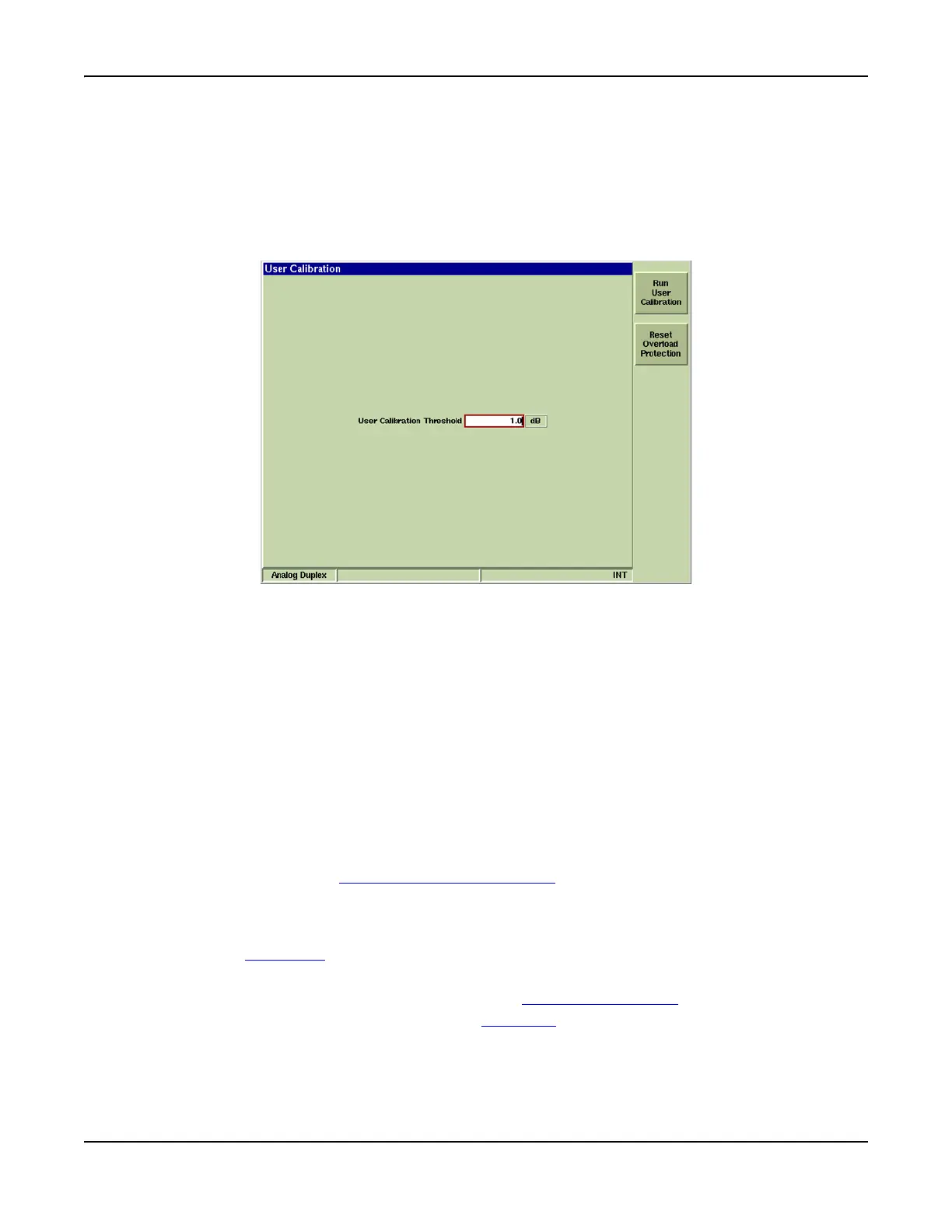
User Calibration Tile
The 3900 Test Set RF Receiver has several temperature sensitive components that monitor
environmental temperature. When the internal thermal monitoring system detects a temperature
drift that would cause the RF Level meter tolerance to exceed the User Calibration threshold, a
pop-up warning is displayed and an out of calibration indicator appears on the information status
bar at the bottom of the display. Running User Calibration recalculates the compensation
required to maintain level accuracy.
Fig. 3-20 UTILS User Calibration Tile
Field/Soft Key Definitions
User Calibration Threshold
Indicates the tolerated amount of error due to temperature drift. For example, if the threshold
value is set to 1 dB, the Test Set generates an error message when the accuracy of measured
power readings is greater than 1 dB.
Run User Calibration
Pressing this soft key initiates the User Calibration Procedure. The User Calibration Procedure
should be performed when the calibration indicator appears at the bottom of the display tile.
Reset Overload Protection
Resets the Test Set’s input overload relay. When input exceeds maximum levels, the Test Set
generates an audible alarm tone. The alarm tone stops when the overload input is disconnected
from the Test Set, however, this soft key must be pressed to reset the Test Set’s overload
warning system. Refer to 3900 Platform Specifications
for maximum input levels.
Run User Calibration Procedure
1. Disconnect any leads from the front panel.
2. Press the UTILS Key
to access the Utilities menu.
3. Select Hardware Settings, User Calibration from the Utilities menu.
4. Select [Run User Calibration] soft key on the User Calibration Tile Tile.
5. When User Cal has completed, press the TEST Key
to return to the previous operating
system.













 To Next Page