Analog Duplex System
Subject to Export Control, see Cover Page for details.
8-17
Ports Configuration Tile
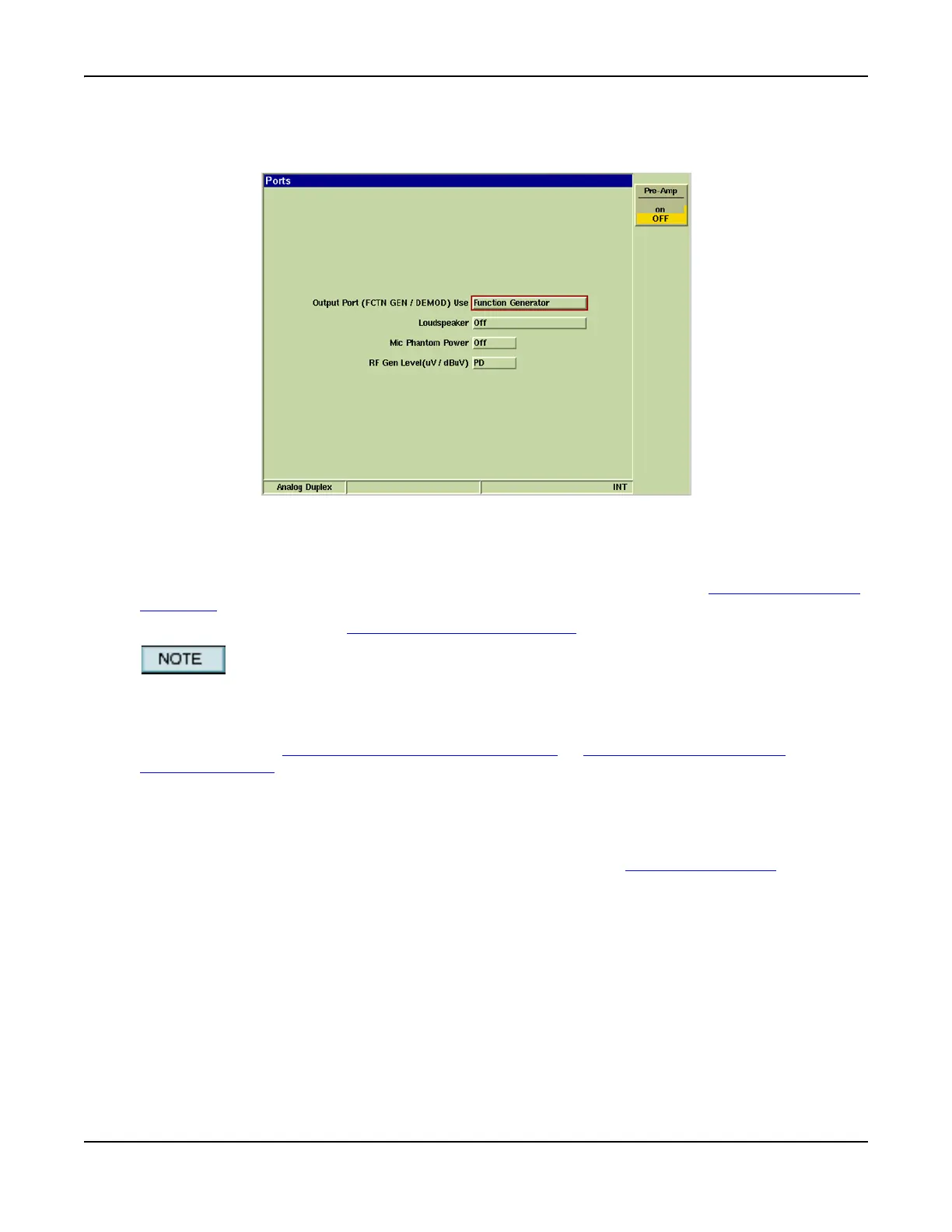
The Ports Configuration Tile defines the Test Set’s output parameters (refer to Fig. 8-41).
Fig. 8-15 Analog Duplex - Ports Configuration Tile
Field/Soft Key Definitions
Output Port (FCTN GEN/DEMOD) Use
Selects the output connector on the front panel. Demod options select the FCTN GEN/DEMOD
Connector as the Demodulation Output.
Audio In options select the FCTN GEN/DEMOD Connector
as the AF Generator output.
Changing configuration to Demod Out while still connected to the MIC/AF Input of a radio
under test may create a feedback loop.
When a filtered output option is selected, the filter type is selected from the Psoph filter drop-
down menu on the AF Measurements Configuration Tile
or Modulation Measurements
Configuration Tile.
Loudspeaker
Selects the source and routing of the signal applied to the loudspeaker within the Test Set.
MIC Phantom Power
A power source for condenser microphones is provided from the MIC/ACC Connector. This drop-
down menu controls this feature.
RF Gen Level
The RF output Level can be displayed as EMF or PD. The selected term is shown adjacent to the
set level.













 To Next Page