Radio Test Instruments
Subject to Export Control, see Cover Page for details.
7-21
[Capture] Soft Key
When [Capture] is selected the current trace is held on the display and the [Clear] Soft Key
appears. To resume normal sweep operation select the [Clear] Soft Key
. The [Clear] Soft Key
disappears until [Capture] is pressed again. This soft key is accessed by pressing the [Trace]
Soft Key.
A captured trace can be saved by pressing the HOLD Key, then selecting the [Save As] Soft Key.
Refer to Chapter 3, section titled Store/Recall Tile for additional information on saving and
storing files.
[Clear] Soft Key
Clears the current captured trace and resumes display of Live trace. This Soft Key is only visible
when a trace is in “Captured” state.
[Accumulate] Soft Key
When [Accumulate] is ON, the trace is not cleared at the end of each sweep, showing each
subsequent trace on the display. The accumulation continues until the [Accumulate] Soft Key is
turned OFF. OFF clears the accumulated traces and resumes display of a single trace.This soft
key is accessed by pressing the [Trace] Soft Key
.
[Trigger] Soft Key
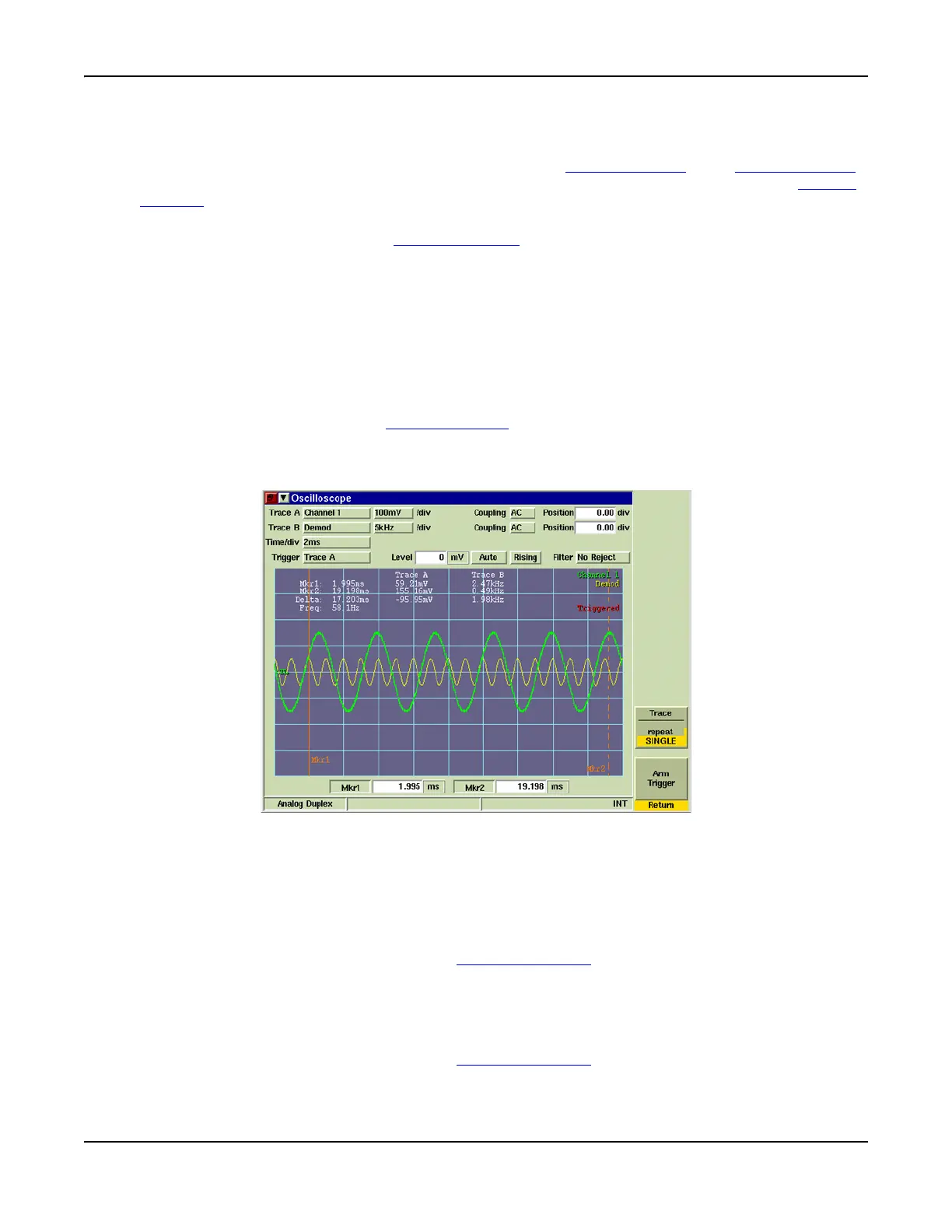
The [Trigger] Soft Key accesses Soft Keys that control the triggering of the trace.
Fig. 7-24 Oscilloscope Trigger Soft Keys
[Trace] Soft Key
When the [Repeat] Soft Key is selected the trace sweeps continuously as long as trigger
conditions are met.
When the [Single] Soft Key is selected the trace triggers a single sweep the next time trigger
conditions are met.
This soft key is accessed by pressing the [Trigger] Soft Key.
[Arm - Trigger] Soft Key
When [Trace - Repeat/Single] is set to [SINGLE] and the [Arm - Trigger] Soft Key is pressed, the
trace triggers a single sweep the next time trigger conditions are met. After the sweep is
obtained, the Trigger state becomes inactive until the [Arm - Trigger] Soft Key is pressed again.
This soft key is accessed by pressing the [Trigger] Soft Key
.













 To Next Page