Radio Test Instruments
Subject to Export Control, see Cover Page for details.
7-31
[Res BW] (Resolution Bandwidth) Soft Key
Sets the bandwidth of the IF filter. Resolution is the ability of the Spectrum Analyzer to
discriminate between signals closely separated in frequency. For example, if two tones are
analyzed, the Spectrum Analyzer is only able to discriminate between them if the resolution
bandwidth selected is narrower than the tone separation. Filter selection becomes more
critical if the tones are at different levels. Narrow resolution bandwidth also results in lower
noise on the trace.
Power Measurement
When using the Spectrum Analyzer to perform power measurements, the Resolution
Bandwidth must be set to a value equal or greater than the bandwidth of the signal being
measured.
[Vid BW] (Video Bandwidth) Soft Key
To view signals close to the noise level, a low pass filter (called the video filter) is introduced
after the detector. The Video Bandwidth is the high frequency cutoff point of the filter. The
video filter reduces high frequency noise on the detected signal and enables low level signals
to be identified that would otherwise be buried in the noise.
[Sweep Time] Soft Key
The Sweep Time setting defines how quickly trace data is acquired and updated to the
display. This setting must be fast enough to provide quick measurement results, but slow
enough to allow the power values at each point to be measured. When set to AUTO, the Test
Set optimizes the Sweep Time. When set to MANUAL, a defined Sweep Time setting can be
selected from the drop-down menu or an arbitrary value can be entered by selecting the
Sweep Time data field.
[Trace] Soft Key
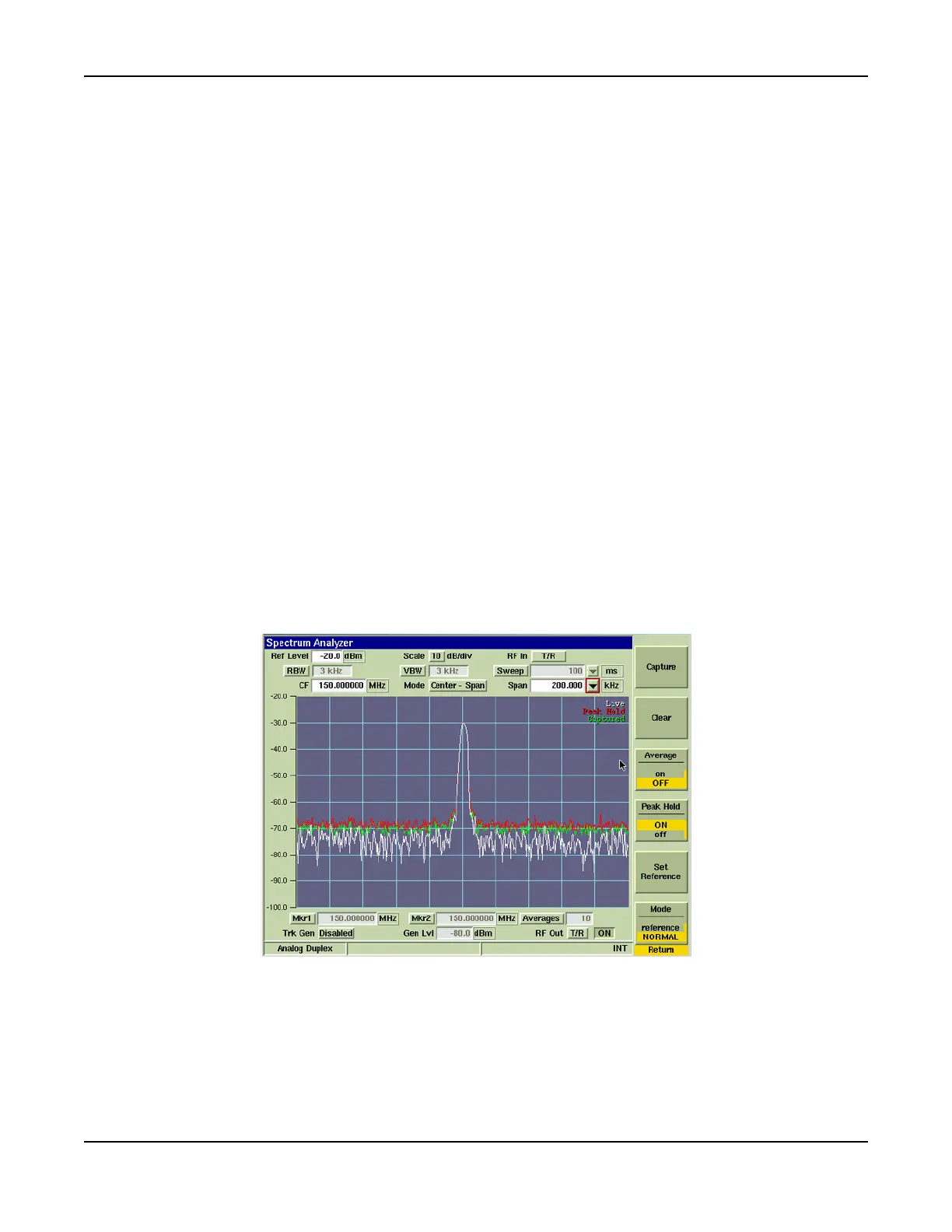
The [Trace] Soft Key accesses trace display control functions to allow users to obtain average
and peak measurements and to capture traces being displayed on the Spectrum Analyzer Tile.
Fig. 7-35 Spectrum Analyzer with Live and Captured Traces













 To Next Page