Radio Test Instruments
Subject to Export Control, see Cover Page for details.
7-30
[Mkr 1 (or 2) to PK] Soft Key
Moves Marker 1 or Marker 2 to the position of the peak value shown on the current trace. This
soft key is accessed by pressing the [Mkr 1 / Mkr 2] Soft Key
.
[Mkr 1 (or 2) Sets CF] Soft Key
Sets the Center frequency to the reading at Marker 1 or Marker 2. This soft key is accessed by
pressing the [Mkr 1 / Mkr 2] Soft Key
.
[Mkr 1 (or 2) Sets Ref] Soft Key
Sets the Reference Level to the value of Marker 1 or Marker 2 level measurement, with no
headroom or offset value. This soft key is accessed by pressing the [Mkr 1 / Mkr 2] Soft Key
.
[Mkr 1 (or 2) to Next Left Peak] Soft Key
Moves Marker 1 or Marker 2 to the next peak to the left of the present Marker 1 or Marker 2
position. This soft key is accessed by pressing the [Mkr 1 / Mkr 2] Soft Key
.
[Mkr 1 (or 2) to Next Right Peak] Soft Key
Moves Marker 1 or Marker 2 to the next peak to the right of the present Marker 1 or Marker 2
position. This soft key is accessed by pressing the [Mkr 1 / Mkr 2] Soft Key
.
[Mkrs Set Start-Stop] Soft Key Soft Key
Sets the Mode of the Spectrum Analyzer to Start - Stop and sets the span of the trace to start at
the frequency value of Marker 1 and to stop at the frequency value of Marker 2. This soft key is
accessed by pressing the [Mkr 1 / Mkr 2] Soft Key.
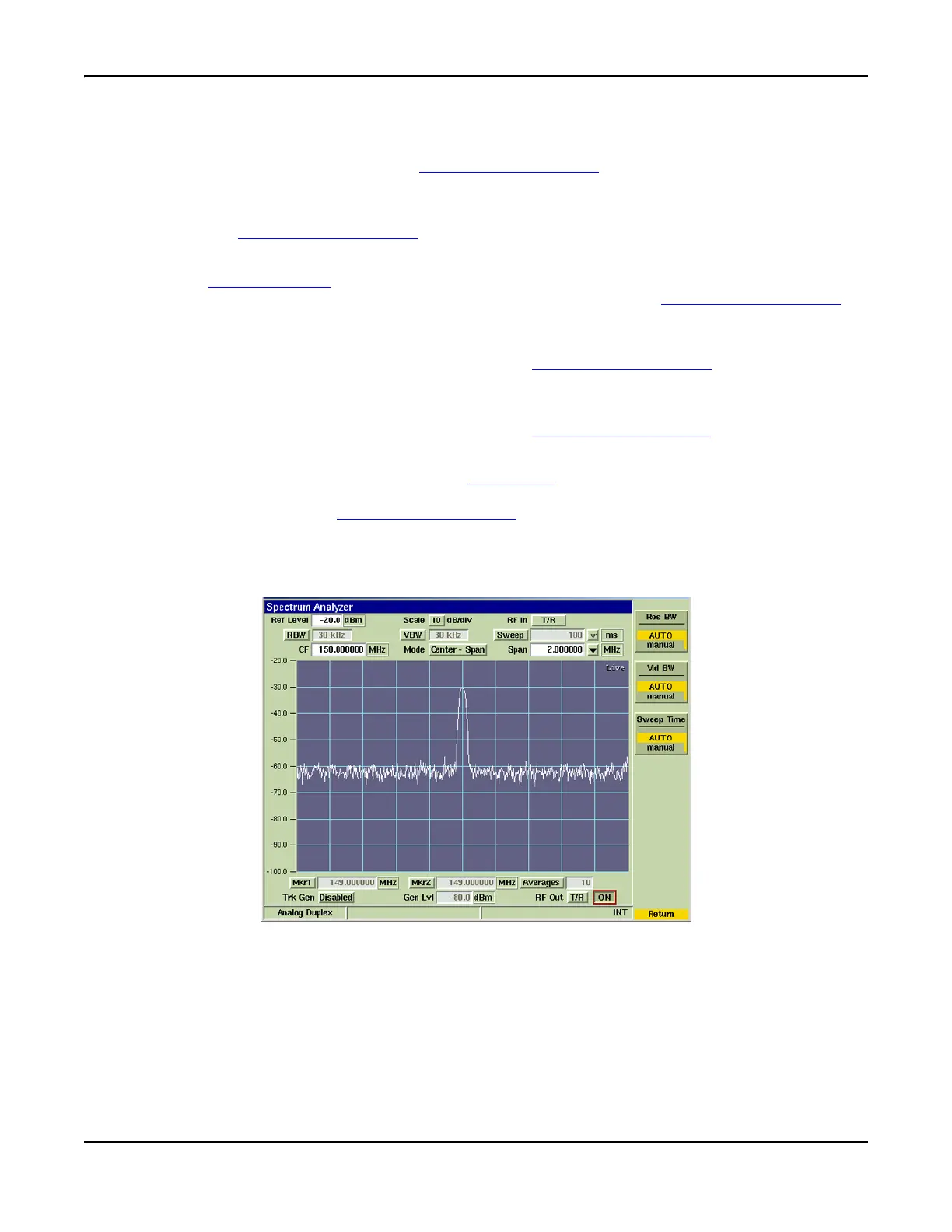
[Coupling] Soft Key
Accesses a Soft Key sub-menu the allows user to define Resolution Bandwidth (RBW) and Video
Bandwidth (VBW) as well as Sweep Time.
Fig. 7-34 Spectrum Analyzer Coupling Soft Key Menu
RBW, VBW and Sweep Time are interdependent settings that govern the usefulness of a
Spectrum Analyzer trace. These Soft Keys are controlled by inter-related action so that
changing the value of one changes one or both of the others to optimize the display and prevent
an invalid setting. RBW, VBW and Sweep Time can be set to AUTO or MANUAL operation.
Setting all three parameters to AUTO provides a useful representation of the signal to be
examined. When any one of these parameters is set manually, the Test Set selects the optimum
setting for the other two parameters according to internal setup tables.













 To Next Page