Analog Duplex System
Subject to Export Control, see Cover Page for details.
8-23
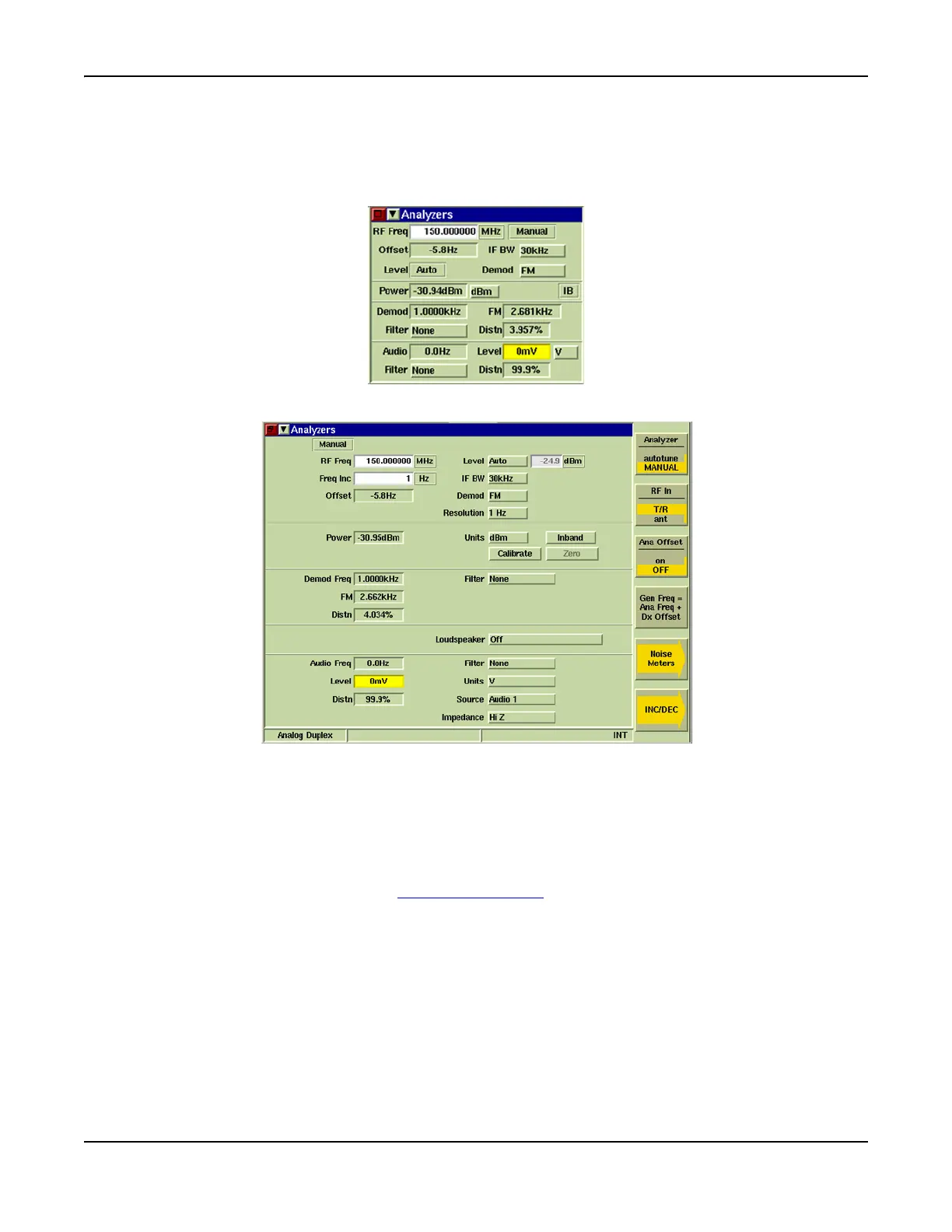
Analyzers Tile
The Analyzers Tile interfaces the RF Analyzer, the RF Power Meters, the Modulation Analyzer and
the AF Analyzer. Each section of the Analyzers Tile contains parameters that are used for
measuring aspects of the RF signals being received from the equipment under test.
Fig. 8-20 Analyzers Tile - Minimized View
Fig. 8-21 Analyzers Tile - Maximized View
RF Analyzer Field Definitions
RF Freq
Indicates the selected RF Analyzer Input Frequency. This frequency is the center or reference
frequency for measurements. Units of measure are GHz, MHz, kHz and Hz. Value must be set
when Manual tuning is selected.
When Autotune is selected on the [Analyzer] Soft Key
soft key, the RF Input Frequency is set by
the Analyzer to the strongest received RF signal.
Level
With Auto is selected from the Level drop-down menu, the Automatic Gain Control (AGC) function
optimizes the attenuation or gain.
With Manual is selected from the Level drop-down menu, the Level setting field must be set a
value for the expected level of input signal.













 To Next Page