Analog Duplex System
Subject to Export Control, see Cover Page for details.
8-27
Soft Key Definitions
[Analyzer] Soft Key
The [Analyzer] Soft Key selects the method of setting the RF input frequency (Autotune or
Manual). When Autotune is selected the Test Set locks on to the strongest signal. Once the
Test Set locks on to a frequency, it monitors the Inband / Broadband Power Meter depending on
the selected RF Input connector.
T/R Connector
When the T/R Connector is selected Autotune monitors the Inband and Broadband Power Meter.
If InBand Power drops below the dB threshold defined on the RF Measurements Configuration
Tile, and BroadBand Power exceeds 3 dBm, a search is triggered and the Test Set again
searches for the strongest signal with a power level above the defined threshold.
ANT Connector
When the ANT Connector is selected Autotune monitors the Inband Power Meter. If InBand
Power drops below the dB threshold defined on the RF Measurements Configuration Tile, a
search is tiggered and the Test Set again searches for the strongest signal with a power level
above the defined threshold.
[RF In] Soft Key
Selects the ANT (Antenna) Connector or T/R Connector as the RF Input to the RF Analyzer. The
Input Level range and the Power Meter options are dependent on the connector selected.
[RF Offset] Soft Key
Applies or removes a level offset value to the analyzer input. With the Offset value ON the input
power level readings are adjusted to include the offset value. This value is set on the Offsets
Configuration Tile and Analyzers Tile.
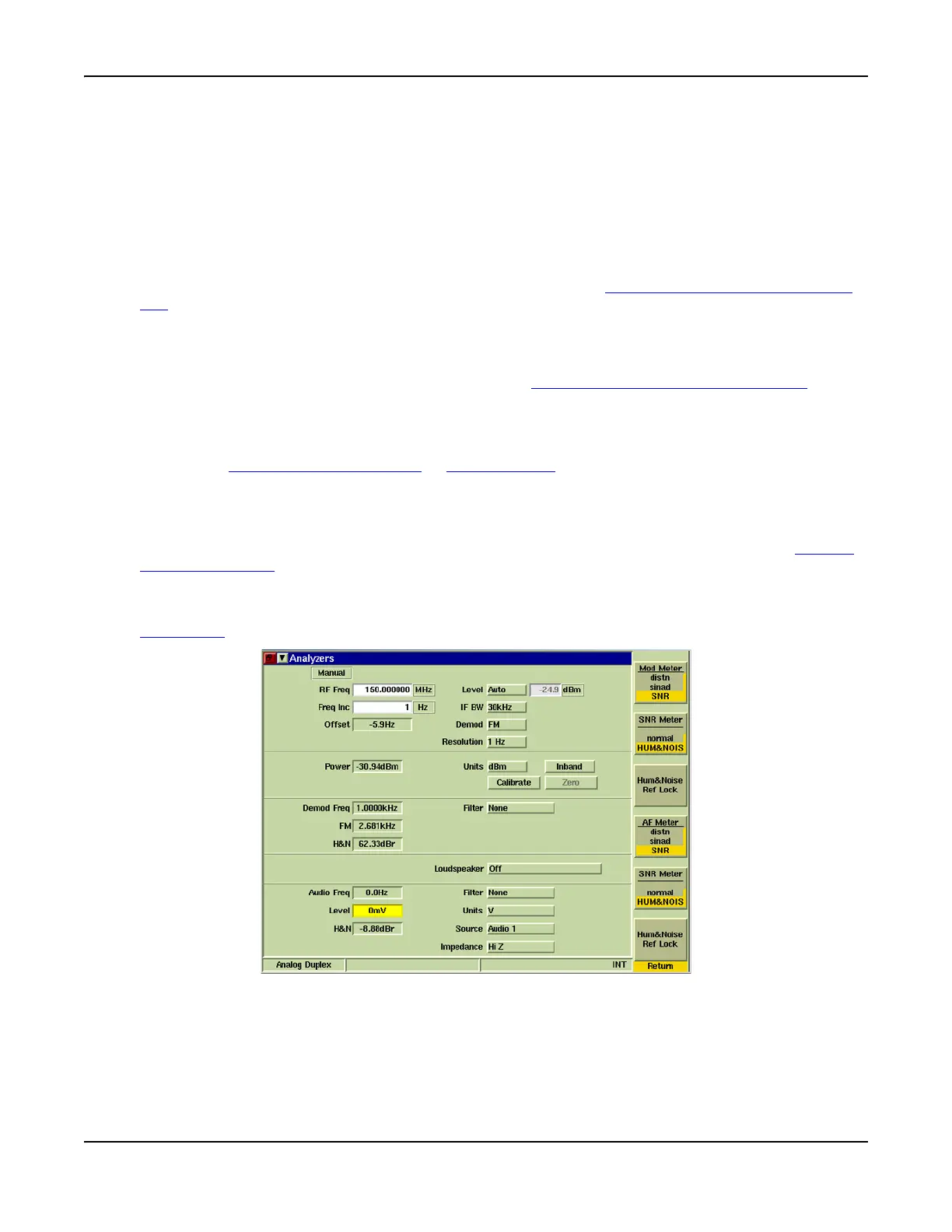
[Noise Meters] Soft Key
Opens a soft key sub-menu that allows measurement option to be selected to be displayed on the
Meters Tile
for Modulation Distortion and AF Distortion measurement.
Fig. 8-22 Analyzers Tile - Noise Meters Soft Key Sub-menu













 To Next Page