Radio Test Instruments
Subject to Export Control, see Cover Page for details.
7-4
Mode
Drop-down menu selects the span mode used to define the displayed signal trace. Available
options are Start-Stop Mode, Center-Span Mode and Zero-Span Mode.
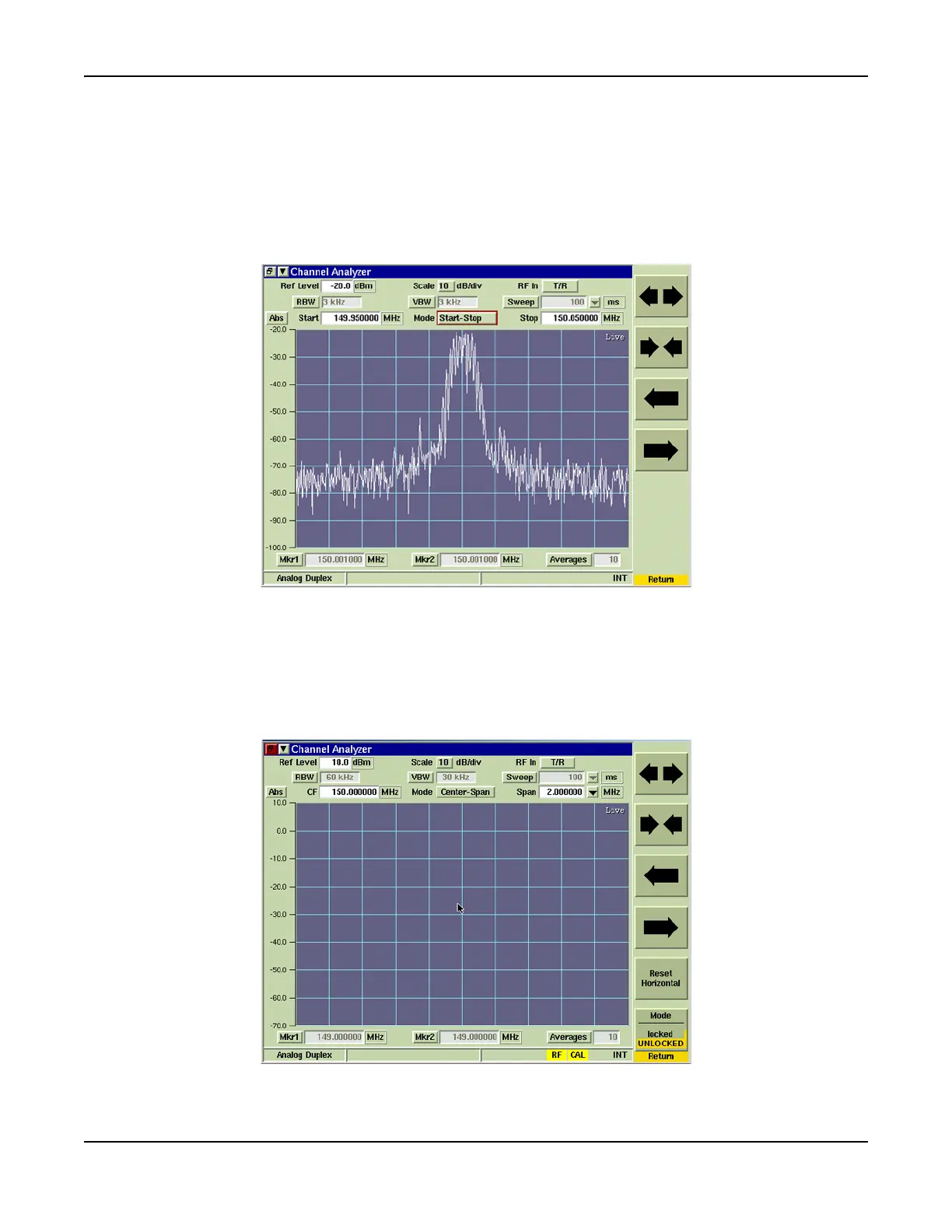
Start - Stop
Start-Stop Span Mode uses the sweep Start and Stop frequencies to define the span.
Fig. 7-3 shows an RF signal displayed from 149.950000 MHz to 150.050000 MHz as defined
by the Start and Stop values.
Fig. 7-3 Channel Analyzer Start and Stop Frequency Setting
Center - Span
Center-Span Mode uses the sweep Center frequency value and span setting to define the
frequency span. The maximum span of the Channel Analyzer display is 5 MHz, which is
equal to the channel width of the Test Set receiver. Fig. 7-4 shows the center frequency set
to 150.000000 MHz, which is the frequency of the RF Channel to which the Test Set Receiver
is tuned. The Span is set to 2.0 MHz.
Fig. 7-4 Channel Analyzer Center Frequency and Span Setting













 To Next Page