Analog Duplex System
Subject to Export Control, see Cover Page for details.
8-44
Peak (Pk) Hold
Selecting the Peak Hold button allows the peak value of measurements to be captured and
updated as new peaks occur. The peak value is shown on the bar graph and in the Peak digital
readout field.
Peak Digital Readout
Shows the peak value measured. The peak reading can be reset by using either the [Peak Reset
ALL] Soft Key, which resets peak measurement reading. The reset operation also resets the
peak reading on the bar graph.
[Peak Reset] Soft Key
Clears and resets active peak hold measurement.
Shunt Installation Prompt
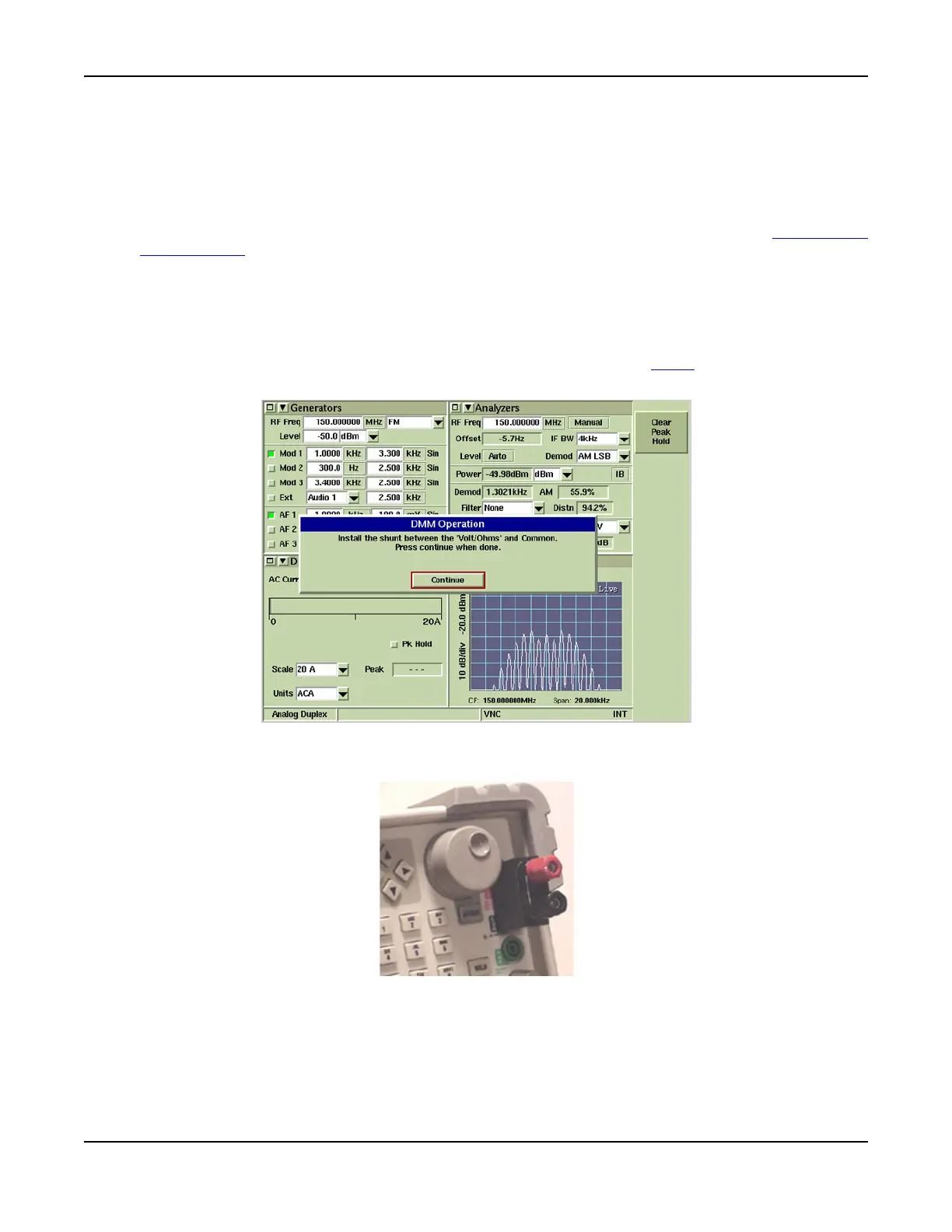
When ACA or DCA measurements are being performed, and 20 AMP Scale is selected, the dialog
box shown in Fig. 8-39 is displayed.
Fig. 8-39 DMM Shunt Installation Prompt Dialog Box
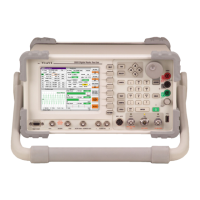
When shunt has been installed (refer to Fig. 8-40), press Continue to close dialog box.
Fig. 8-40 Shunt Installed



 To Next Page